Father, author, developer, maker. Please consider sponsoring my work.
Docker and systemd, getting rid of dreaded 'Failed to connect to bus' error
The following error has been the bane of my existence for the past few months:
TASK [geerlingguy.containerd : Ensure containerd is started and enabled at boot.] ***
fatal: [instance]: FAILED! => {
  "changed": false,
  "cmd": "/bin/systemctl",
  "msg": "Failed to connect to bus: No such file or directory",
  "rc": 1,
  "stderr": "Failed to connect to bus: No such file or directory",
  "stderr_lines": [
    "Failed to connect to bus: No such file or directory"
  ],
  "stdout": "",
  "stdout_lines": []
}
Since I use Molecule with my Ansible roles and playbooks to test them in identical CI environments both locally and in GitHub Actions, I can maintain an identical environment inside which tests are run. And many of my roles and playbooks need to test whether systemd services are configured and run correctly.
…Batch transcode a folder of videos with Handbrake's CLI
I've used Handbrake for years, to transcode practically any video file—including ripped DVDs and Blu-Rays—so I can watch the videos on practically any device. It's especially helpful for .mkv files, which can have a hodgepodge of video formats inside, and are notoriously difficult to play back, especially on older or more locked down playback devices.
But Handbrake's achilles heel, as a GUI-first application, is in a lack of easy batch operation. You can queue videos up one at a time, which is nice, but more recently, as I've ripped more TV seasons onto my NAS, I've wanted to transcode 5, 10, or 20 files at a time.
…An easier way to find an ASUSTOR NAS to set it up
I have a few ASUSTOR NASes at my house, and I don't like installing a custom application just to identify the NAS so I can visit it's web UI the first time.
The official ASUSTOR getting started guide recommends installing ASUSTOR Control Center, which does a good job of identifying ASUSTOR devices on your network. And that's about it.
But behind the scenes, it's likely just scanning your network and matching any MAC addresses in Asustek's range. Which is easy to do without a third party app.
…Automating my Homelab with Ansible (AnsibleFest 2022)
At AnsibleFest 2022, I presented Ansible for the Homelab.

In the presentation, I gave a tour of my homelab, highlighting it's growth from a modem and 5-port switch to a full 24U rack with a petabyte of storage and multiple 10 gigabit switches!
Then I spent some time discussing how various components are automated using Ansible, mostly using open source projects on GitHub.
Unfortunately for attendees, the room my session was in was packed, and a lot of people who wanted to see it were turned away.
…Streaming services lost the plot
Do you remember when Netflix first started their movie streaming service, back in 2007?
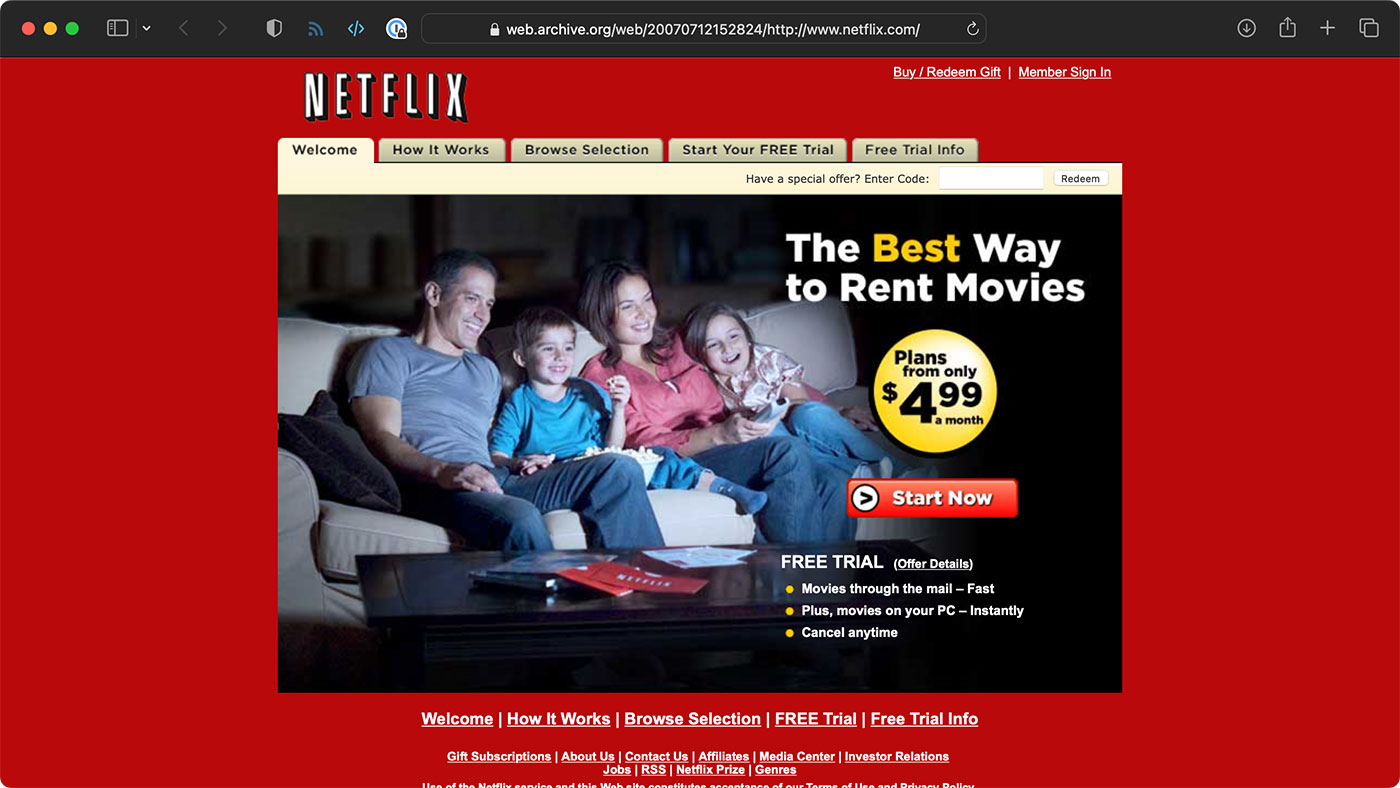
Physical media was still the preferred way to consume media. Besides sports content, and some TV shows that were cable-exclusive for a time, most people would run by Blockbuster and pick up a movie.
Netflix started with mail-order DVDs, then switched to streaming. The absence of ads (which were rampant on cable channels) and the convenience of not having to drive to a physical store (Blockbuster et all) made Netflix a no-brainer, especially considering the depth of their initial library.
…Monitoring my ASUS RT-AX86U Router with Prometheus and Grafana
I've been running my Internet Monitoring Pi for a year or so, and it's nice to collect data on Internet performance from inside my network.
But my router—currently an ASUS RT-AX86U—also tracks its own metrics for inbound and outbound traffic, among other things:

Sometimes having the raw data from the router that's on the edge of the network can tell a different story than measuring things behind the router. So I want to grab this data and put it into Prometheus.
…