Father, author, developer, maker. Please consider sponsoring my work.
Resizeable BAR support on the Raspberry Pi
While not an absolute requirement for modern graphics card support on Linux, Resizeable BAR support makes GPUs go faster, by allowing GPUs to throw data back and forth on the PCIe bus in chunks larger than 256 MB.
In January, I opened an issue in the Raspberry Pi Linux repo, Resizable BAR support on Pi 5.
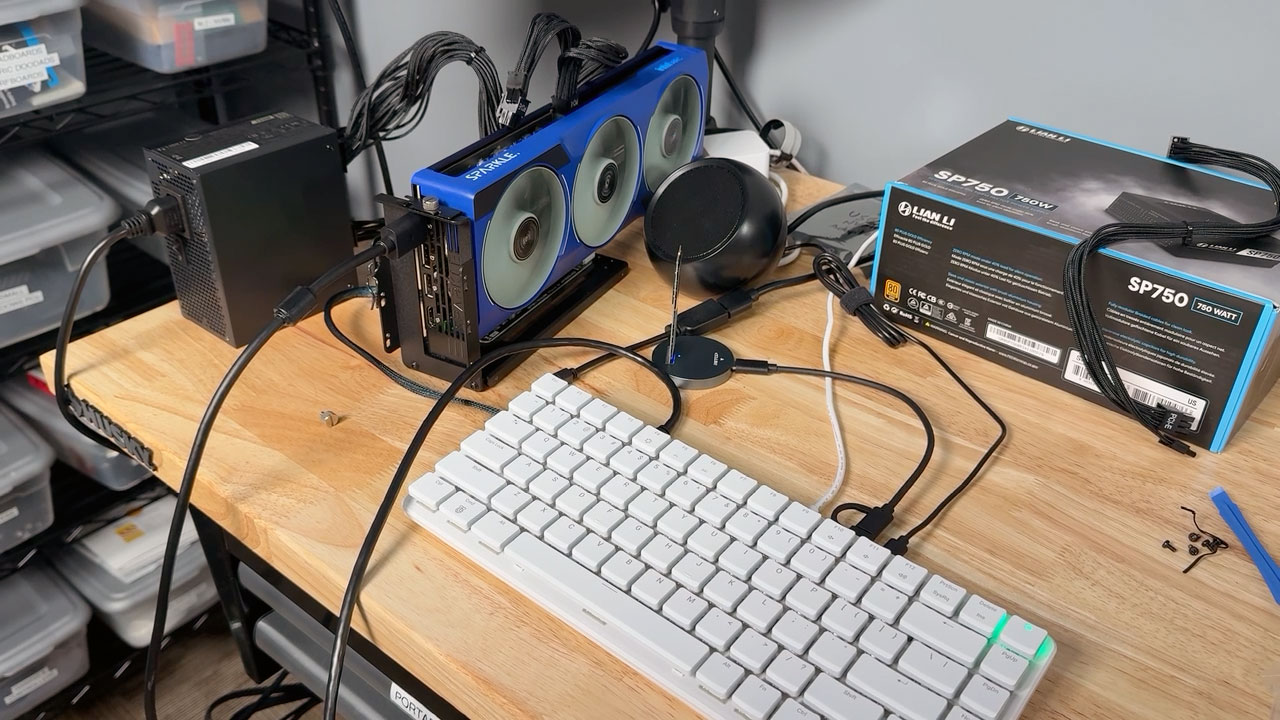
Unlike most PCs with a BIOS or UEFI support, the Raspberry Pi should just support BAR resize by default. However, when testing Intel Xe GPU drivers (for Alchemist/Battlemage GPUs) on Raspberry Pi OS, I would get errors like:
…How much radiation can a Pi handle in space?
Late in the cycle while researching CubeSats using Pis in space, I got in touch with Ian Charnas1, the chief engineer for the Mark Rober YouTube channel.
Earlier this year, Crunchlabs launched SatGus, which is currently orbiting Earth taking 'space selfies'.

The way it works:
- You upload a photo on the Space Selfie website
- The photo is scheduled to be taken aboard SatGus on its onboard Google Pixel phone, using a camera built by Redwire Space
- The flight computer (FCM) receives batches of photos and associated metadata over S band, and stores it onboard
- A Raspberry Pi Compute Module 4 (on a custom carrier board designed by Tyvak International) uses USB ADB to control the Pixel phone and display the image
- The camera snaps the photo, and batches of photos are downlinked over S-band by the flight computer (FCM)
I was interested from the outset, because launching a 12U CubeSat into space isn't cheap, and requires a lot of engineering. I'm guessing that's why Mark Rober's team partnered with Tyvak and Redwire: focus on the 'space selfies' bit while letting an established satellite provider focus on flight control, power, and the main chassis.
…Qualcomm's buying Arduino – what it means for makers

Qualcomm just announced they're acquiring Arduino, the company that introduced a whole generation of tinkerers to microcontrollers and embedded electronics.
The Uno R3 was the first microcontroller board I owned. Over a decade ago, I blinked my first LED with an Uno; the code for that is actually still up on my GitHub.
The $45 Uno Q, a new SBC-microcontroller hybrid (pictured at the top of this post), is the latest release in the Uno lineup, replacing the $27 Uno R4 WiFi. I'll get to the Uno Q later in this post.
…The AI Emperor Has No Clothes

If the size of the current AI bubble can be estimated by how many
- AI job offers
- AI product review offers
- AI service paid sponsorship offers
- AI creator representation offers
I receive per day... then I'd say we're nearing the pop.
There is no way the trillions of dollars of valuation placed on AI companies can be backed by any amount of future profit.
There are good use cases for machine learning, AI, etc. But sadly, the best ones are masked by the hype-train AI junk that is either useless or incredibly expensive in comparison to the amount of money being charged for it. And hardware capabilities seem to be decelerating just as things like model training need more, for every small percentage gain.
…Not all OCuLink eGPU docks are created equal
I recently tried using the Minisforum DEG1 GPU Dock with a Raspberry Pi 500+, using an M.2 to OCuLink adapter, and this chenyang SFF-8611 Cable.
After figuring out there's a power button on the DEG1 (which needs to be turned on), and after fiddling around with the switches on the PCB (hidden under the large metal plate on the bottom; TGX to OFF was the most important setting), I was able to get the Raspberry Pi's PCIe bus to at least tell the graphics card installed in the eGPU dock to spin up its fans and initialize.
…Full eGPU acceleration on the Pi 500+ with a 15-line patch
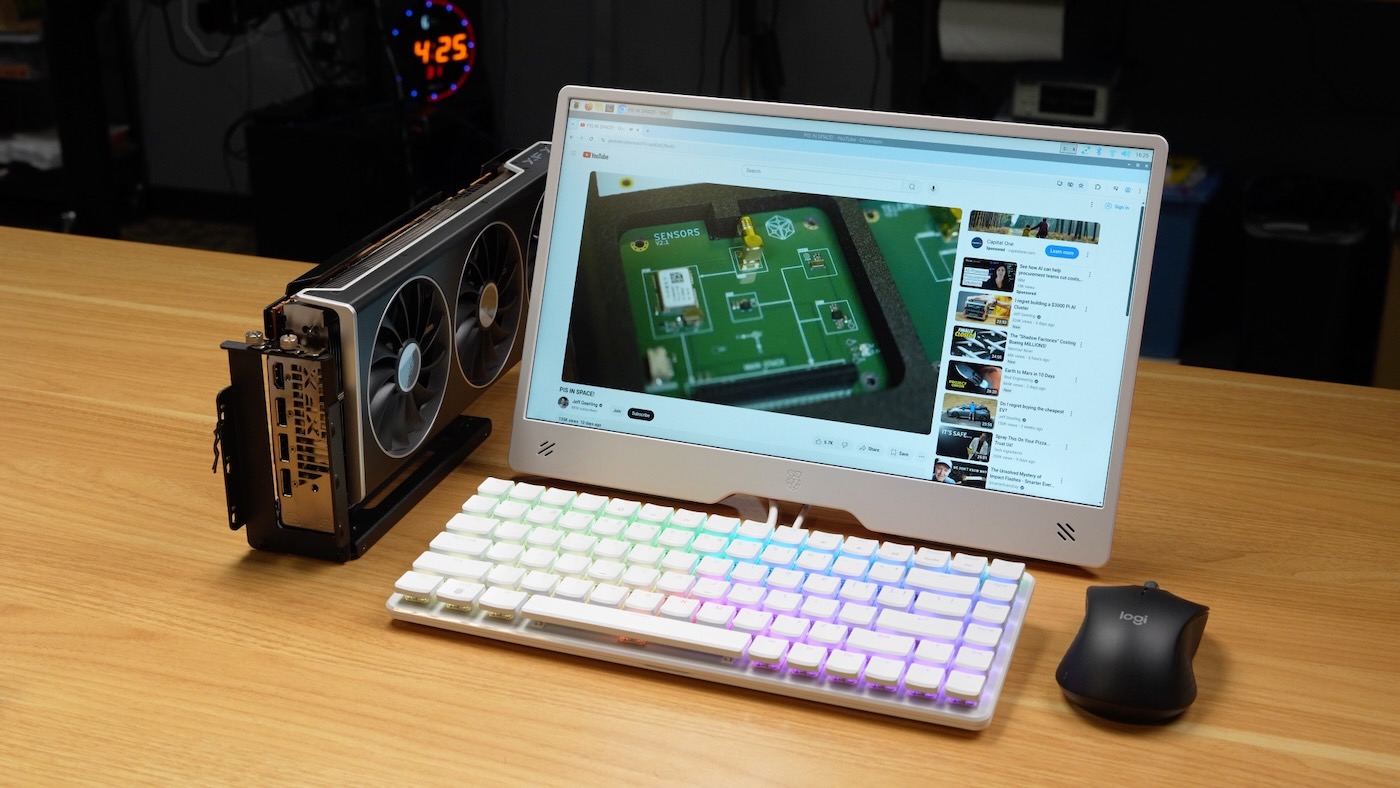
Instead of a traditional review of a new Pi product, I thought I'd split things up on my blog, and write two separate posts; this one about hacking in an eGPU on the Pi 500+, for a massive uplift in gaming performance and local LLMs, and a separate post about the Pi 500+'s new mechanical keyboard.
The Raspberry Pi 500+ was announced today, sells for $200, and adds on the following over what was present in the regular Pi 500:
…