Local Email Debugging with Mailpit
For the past decade, I've used Mailhog for local email debugging. Besides working on web applications that deal with email, I've long used email as the primary notification system for comments on the blog.
I built an Ansible role for Mailhog, and it was one of the main features of Drupal VM, a popular local development environment for Drupal I sunset 3 years ago.
Unfortunately, barring any future updates from the maintainers, it seems like Mailhog has not been maintained for four years now. It still works, but something as complex as an email debugging environment needs ongoing maintenance to stay relevant.
Enter Mailpit:

Mailpit is even easier to deploy, feels faster in my testing, and has all the features of Mailhog I grew to rely on (and then some).
Setting up Mailpit for Remote42 Comment debugging
On this website (which I just migrated to Hugo), I'm integrating a self-hosted comment system which allows users to post comments using email confirmation (or anonymously), and I also need to make sure notifications are working.
I've settled on Remark42, and besides migrating over 30,000 comments from my old Drupal site to Remark42's BoltDB database, I need to test all it's email functionaly before pushing it live in production.
I'm running Remark42 using a customized version of their example docker-compose.yml, and to add on Mailpit, I added:
services:
  remark:
    # Remark42 configuration
    # [...]
    environment:
      # [...]
      - SMTP_HOST=${SMTP_HOST}
      - SMTP_PORT=${SMTP_PORT}
      - SMTP_TLS=${SMTP_TLS}
      - SMTP_USERNAME=${SMTP_USERNAME}
      - SMTP_PASSWORD=${SMTP_PASSWORD}

  mailpit:
    image: axllent/mailpit:latest
    container_name: mailpit
    profiles: [dev]
    volumes:
      - ./data:/data
    ports:
      - "8025:8025"
      - "1025:1025"
    environment:
      - TZ=America/Chicago
      - MP_SMTP_AUTH_ACCEPT_ANY=1
      - MP_SMTP_AUTH_ALLOW_INSECURE=1
Then in the dev environment Docker config file, I have:
SMTP_HOST=mailpit
SMTP_PORT=1025
SMTP_TLS=false
SMTP_USERNAME=''
SMTP_PASSWORD=''
Next, I load the dev environment and profile when bringing up the local environment:
docker compose --env-file .env.dev --profile dev up
And then, I can access http://localhost:8025/ and bring up Mailpit's Web UI.
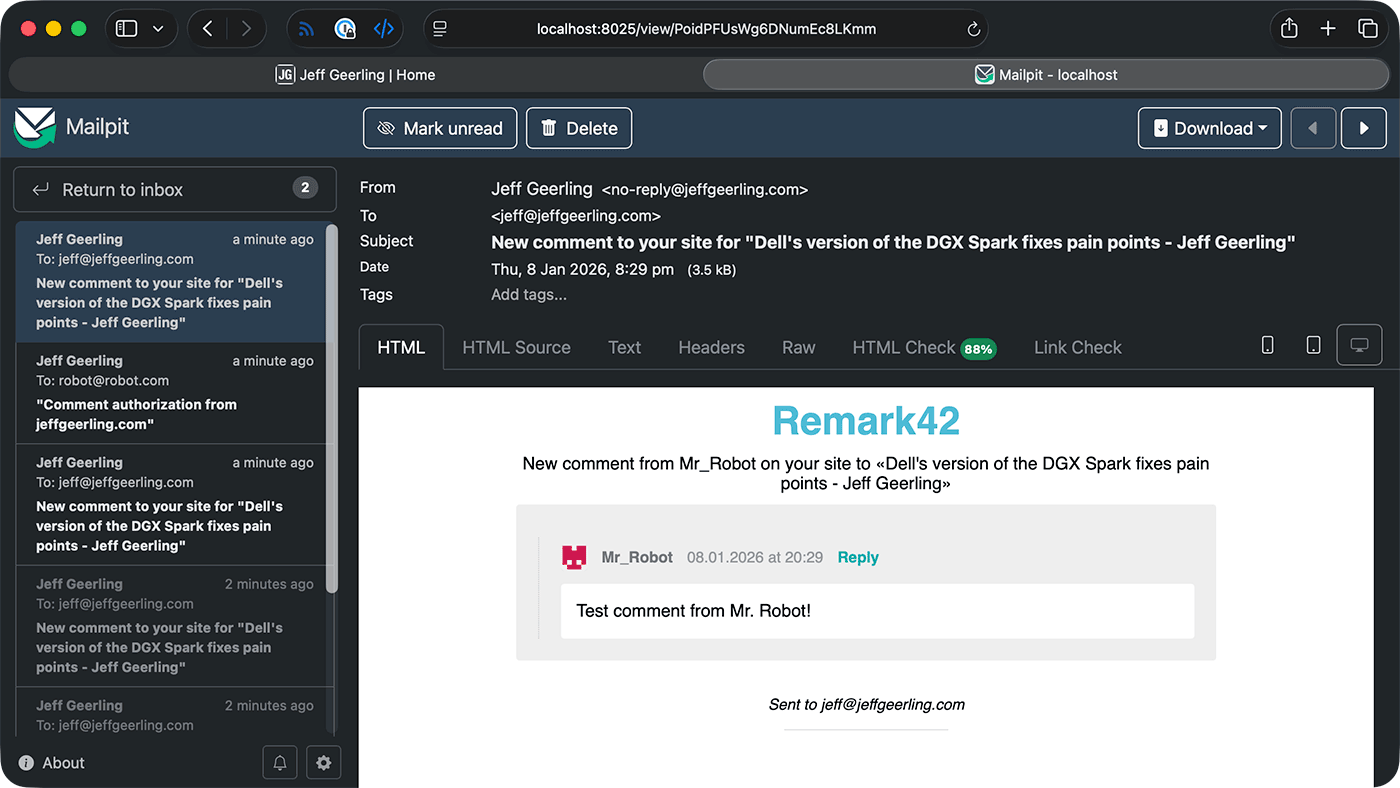
After testing some email functionality on the site, the inbox starts filling up. The UI is quite full-featured, with all the email debugging functionality I need.
Conclusion
In previous jobs, I spent a lot of time dealing with email. I've built systems that sent millions of emails per week through Amazon SES, Mailgun, and SendGrid—I even built one service that sent email directly, before Gmail deliverability problems practically dominated the space, requiring full-time debugging.
There are many other features in Mailpit which would've been helpful back then:
- Mobile/tablet preview along with a built-in email client HTML compatibility test
- Dark mode (yay for not nuking my eyeballs whenever I'm testing email!)
- A full API for automation testing
But as it stands today, I'm just happy to have a good replacement for Mailhog I can rely on for the next iteration of this site.
Comments