Trying out a cheap USB VK-172 GPS dongle on a Mac
I've been getting into time, with my most recent project being a DIY PTP Grandmaster Clock with a Raspberry Pi.
For most civilians, the most accurate source of time available comes from satellites—GPS, GLONASS, Galileo, Beidou, etc.—nowadays referred to as GNSS (Global Navigation Satellite System). Originally targeted at GPS only, even cheap dongles today cover multiple constellations adding to the accuracy and coverage of satellite-based positioning and timing signals.
I've done most of my testing with timing-centric u-blox receivers, but I wanted to see how accurate a cheap $10 dongle would be on my Mac.
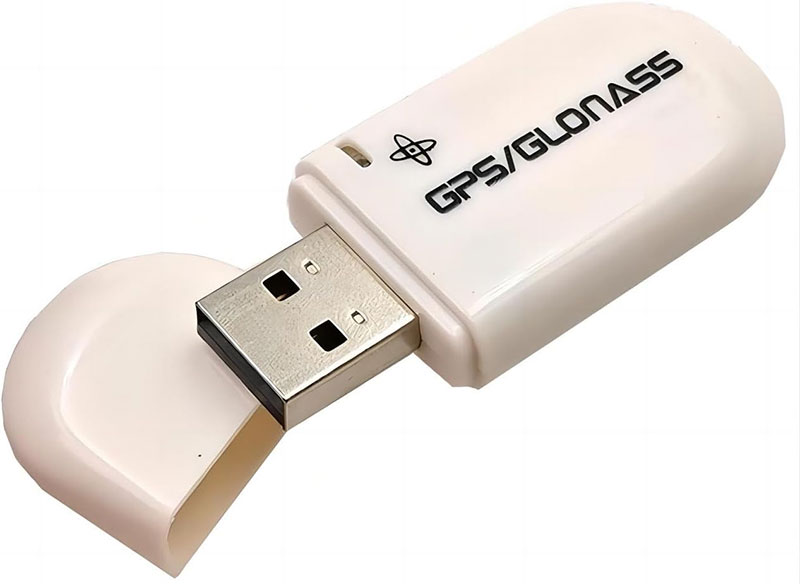
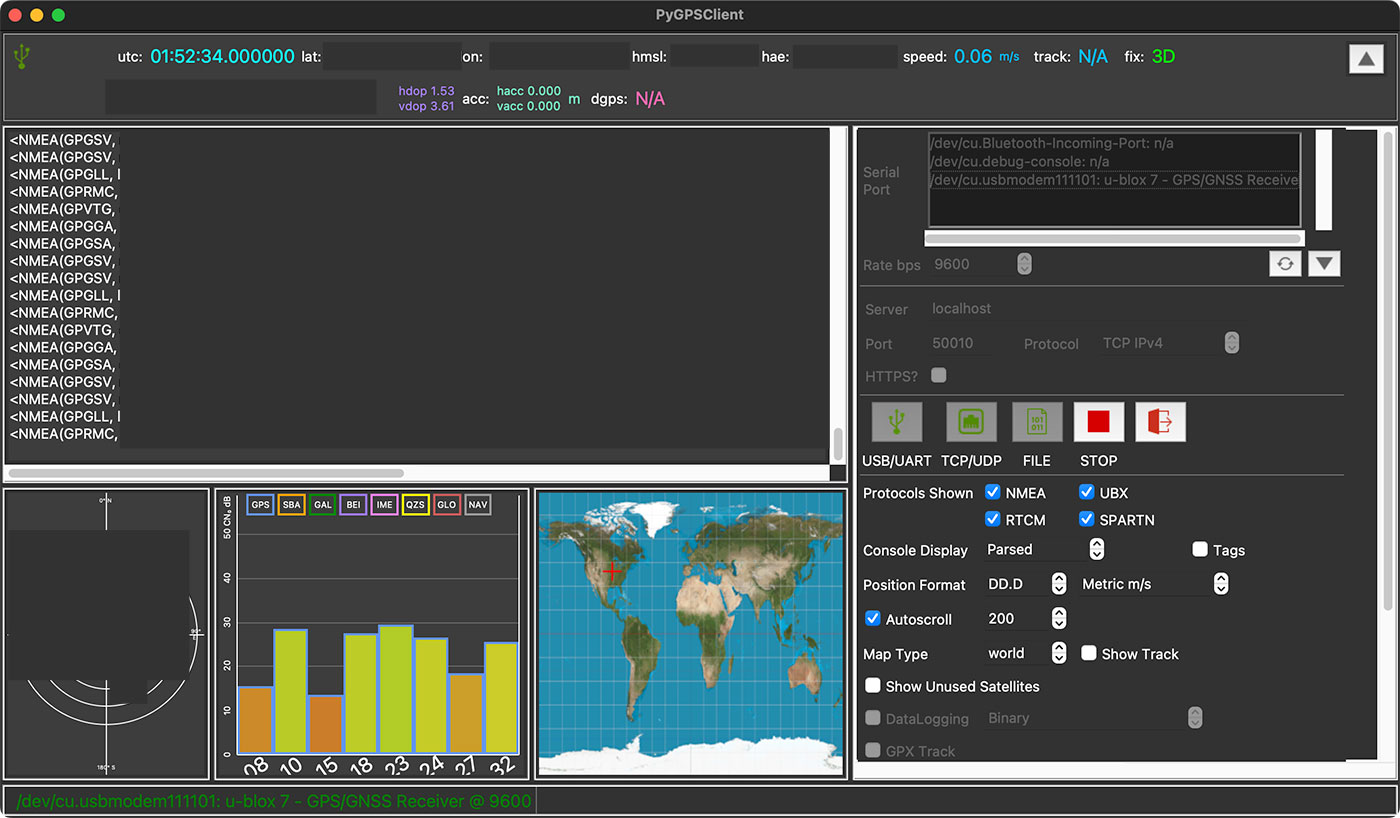
I bought the WWZMDiB VK-172 USB GPS Dongle Receiver for $9.99 on Amazon, and when I plugged it in, I was able to use PyGPSClient to start observing the data (see screenshot at the top of this post).
I just had it plugged in at my desk, in the middle of my house (one story, wood frame, asphalt roof), and within a couple minutes, it had picked up a dozen or so satellites. Not good enough for ns-level accuracy, but better than NTP.
Here's how I installed PyGPSClient from the Terminal, using Homebrew and Pip:
# Install dependencies
brew install python3 python-tk

# Install PyGPSClient with Python Pip
pip3 install pygpsclient

# Launch PyGPSClient (takes a moment, will launch in a new app)
pygpsclient
Assuming your USB GPS module is connected (mine had a red LED that dimmed once a position fix was established, along with a blinking green LED for GPS PPS), you should see it appear in the 'Serial Port' list.
Mine was shown as "/dev/cu.usbmodem111101: u-blox 7". I selected that and clicked the "USB/UART" button (it's a button, even though it doesn't look like one!), and it started showing position and timing data. Nice!
Serial Console access
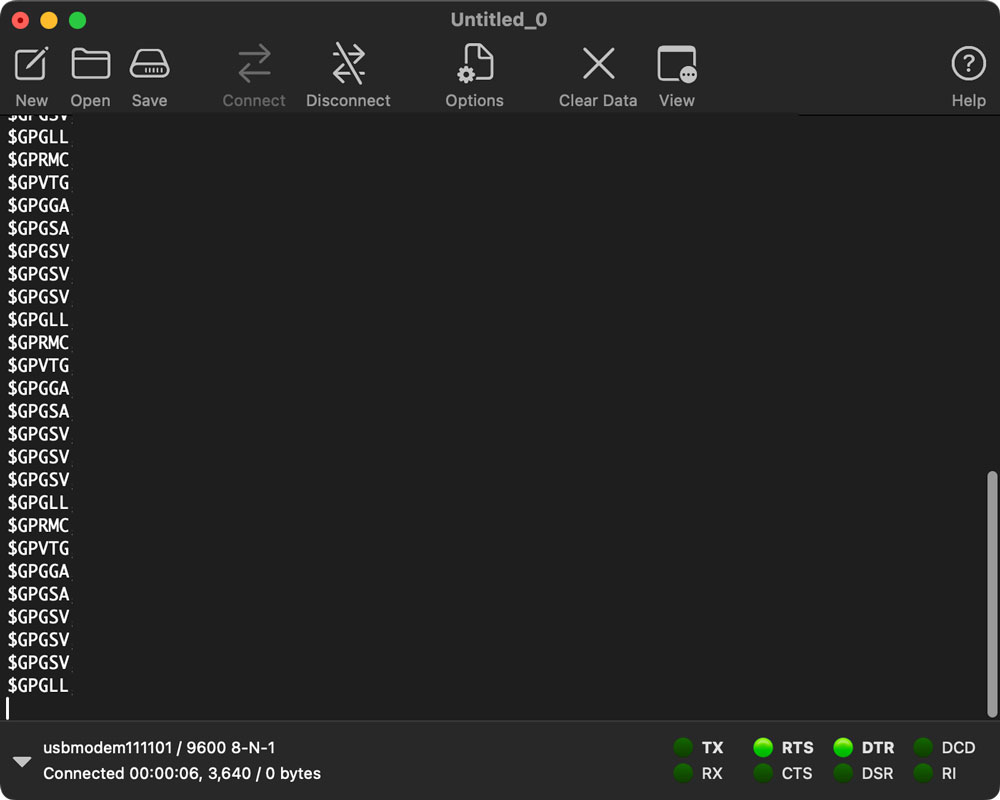
You can also observe the NMEA message output from the GPS dongle directly over the USB UART connection. You could try messing with cu, screen, or minicom, but when I'm on my Mac, I enjoy GUIs... so I launched CoolTerm and connected to usbmodem111101 at 9600 baud:
Also, at least on Linux (I haven't tried it on macOS yet), you can install ubxtool on the command line to interact with a u-blox GPS module and view/configure settings (for example, ubxtool -p MON-VER to get the current status).
GPSd on Mac
I didn't even think about it... but gpsd also runs on macOS:
# Install GPSd
brew install gpsd

# Run gpsd in background, connecting to the USB serial modem
/opt/homebrew/opt/gpsd/sbin/gpsd /dev/tty.usbmodem111101 -p

# Monitor the GPS with cgps
cgps
After you're done (Ctrl+C), make sure to stop gpsd:
killall -9 gpsd
VK172 Notes
Just for my own reference, I thought I'd post a few notes about this design, as it seems to be readily available from multiple sources for very cheap.
Supposedly it includes a u-blox 7 receiver (model G7020-KT), but at least according to this review it could be counterfeit... I cracked mine open and if it is counterfeit, they certainly did a good job of it!

I haven't yet checked it over in u-center, though.
Other notes:
- It's a single-band (L1 - 1575.42 MHz) receiver, so it won't be quite as accurate/resilient against jamming or interference, as more expensive dual-band timing modules.
- It should work with u-center (or
ubxtool) for status and configuration. u-center is Windows only, though there was some indication it might come to macOS in 2023... but that's two years ago now. Not sure if it will be released for macOS or Linux. - This older model receiver might only do GPS or GLONASS, but the G7020-KT datasheet indicates it can also do Galileo/Beidou. Out of the box it is only configured for GPS (and I believe it can only do one constellation at a time, regardless). So accuracy and resilience is definitely reduced compared to newer modules.
- The most detail I could find on the overall product is from this iFuture product listing, but even there, it's a little sparse on the finer details you'd want to know if relying on this for anything more than hobby/fun use.
- For example, there's an oscillator on the board connected to the G7020... but I couldn't find any specs on it. Is it just an XO, is it a VCXO? TCXO? Not sure. But would be interesting to hack in a better oscillator :)
- The datasheet indicates the PPS signal is accurate to within 30 ns RMS, and it looks like there may be a pad you could solder to for external PPS output... haven't looked at that with a scope yet, though.
PTP and GPS on macOS
I'm building out a Linux-based Time Pi project to serve NTP and PTP over the network using a Raspberry Pi.
But I was looking at whether a Mac could run as a grandmaster server, using GPS PPS to discipline a NIC's PHC, so that NIC could have accurate + precise time to share over the server.
The tool I'm most familiar with, ptp4l, comes with some Linux-only tools to do all the right things... but those don't run on macOS.
It looks like Apple maintains at least an Intel driver (for their NICs) called AppleEthernetIXGBE, which may include PTP support (for running as a slave, I guess, not as a grandmaster...), but there's almost no public documentation, and a rare few mentions, like in this Audiophile forum post on PTPv2 / 1588-2008 on macOS at 10GbE. I also found out about an open source Intel Ethernet driver for macOS called IntelLucy through that forum post (the signal-to-noise ratio is extremely high in that forum... I guess it makes sense since audio nerds would like that lol).
They're discussing Ravenna support specifically, and it seems some of the Ravenna software gets a sync at 48.000 KHz in those forum posts, but I'm not sure of the actual PTP traffic flow. I might someday grab my QNAP or OWC 10 Gbps Thunderbolt adapters and check if there's PTP traffic. Not even sure what apps on macOS would be able to ask for it, lol.
Comments