Full eGPU acceleration on the Pi 500+ with a 15-line patch
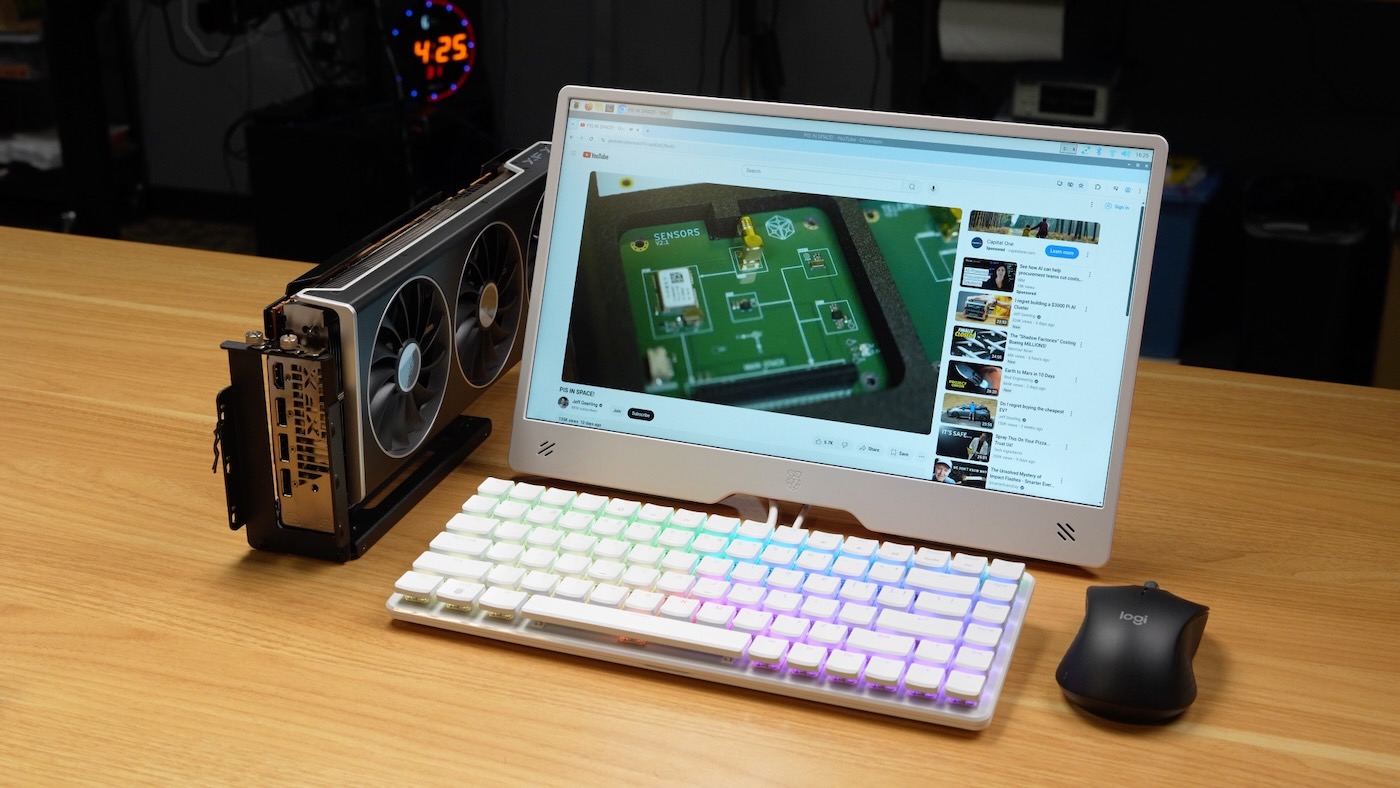
Instead of a traditional review of a new Pi product, I thought I'd split things up on my blog, and write two separate posts; this one about hacking in an eGPU on the Pi 500+, for a massive uplift in gaming performance and local LLMs, and a separate post about the Pi 500+'s new mechanical keyboard.
The Raspberry Pi 500+ was announced today, sells for $200, and adds on the following over what was present in the regular Pi 500:
- Built-in M.2 NVMe SSD (256GB, 2230-size Pi branded drive) in a 2280-size slot
- 16 GB LPDDR4x RAM (over the Pi 500's 8)
- Low-profile RGB-backlit mechanical keyboard with Gateron KS-33 Blue switches
I also have a full video covering the Pi 500+ up on YouTube, and you can watch it below, as well:
Why eGPU? What hardware?
The Pi 500+ is the first Raspberry Pi model to include a full M.2 slot onboard. The CM5 Development Kit technically includes a slot, but I'm not counting that, because the CM5 is the main product line...
M.2 slots are almost omnipresent on modular PCs and laptops these days, so there are adapters that go from M.2 to... almost anything! Including, in my case, an OCuLink plug:

Plug the other end into an eGPU docking station, and you have the ability to plug in any PCI Express device, like you would in a desktop PC. The Pi 500+ shares the same PCIe limitations as the rest of the Pi 5 family, however:
- You only have access to 1 lane of PCIe Gen 3 (maximum) bandwidth—so 8 GT/s (around 800 MB/sec of data transfer)
- The PCIe bus has some memory coherence differences compared to x86 (many Arm platforms do, but some quirks are already accounted for in the Linux kernel)
But 1 lane of PCIe Gen 3 is all we need to have some fun. I plugged an AMD RX 7900 XT with 20 GB of GDDR6 VRAM into a $55 JMT PCIe x4 eGPU dock, using this $21 chenyang OCuLink cable.
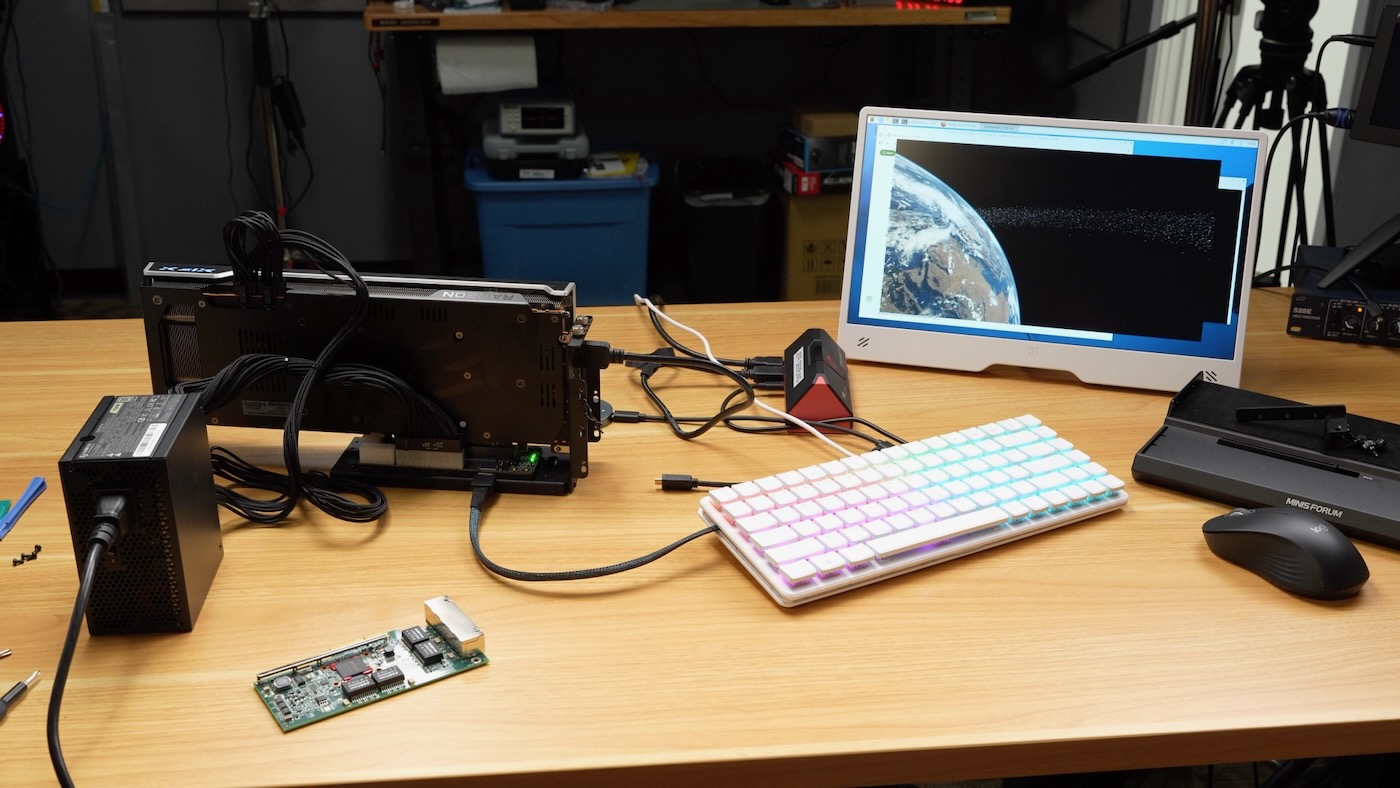
For the OCuLink cable, I simply routed it out the left side of the Pi 500+, as that's the direction the cable naturally wants to go out of the M.2 adapter. It would be neat if there were an opening or grommet on the Pi 500+ where you could pass through OCuLink, or even install an internal 5 or 10 Gbps M.2 NIC, to surpass the measly 1 Gbps built-in Ethernet. There's actually enough room to route a cable internally either on the left side or on the port side, left of the USB ports!
AMDGPU 15-line patch (to fix a little cache)
On the software side, for years the community's been working on various patches to get the open source amdgpu Linux drivers working on the Pi—and the latest revision as of earlier this year was a few hundred lines of changes across dozens of files.
Well... a couple weeks ago GitHub user yanghaku dropped this patch, which reduces all that work down to 15 lines of changes, neatly fixing all the cache coherency issues and working across all the modern AMD graphics cards I've tested so far!
The whole patch:
diff --git a/drivers/gpu/drm/ttm/ttm_bo_util.c b/drivers/gpu/drm/ttm/ttm_bo_util.c
index bd90404ea609..cd42a5ebad53 100644
--- a/drivers/gpu/drm/ttm/ttm_bo_util.c
+++ b/drivers/gpu/drm/ttm/ttm_bo_util.c
@@ -344,8 +344,6 @@ static int ttm_bo_kmap_ttm(struct ttm_buffer_object *bo,
 		.no_wait_gpu = false
 	};
 	struct ttm_tt *ttm = bo->ttm;
-	struct ttm_resource_manager *man =
-			ttm_manager_type(bo->bdev, bo->resource->mem_type);
 	pgprot_t prot;
 	int ret;

@@ -355,17 +353,7 @@ static int ttm_bo_kmap_ttm(struct ttm_buffer_object *bo,
 	if (ret)
 		return ret;

-	if (num_pages == 1 && ttm->caching == ttm_cached &&
-	    !(man->use_tt && (ttm->page_flags & TTM_TT_FLAG_DECRYPTED))) {
-		/*
-		 * We're mapping a single page, and the desired
-		 * page protection is consistent with the bo.
-		 */
-
-		map->bo_kmap_type = ttm_bo_map_kmap;
-		map->page = ttm->pages[start_page];
-		map->virtual = kmap(map->page);
-	} else {
+	{
 		/*
 		 * We need to use vmap to get the desired page protection
 		 * or to make the buffer object look contiguous.
diff --git a/drivers/gpu/drm/ttm/ttm_module.c b/drivers/gpu/drm/ttm/ttm_module.c
index b3fffe7b5062..9f3e425626b5 100644
--- a/drivers/gpu/drm/ttm/ttm_module.c
+++ b/drivers/gpu/drm/ttm/ttm_module.c
@@ -63,7 +63,12 @@ pgprot_t ttm_prot_from_caching(enum ttm_caching caching, pgprot_t tmp)
 {
 	/* Cached mappings need no adjustment */
 	if (caching == ttm_cached)
+	{
+#ifdef CONFIG_ARM64
+		return pgprot_dmacoherent(tmp);
+#endif
 		return tmp;
+	}

 #if defined(__i386__) || defined(__x86_64__)
 	if (caching == ttm_write_combined)
I applied that patch to a fresh checkout of Raspberry Pi's linux fork (on branch rpi-6.15.y), recompiled Linux, installed the AMD graphics firmware (sudo apt install -y firmware-amd-graphics), and rebooted, and the display signal came through the 7900 XT's HDMI port without issue.
Arm64 GPU-accelerated gaming with Steam and Proton
After installing Steam via Box64 using Pi-Apps, I was able to play PC games with full GPU acceleration, like Horizon Chase Turbo:
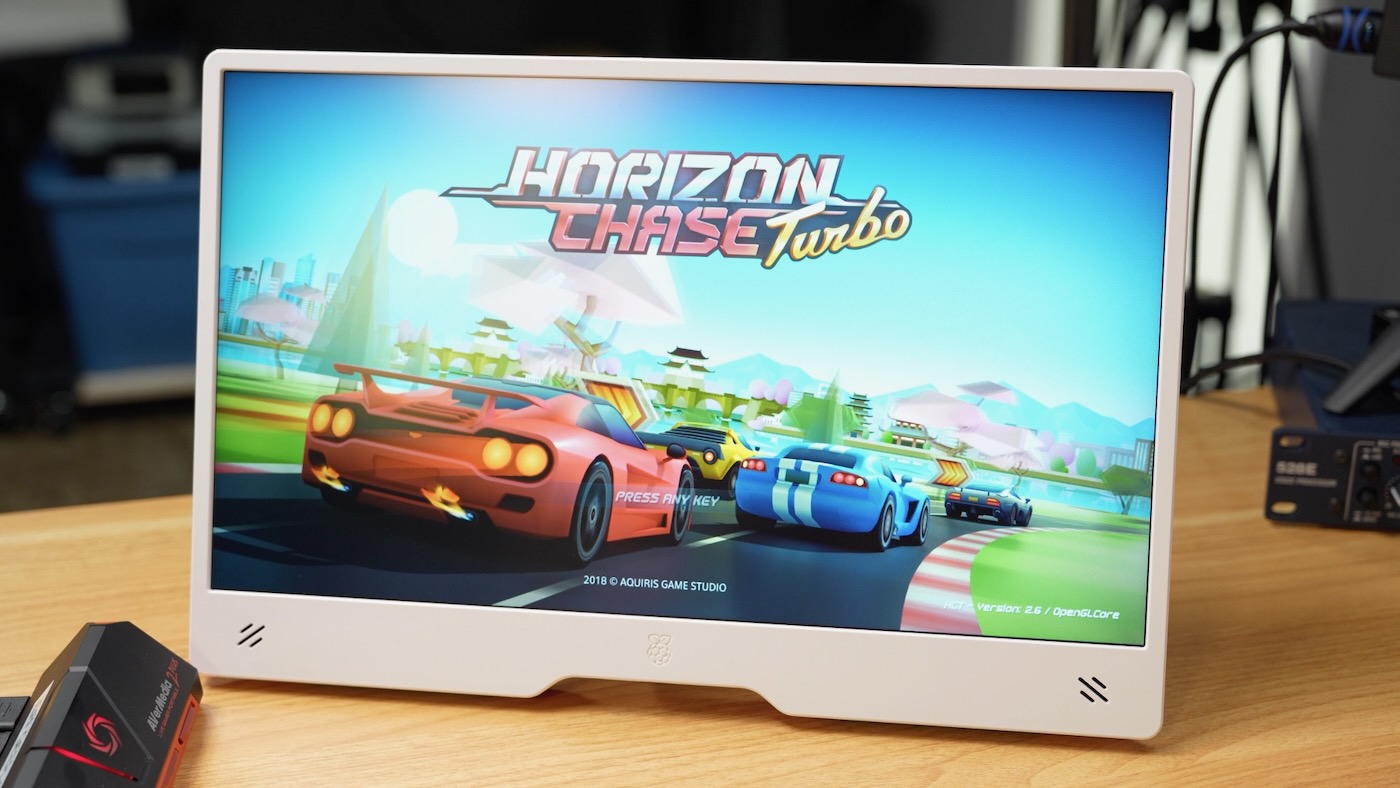
SuperTuxKart also maxed out its framerate at 118 fps, and other games should work well too. I was able to get the following benchmark scores with this setup:
- GravityMark: 65,842
- glmark2: 8011
- vkmark: 12510
Local LLMs and 108 t/s AI on a Pi
I then switched gears and compiled llama.cpp with Vulkan support on the Pi, so I could run some LLMs and compare performance to other setups:
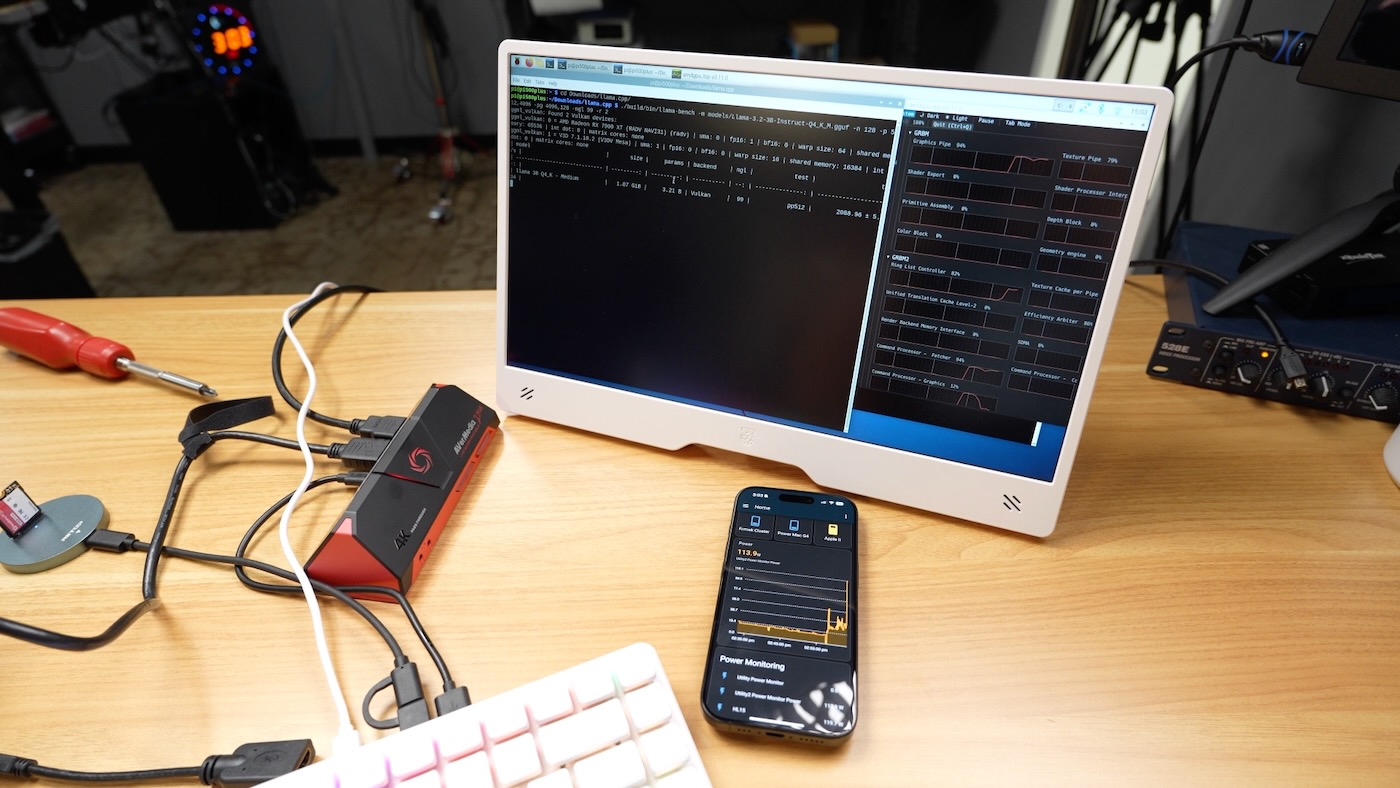
Some llama-bench results are below:
Qwen2.5 14b
$ ./build/bin/llama-bench -m models/Qwen2.5-14B-Instruct-Q4_K_M.gguf -n 128 -p 512,4096 -pg 4096,128 -ngl 99 -r 2
| model | size | params | backend | ngl | test | t/s |
|---|---|---|---|---|---|---|
| qwen2 14B Q4_K - Medium | 8.37 GiB | 14.77 B | Vulkan | 99 | pp512 | 335.63 ± 0.78 |
| qwen2 14B Q4_K - Medium | 8.37 GiB | 14.77 B | Vulkan | 99 | pp4096 | 67.23 ± 0.28 |
| qwen2 14B Q4_K - Medium | 8.37 GiB | 14.77 B | Vulkan | 99 | tg128 | 7.16 ± 0.15 |
| qwen2 14B Q4_K - Medium | 8.37 GiB | 14.77 B | Vulkan | 99 | pp4096+tg128 | 65.65 ± 0.00 |
The full system was using about 330W during the run.
Llama 3.2:3b
$ ./build/bin/llama-bench -m models/Llama-3.2-3B-Instruct-Q4_K_M.gguf -n 128 -p 512,4096 -pg 4096,128 -ngl 99 -r 2
| model | size | params | backend | ngl | test | t/s |
|---|---|---|---|---|---|---|
| llama 3B Q4_K - Medium | 1.87 GiB | 3.21 B | Vulkan | 99 | pp512 | 2088.96 ± 5.34 |
| llama 3B Q4_K - Medium | 1.87 GiB | 3.21 B | Vulkan | 99 | pp4096 | 1750.77 ± 1.98 |
| llama 3B Q4_K - Medium | 1.87 GiB | 3.21 B | Vulkan | 99 | tg128 | 108.58 ± 1.07 |
| llama 3B Q4_K - Medium | 1.87 GiB | 3.21 B | Vulkan | 99 | pp4096+tg128 | 1032.56 ± 0.95 |
The full system was using about 315W during the run.
Conclusion
This new patch was posted alongside evidence of full Nvidia GPU support (at least for 30-series cards) on a Pi 5, using a tweaked version of Nvidia's open-gpu-kernel-modules (details on that work are still forthcoming).
I'm more hopeful than ever we could get Pi-specific fixes for amdgpu into the Linux kernel upstream—or if not there, then at least in Raspberry Pi OS!
If you want a deeper dive into everything else I learned about the Pi 500+, please watch the video.
Comments