Don't pay $800 for Apple's 2TB SSD upgrade

Apple charges $800 to upgrade from the base model M4 Mac mini's 256 GB of internal storage to a more capacious 2 TB.
Pictured above is a photo of a standard 2230-size M.2 NVMe SSD (one made by Raspberry Pi, in this case), and Apple's proprietary not-M.2 drive, which has NAND flash chips on it, but no NVM Express controller, the 'brains' in a little chip that lets NVMe SSDs work universally across any computer with a standard M.2 PCIe slot.
Until recently, if you wanted a 2TB M4 Mac mini, you either had to pony up the funds, or be very good at soldering (and sourcing individual NAND flash chips) like dosdude1.
There are other options like external Thunderbolt SSDs. But those are still fairly expensive, and don't solve the problem of internal storage either being limiting (ever tried running Photos, Music, or other app libraries off external drives on a Mac? Always a bit of a pain...) or extremely expensive.

As someone who paid $400 for the 1 TB upgrade (begrudgingly), I was ecstatic to hear about companies selling M4 mini 2TB upgrade kits. Two exist so far, one from Expand Mac mini for $269, and one from M4-SSD for $300.
Fyde Innovations, who started Expand Mac mini, reached out this month and offered to send me a 2TB upgrade kit for testing. I accepted, and made a video detailing the entire process:
Yes, accepting the kit for review obviously affects how I perceive the kit, but I don't think it takes a rocket scientist to figure out that a DIY solution that costs under $300 is easier to stomach than Apple's $800 price for the same upgrade.
The two biggest downsides to the $500+ savings?
- You have to pop off the back cover of the M4 mini, which... was more difficult than expected.
- You have to have access to another Apple-Silicon-era Mac to complete the upgrade, by entering DFU mode and firing off a restore process.
Performing the upgrade
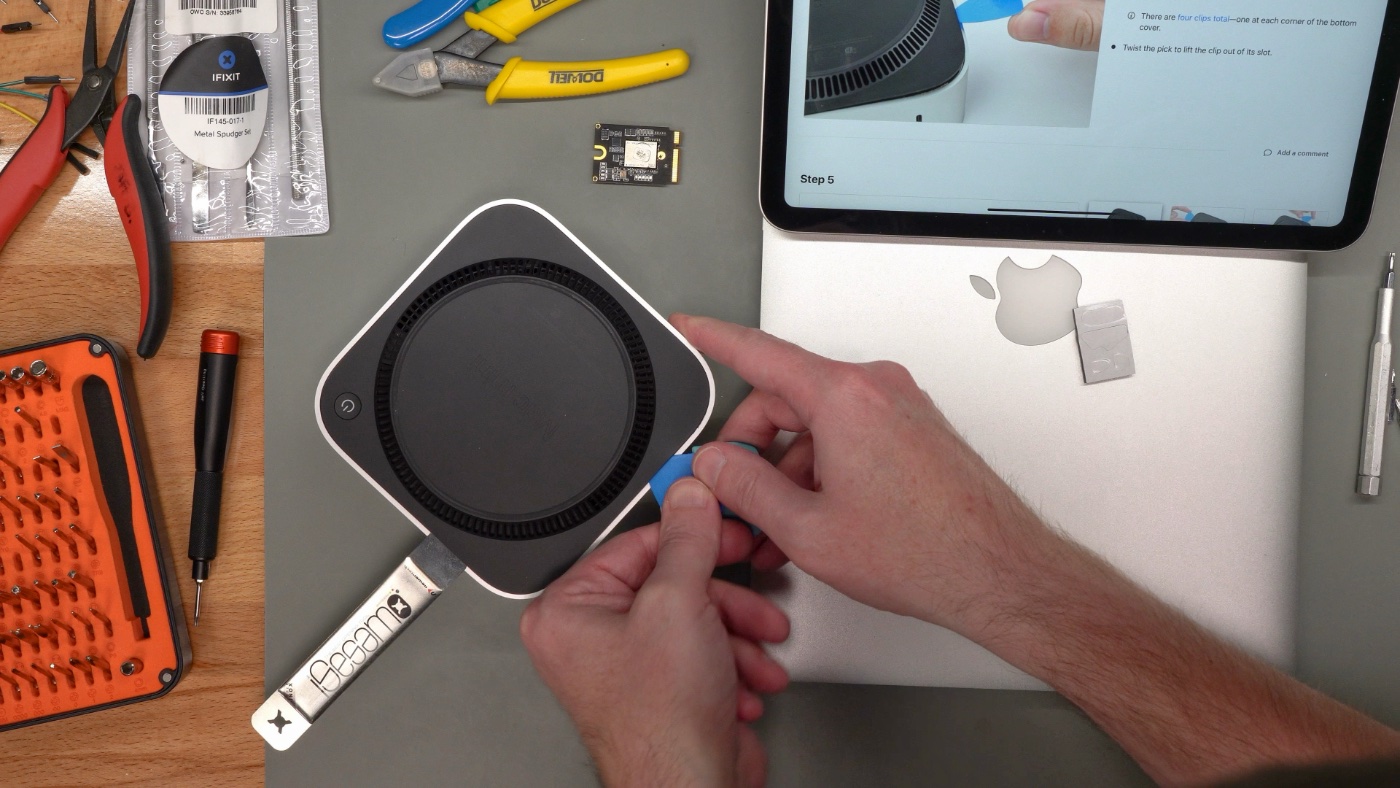
First, a warning: if you are attempting this upgrade yourself make sure you have a backup of all your data. There is no chance of recovering the data on the original flash chips once you've completed the process!
I'll defer to iFixit's excellent SSD replacement guide. My own would pale in comparison.
But a few notes from the process:
- The bottom plate is secured with four 'pins' (not really 'clips'). There are also a dozen or so mini clips around the edge that just hold the thin plastic in place. You need to use a thicker metal spudger to lift the plastic up a smidge, then at least on my mini another metal spudger to pry the four 'pins' out of their sockets. It was certainly more force than I thought was reasonable, and I feared cracking the thin plastic plate. I wish Apple just used four screws instead of those hidden retention pins. In 20 years I guarantee all the bases of these things will just crack into pieces if you try repairing one!
- You don't need to remove the delicate power button wire or the antenna wires, just gently lift the bottom case and bottom cover away and don't put too much strain on the cables and you'll be fine.
- Once you get to the not-M.2 socket, you have to unscrew the retention screw, then use a tiny tweezers or some other small pointy tool to tug at the two little holes straight back from the slot. Unlike an M.2 slot, the little storage card won't spring up after you remove the screw (a handy feature that makes replacement much easier). Similarly, when plugging in the new card, hold it flat, and slide it directly into the slot (no 45° angle insertion here!).
- Not a huge deal, but it was annoying having to use three different Torx bits to get to the storage card. At least there weren't any pentalobes!
DFU Mode Restore
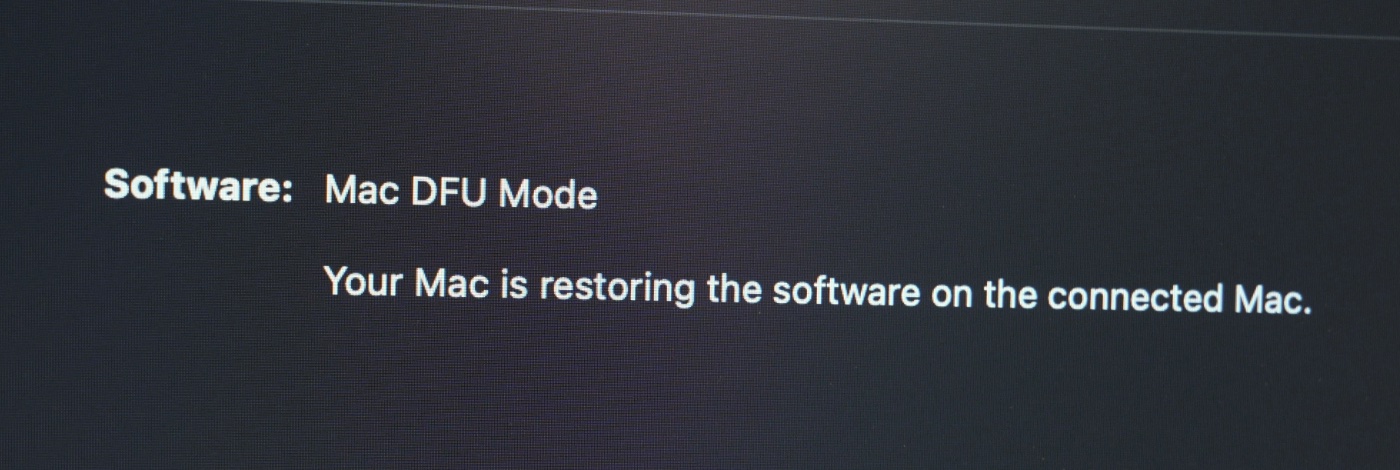
The DFU (Device Firmware Update) restore process requires another Mac, which is probably the most annoying bit of this whole operation. Assuming you're not like me and don't have multiple Apple Silicon Macs, you'll have to find a friend with a Mac you can borrow for an hour or so, or maybe schedule a Genius Bar appointment...
You have to plug a USB-C or Thunderbolt cable into the middle Thunderbolt port on the back of the M4 mini, then the other end into a USB-C port on another Mac. Then, while holding down the power button on the mini, plug in power.
After a few seconds, the front light will flash amber, and on the other Mac, you'll see a DFU mode popup. Follow Apple's DFU guide to restore the M4 mac mini.
Once that's done, either restore all your files with Time Machine, set up your mini as a new machine, or recover it using some other means.
Performance
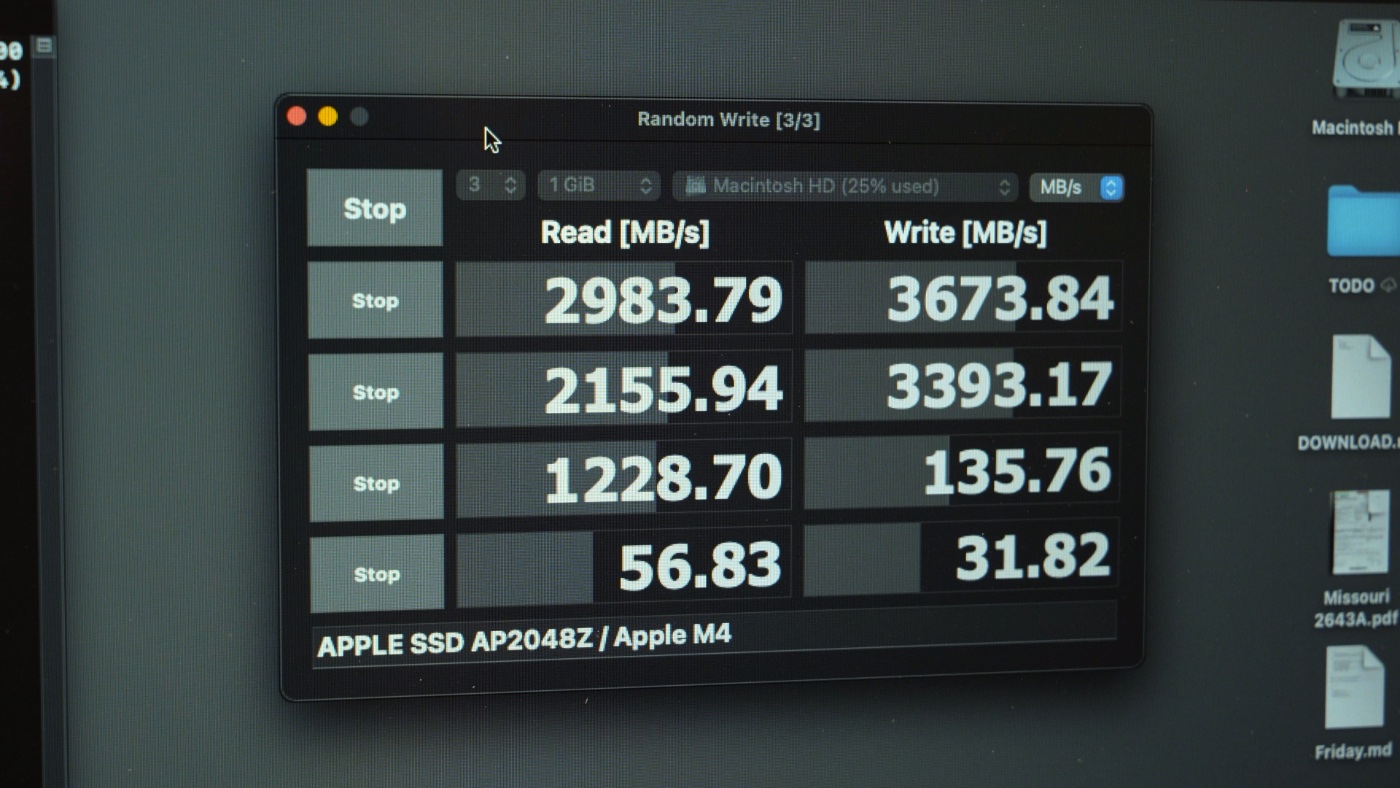
With the new 2TB volume in place, I ran a couple disk benchmarks: AmorphousDiskMark and Blackmagic Disk Speed Test.
Both showed a slight increase in performance over the $400 1 TB drive I had paid Apple for; from around 2.9 GB/sec to 3.2 GB/sec for sequential writes, and about 30 to 40 MB/sec for 4K random writes. Other metrics were similarly improved. Not a huge gain, but this is replacing practically like-for-like chips, so that's to be expected!
Why Apple Proprietary NVMe?
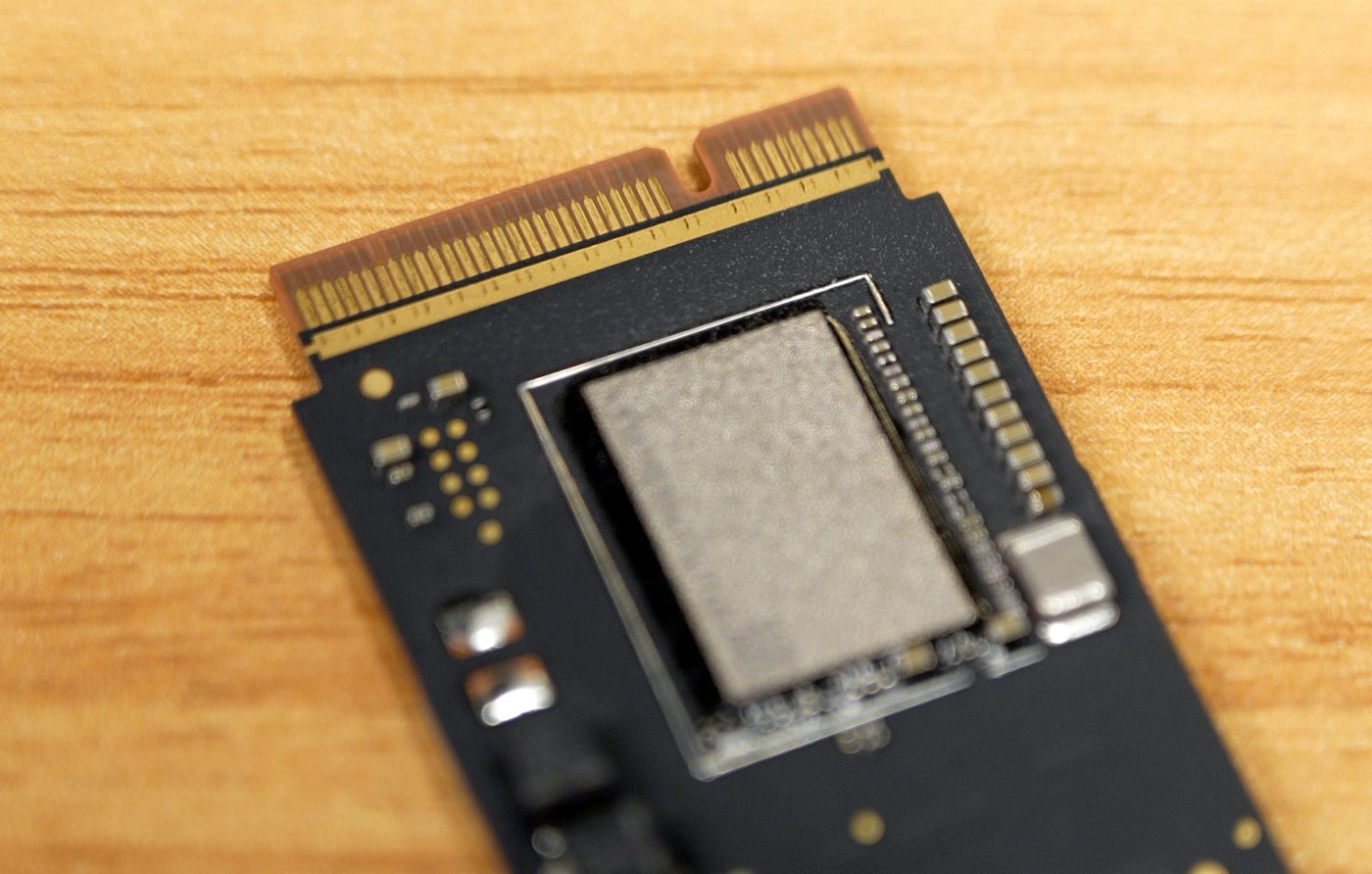
When I posted a picture of the non-standard flash storage card to social media, the ensuing discussion was interesting. I think a lot of people who are mostly in Apple-land don't realize many of Apple's original arguments for the weird split-NVMe-controller layout (where the storage controller lives in Apple's SoC, while the NAND flash is separate) don't hold as much water these days:
Apple's storage is faster: A long while back, Apple did seem to do a good job ensuring multiple gigabyte-per-second file transfers while most non-Apple consumer machines were barely scratching a gigabyte... but that's mostly because NVMe hadn't permeated the market yet.
Nowadays, a PCIe Gen 4 NVMe SSD can hit 5 GB/sec and beyond—which surpasses Apple's own hybrid storage solution. Gen 5 SSDs are quite exotic but some have clocked in beyond 10 GB/sec (yes, gigabytes, not gigabits). And those exotic speedsters are still less expensive than Apple's upgrades.
Apple's storage is more power-efficient: Some have argued that incorporating the NVMe controller into Apple's SoC allows them to make it more power-efficient. They also point out NVMe drives that use 5W or more at idle—but that's not an inherent flaw in NVMe hardware with a controller onboard, it's just the difference from one controller to the next. Some SSDs are more efficient than others, and a variety of factors goes into the efficiency and thermals of each one!
Apple's storage is more secure: Apple famously encrypts all the data at rest on the internal storage on any Apple Silicon device (or, before that, the T2 Security Chip). But hardware-level encryption is possible with standard M.2 NVMe drives too. Microsoft even offers hardware-level encryption on modern SSDs if you have a CPU that supports the hardware acceleration.
Are there implementation differences? Sure. But I'm sure Apple could revise their Silicon to work with standard NVMe SSDs with built-in controllers, instead of relying on a controller inside the same silicon package—if they were incentivized to do so.
Any other misconceptions I've missed? Are any of my above arguments weak? Let me know in the comments. I'd love to know why Apple is still using a proprietary storage layout years after acquiring Anobit, while the rest of the industry settled on the same standard (NVM Express), but has surpassed Apple in price, performance, and ubiquity.
Conclusion
In conclusion: if I had not been provided this upgrade kit for testing and review, would I buy it for $269? 10 times out of 10, yes. Had I known this kit would exist when I bought my M4 mini a couple months back, I would've bought the base 256 GB storage model (with 10G Ethernet and 32GB of RAM), then upgraded the SSD myself.
I only hope one of these third parties releases a cheaper 1 TB version, because that, for under $200, would be an even more mainstream upgrade. Especially if someone sells a cheap tool to assist in popping the back cover off those pesky pins!
This upgrade doesn't work on the M4 Pro Mac mini—supposedly that is being worked on.
If you do decide to purchase one of these kits, please note—as far as I can tell—they all source from the same main manufacturer, and they'll be closed for a while for the Chinese New Year. So orders in the current batch will likely take a while to ship! You may want to wait until they're back in stock before ordering.
Comments