Air Lab is the Flipper Zero of air quality monitors

This air quality monitor costs $250. It's called the Air Lab, and I've been using it to measure the air in my car, home, studio, and a few events over the past few months. And in using it over the course of a road trip I learned to not run recirculate in my car quite as often—more on that later.
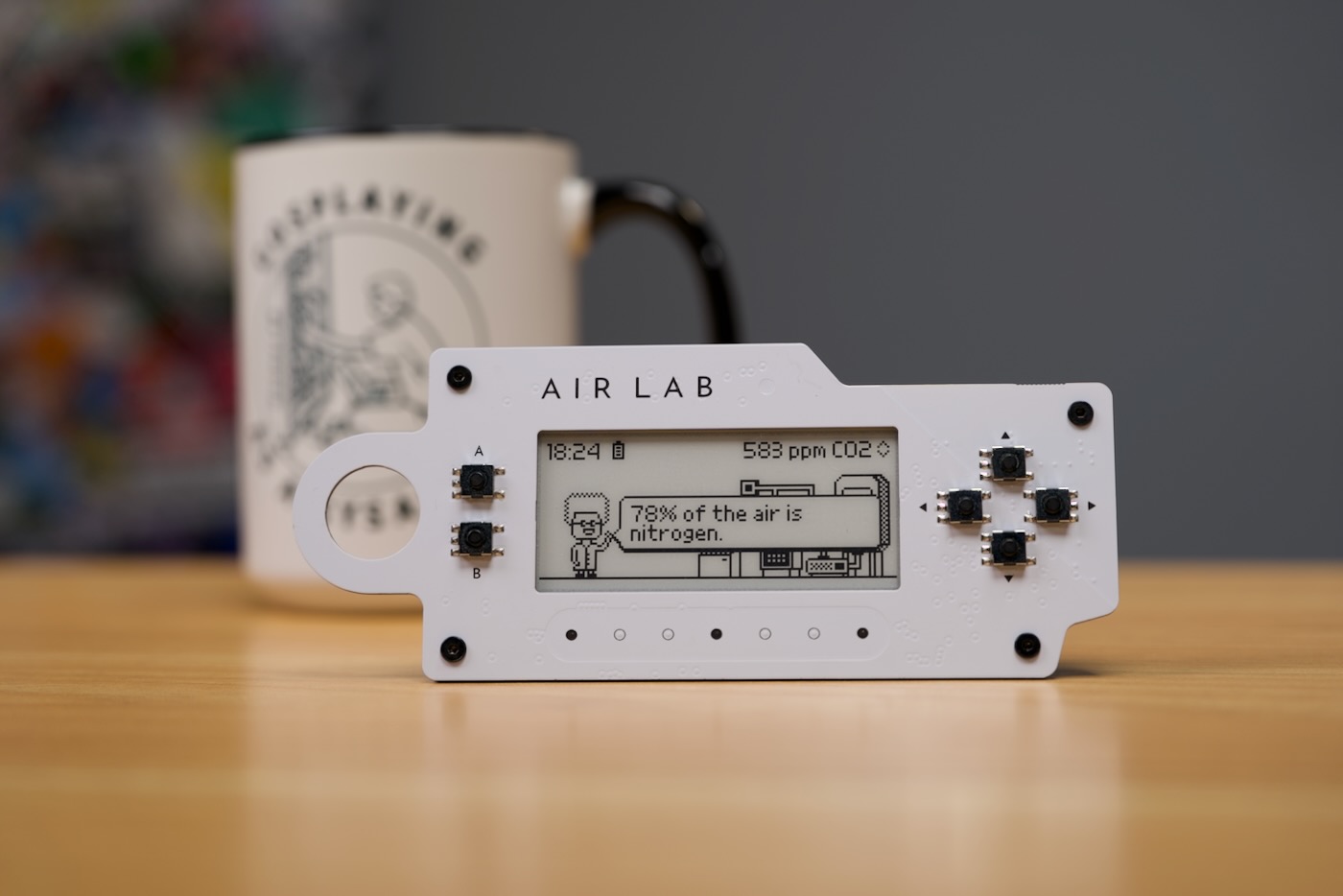
Networked Artifacts built in some personality:
- The top surface is a nicely-silkscreened white PCB with exposed SMD buttons
- It has a large e-paper display
- The UI includes 'Professor Robin', a quirky scientist who teaches about air quality in small quips.
Overall, it's pretty nice.
But $250 nice? That's the question I hope I can answer for you.
This one was sent to me for review, and I like to think of it as like the Flipper Zero of air quality measurement. Air Lab reads CO2, NOx, VOCs, Temperature, Humidity, and Pressure, and it'll log all that data for you wherever you take it.
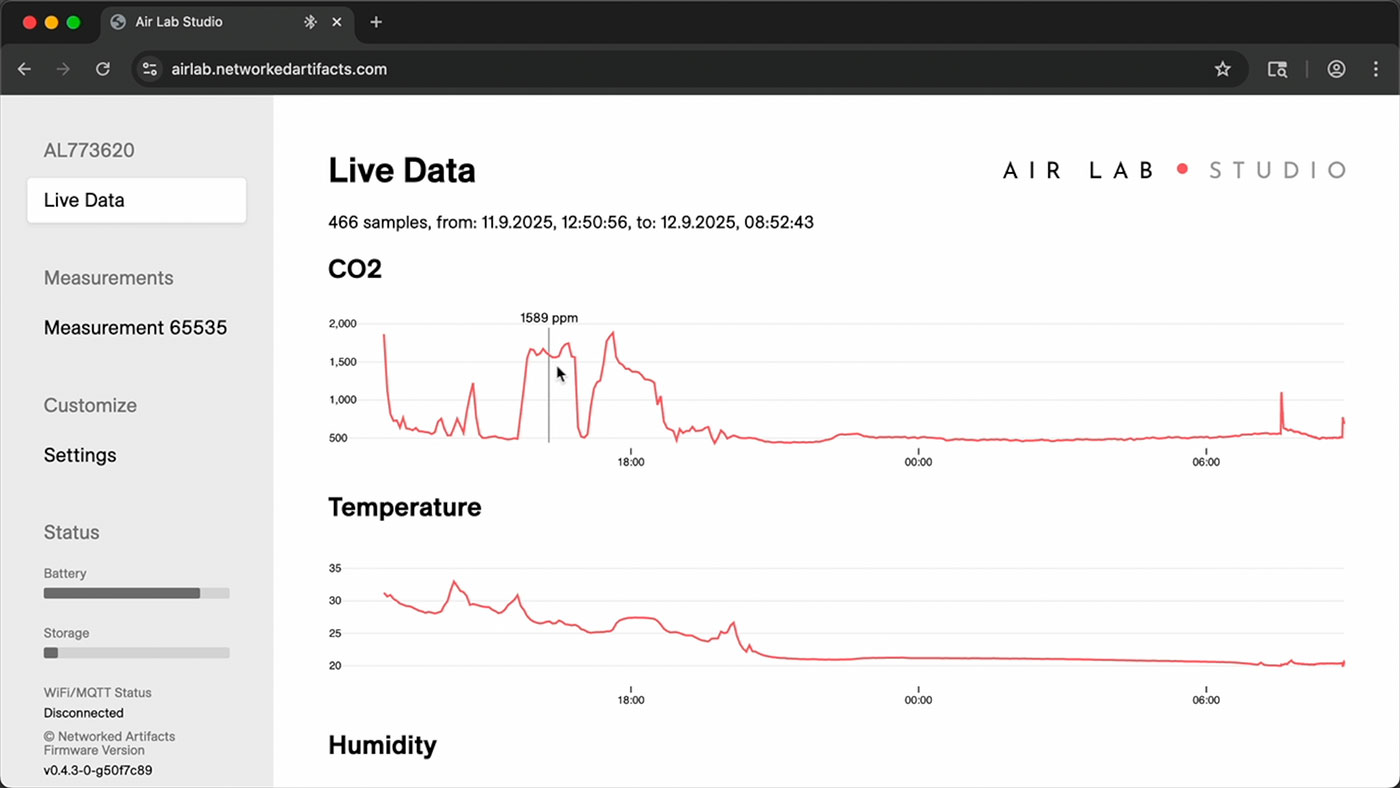
When you're back at your computer, you can plug it in and save that data however you like, so it's not locked down or tied to one company's cloud platform, like AirThings.
It can publish the air quality data in real time over WiFi to Home Assistant or wherever you want using MQTT, and the software and hardware are already very polished for this to be a pre-release device.
AirGradient ONE at Home
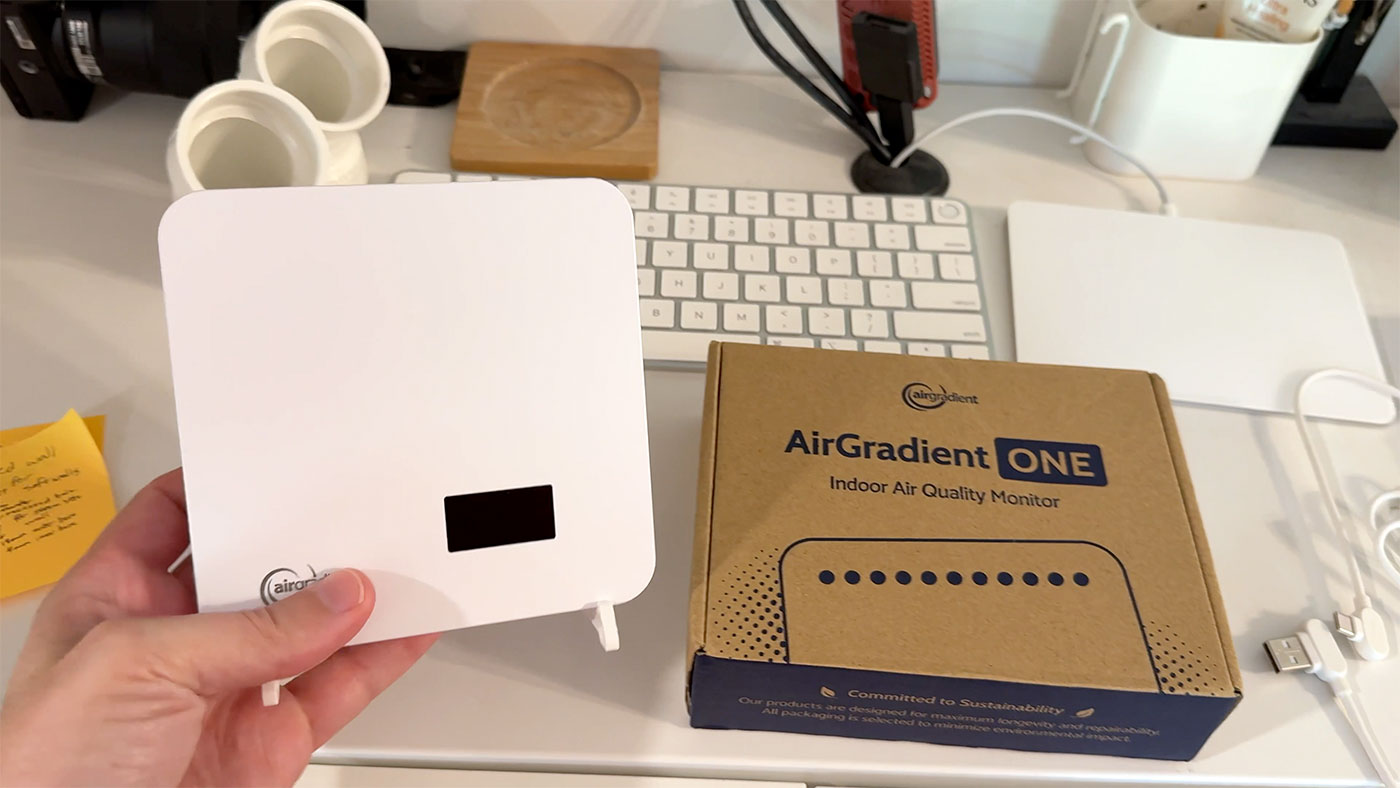
This is an AirGradient One. It costs a little less, at $230, but I bought this one to set up in my baby's room, to make sure there's enough ventilation in there.
I have some at my studio, too, and I feed them all into Home Assistant, where I built this air quality monitoring dashboard, using ApexCharts:
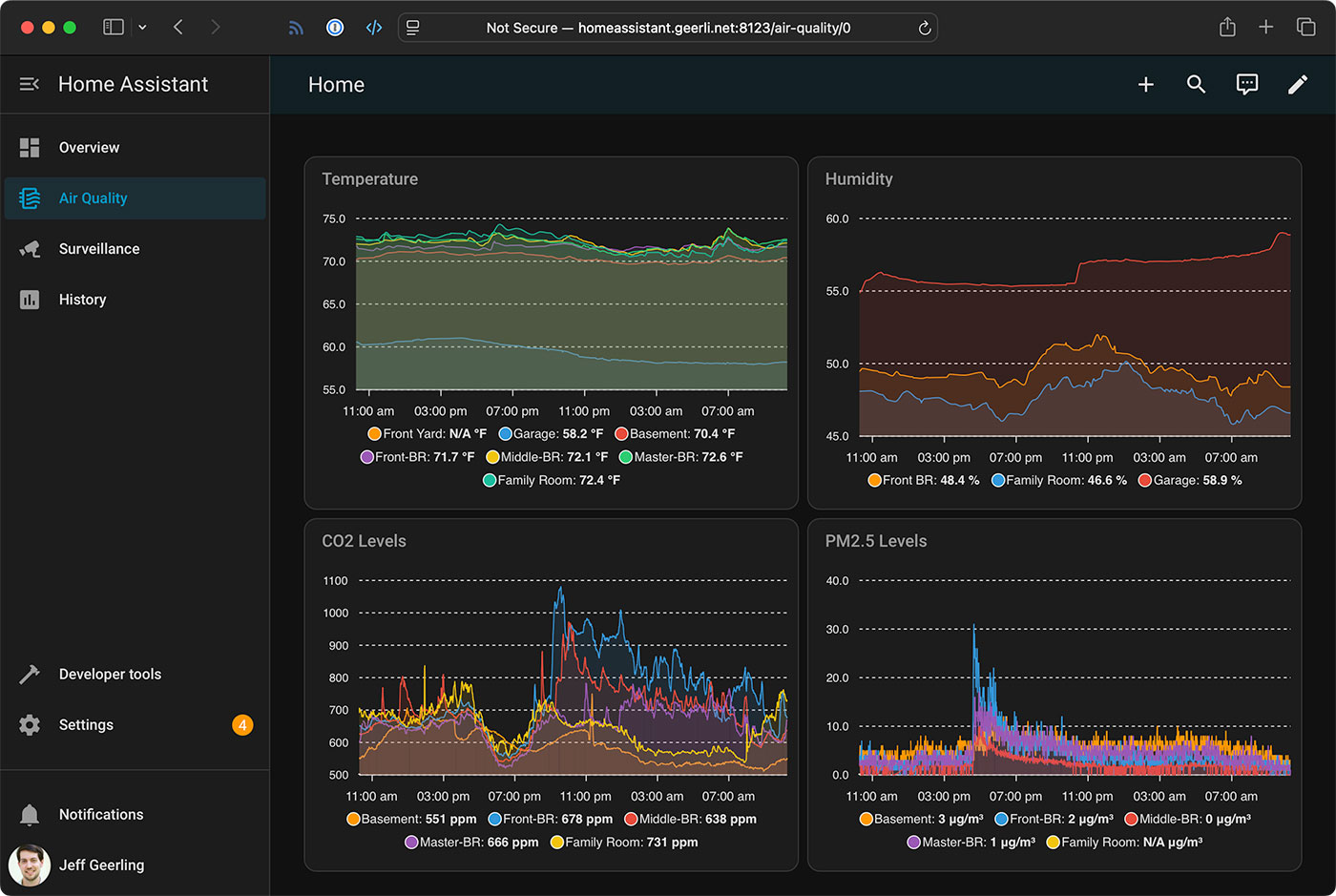
Getting back to the basics, why is this type of monitoring important? Well, for me specifically, I use CO2 as a proxy for stale air. If your CO2 concentration is too high (not to mention other particulates, which the AirGradient measures, but the Air Lab doesn't, at least not directly), you can have noticeably worse mental function. As someone who's been stuck in far too many stuffy meeting rooms before... I don't need a study to tell me that.
But as a point of comparison, to set up an AirGradient ONE, you:
- Plug in USB-C power
- Connect to the WiFi hotspot indicated on the display
- Provide your WiFi credentials
- Automatically configure it in Home Assistant Integrations (or configure it to send data to AirGradient's cloud dashboard)
You don't need to use their cloud at all, if you don't want to (and indeed, I do not).
If you're interested in seeing the entire setup process, step-by-step, I've included that (along with a little more background on the rest of my Air Lab testing) in this YouTube video:
Air Lab First Impressions
The Air Lab has a similarly-easy setup process, and can also be used independent of the 'cloud'.
The setup process:
- When you open the box, the e-paper display instructs you to plug in USB-C power and press 'A'
- The device asks the time, then it asks you to place it outside for a short time for calibration
- Bring it inside, and it's ready to go!
You can log data and access it on your computer directly, through the Air Lab Console. You can also use the console to set up MQTT and Home Assistant integration, though I didn't do that on mine, since I'm mostly using it for measurements outside of my home and studio.
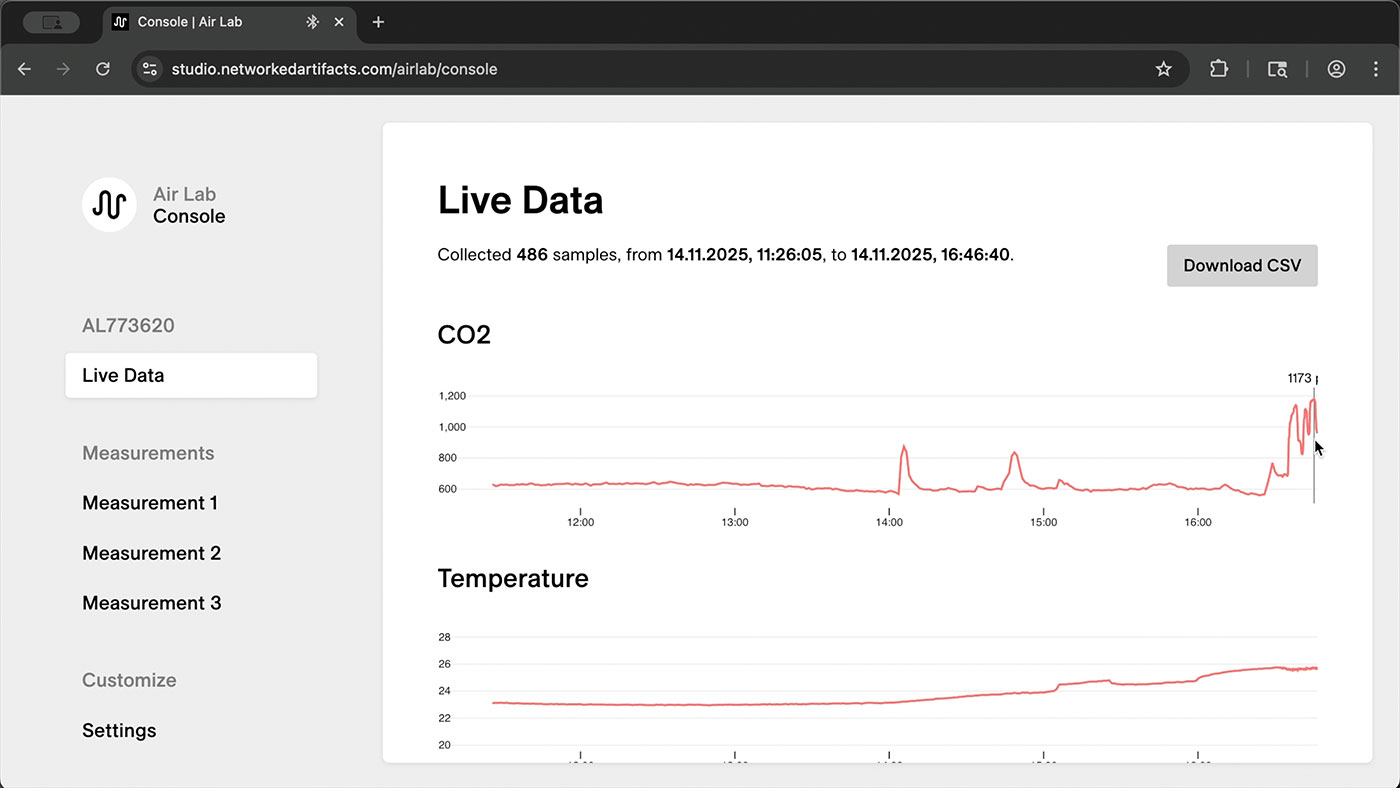
I don't have lab-grade CO2 reference equipment, so I can't give any absolute ratings of the device, but I can say it was within 50-100 ppm of the various AirGradient monitors I tested, and the sensor in use is a Sensiron SCD41, which seems pretty decent. (All the sensors in use are listed here.
Air Lab Field Testing
I took the Air Lab to a friend's party, an outdoor event, and even a St. Louis Blues hockey game, in an indoor arena.
I found some interesting things:
- At my friend's party, in a relatively small house with 15-20 people, the CO2 levels went beyond 2300 ppm, which is not horrible, but is at a level where I'm able to notice a slight bit of drowsiness or 'brain fog'. Not much, but more than nothing. Their AC was running, but even though the house was a little older and probably 'leaky', it didn't exchange fresh air at a rate that could keep up with the humans breathing inside.
- The stadium had a much slower rise in CO2 levels, but it was measurable, and consistent with the crowd entering, and then peaked right before the end of the game as many people started leaving.
I also brought the Air Lab around town in my car, to see how different A/C modes would fare:
- When driving with my wife and kids in our minivan, with recirculate on, the car would very quickly rise to 1800-2000 ppm almost every time we took a trip (even a 5-10 minute trip).
- When driving alone or with just one other person, with recirculate on, my Leaf would get up to 1500-1800 ppm.
I even took the Air Lab on my road trip to and from Chicago, and wound up seeing 1800 ppm or so in traffic on the highway, and 1500-1600 ppm on average while I was driving normally (all of these numbers with recirculate on).
Turning recirculate off always brought the number way down, usually around 100 ppm higher than ambient outdoor CO2 levels—so 480-600 ppm, typically.
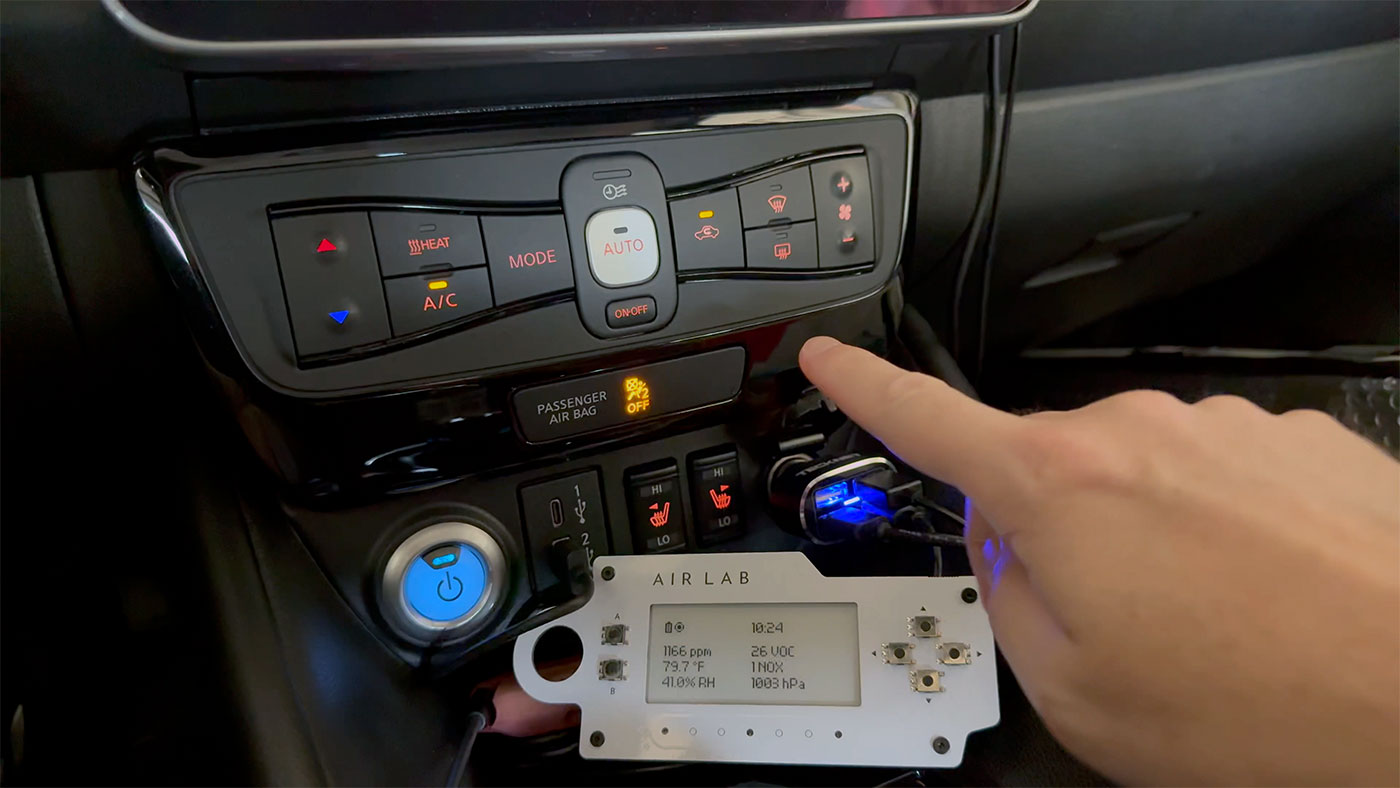
I think the main takeaway for me is to leave recirculate off unless there's a good reason to not enjoy some fresh air (e.g. if driving through an industrial area, or behind a very emissive car), or if you're really trying to preserve conditioned air for humidity or maybe efficiency reasons.
I was a little surprised the ppm in both our minivan and my Leaf topped out under 2000 ppm. I'm guessing they naturally leak / exchange some outside air as a baseline, even with recirculate on?
During these tests, I did have some data from a manual measurement go missing, but that was found to be a firmware bug, and has since been fixed.
Inside a large convention hall
I mentioned the Blues game earlier, but I also brought the Air Lab with me to VCF Midwest up in Chicago. That's where I was going on the road trip.
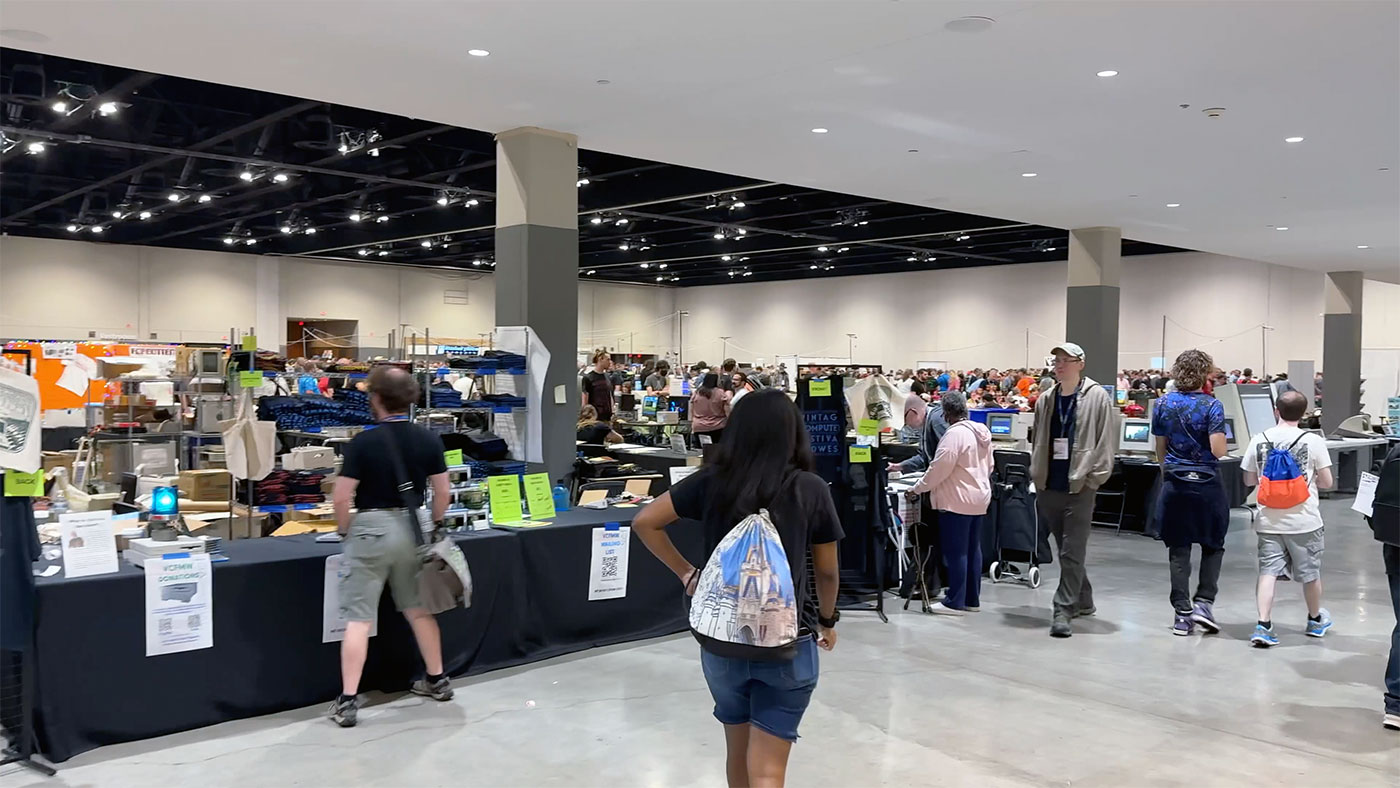
You'd think with all that space in such a new building, stale air wouldn't be a problem. But even there, I saw the numbers going up as the day went on.
So maybe part of that tired feeling you get after a full day at a convention is made just a little bit worse by the stale air. At least that's my theory. It's definitely something I'm more aware of now.
I found myself going outside to get fresh air more often, just because I was aware of the numbers.
Is that a good idea regardless? Sure. But you don't know what you can't measure, and I like being able to put some numbers behind my intuition.
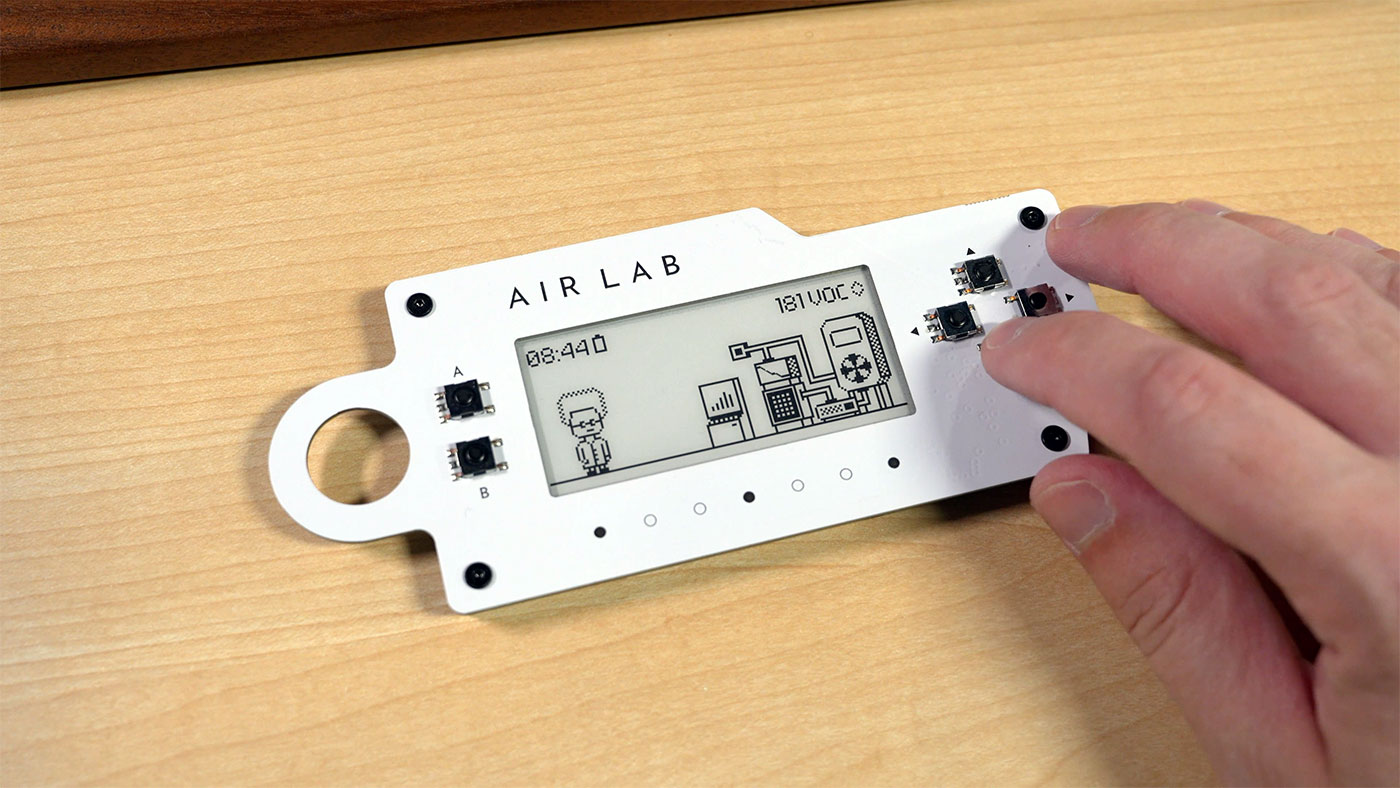
The battery life is pretty good, too. The first test I did, I got almost five full days. I only noticed it was dead when I clicked the buttons and didn't get a response. It does have a tiny battery indicator, but one improvement could be a message that pops on the screen before the battery goes dead.
Conclusion
Could you build your own portable air quality monitoring device for less money, using the same sensors Air Lab uses? Yes.
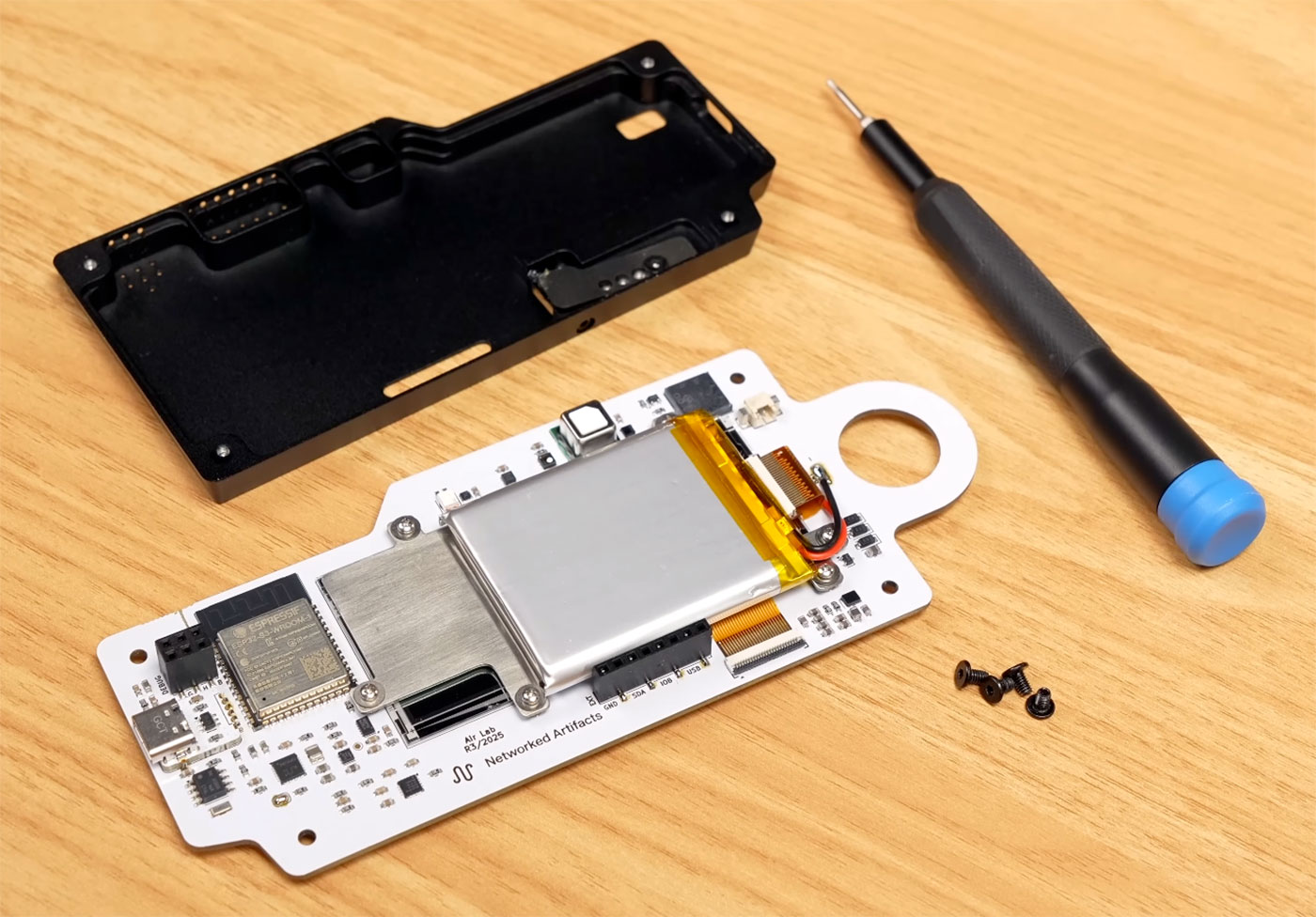
If you have the time and skills, DIY is always cheaper.
But when I wore it on my badge at VCF Midwest, it provoked many conversations. People were intrigued by the idea of measuring air quality on a small battery powered device. And it looks cool, especially to other techies.
But I asked every person I talked to: "Is it $250 cool?" All but two of them said: "No".
That's the curse of new hardware and a small startup like Networked Artifacts. It's impossible to reach the economies of scale giant corporations do.
So do I think $250 is a lot? Yes. But do I think it's too much? No. For me, if you get into a device like this, it's partly for the device, and partly to back the idea.
It's a fun, quirky, and imperfect battery-powered air quality monitor. And it's not cheap.
But I can get my data off of it without any cloud tie-in, and the team already has better firmware for it than most commercial products.
The one featured in this post was provided for review, and they told me to keep it. So take anything I say with a grain of salt. And maybe a few deep breaths of your wonderful, stuffy air.
Comments