Turing RK1 is 2x faster, 1.8x pricier than Pi 5
I've long been a fan of Pi clusters. It may be an irrational hobby, building tiny underpowered SBC clusters I can fit in my backpack, but it is a fun hobby.

And a couple years ago, the 'cluster on a board' concept reached its pinnacle with the Turing Pi 2, which I tested using four Raspberry Pi Compute Module 4's.
Because Pi availability was nonexistent for a few years, many hardware companies started building their own substitutes—and Turing Pi was no exception. They started designing a new SoM (System on Module) compatible with their Turing Pi 2 board (which uses an Nvidia Jetson-compatible pinout), and the result is the RK1:
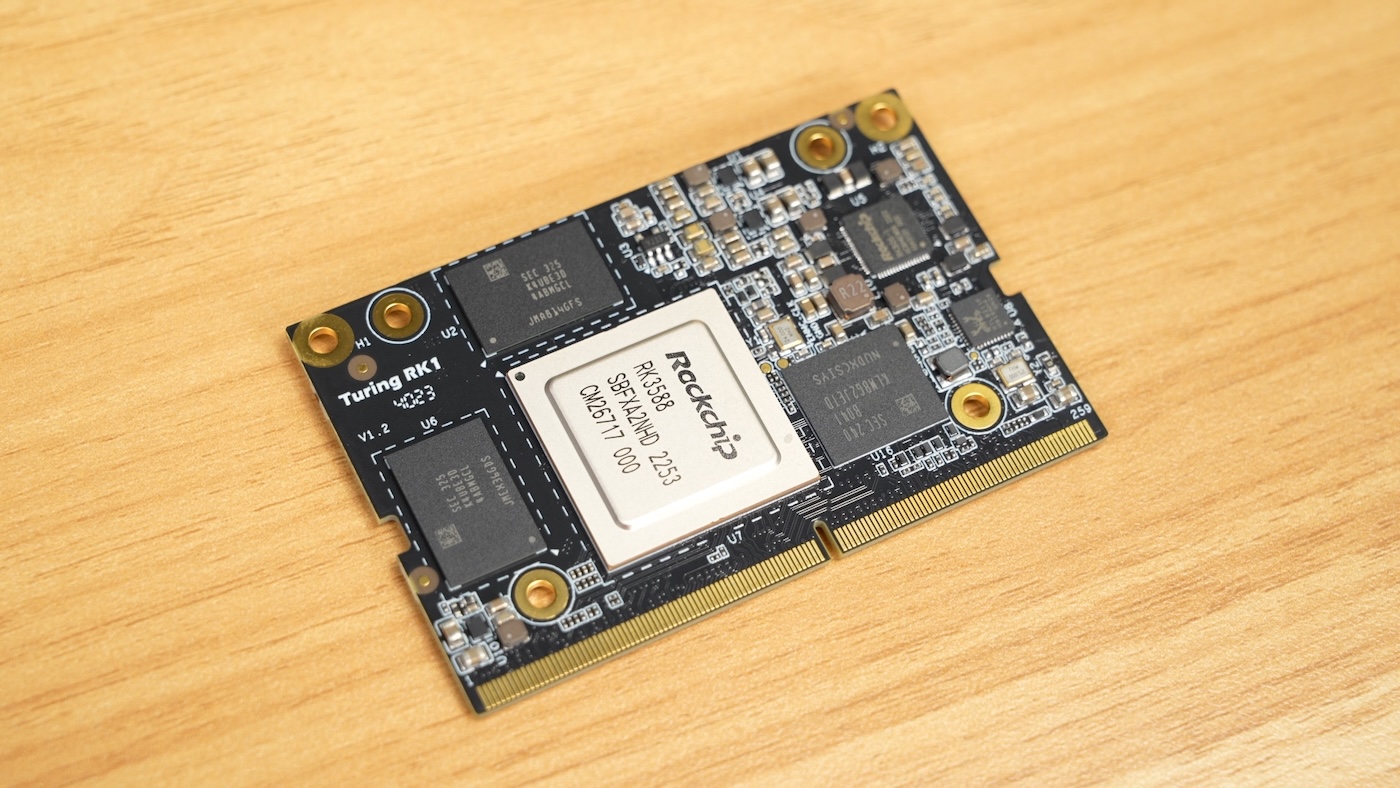
The SoM includes a Rockchip RK3588 SoC, which has 8 CPU cores (A76 + A55), 8/16/32 GB of RAM, 32GB of eMMC storage, and built-in 1 Gbps networking.
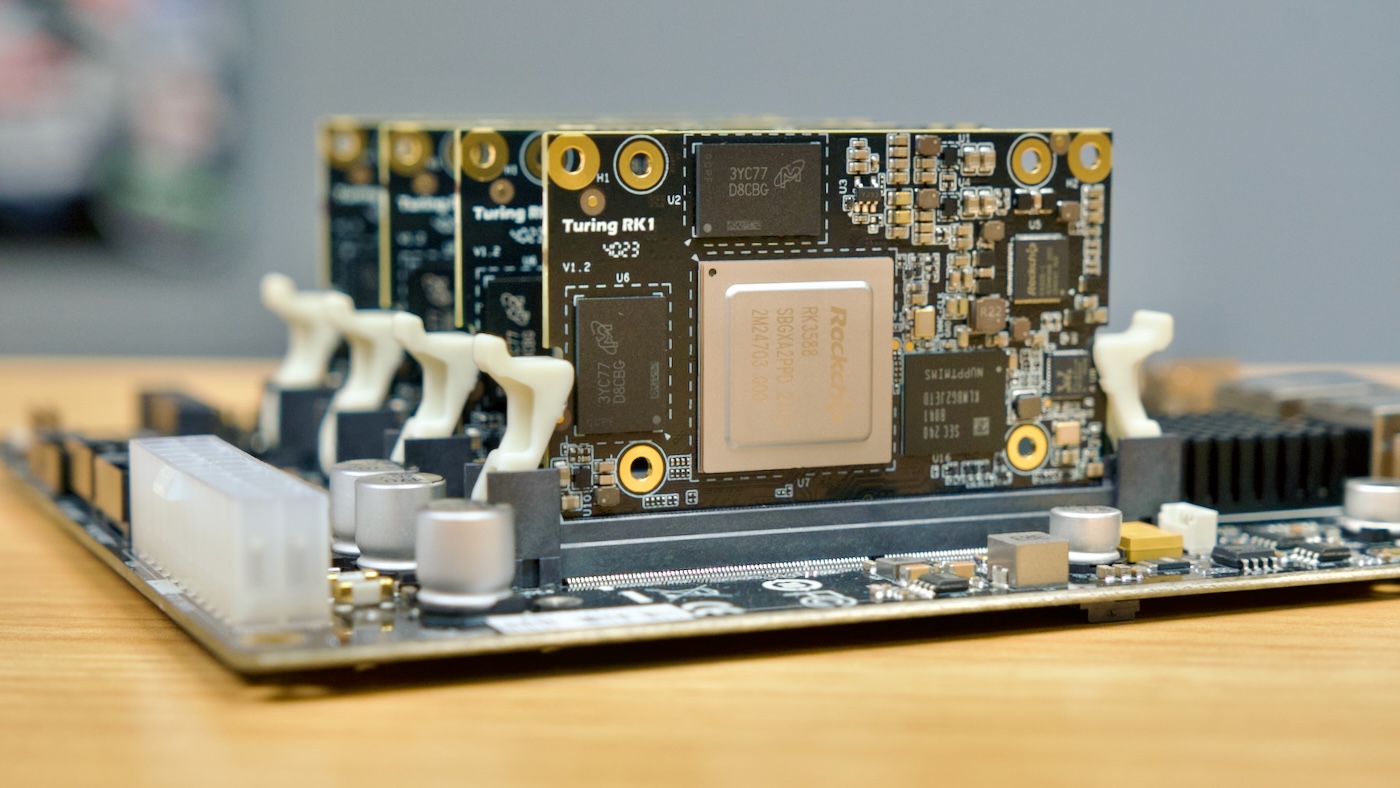
I purchased a Turing Pi 2 as part of their initial Kickstarter (I have their revision 2.4 board), and four 8GB RAM modules + heatsinks. But for testing, Turing Pi also sent me four of their 32GB RAM modules. All my test data is available in the SBC Reviews GitHub issue for the RK1.
For standard CPU benchmarks (Geekbench 6, High Performance Linpack, and Linux kernel recompiles), the RK1 consistently beat the Pi 5 (2x faster) and CM4 (5x faster), and the performance scaled with extra nodes (the RK1 cluster with 4 nodes was still 5x faster than the CM4 cluster with 4 nodes, running HPL).
I also ran a real-world cluster benchmark, installing Drupal 10 on the cluster using Kubernetes (k3s, specifically, using my pi-cluster project:
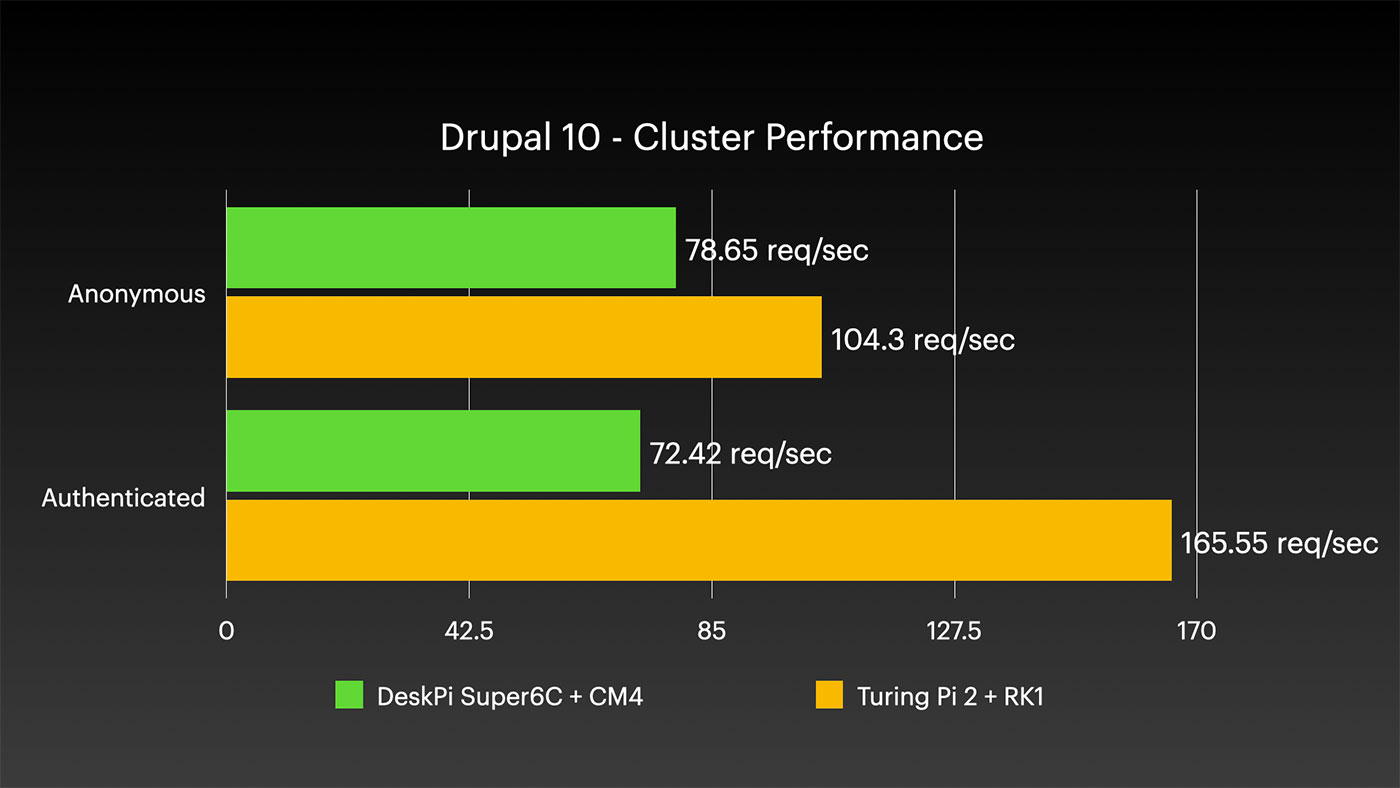
The test setup only had one Drupal pod running, with a separate MariaDB pod running on a separate worker node, but I like this test because it offers more of a real-world perspective. Just because raw CPU compute is 5x faster, a real-world application running on top of a cluster has to take into account physical networking, ingress, networked IO, etc. — all of which are more even across these two vastly different SoMs!
10" Mini Rack
Today's video covers not only the RK1 and it's massive performance advantage over the Pi, but also racking it up in a new 10" mini rack from DeskPi.
DeskPi sent me their RackMate T1, an 8U 10" desktop rack, and I installed the Turing Pi 2 board (with four RK1s) inside a MyElectronics Mini ITX 10" rackmount case. Full disclosure—the RackMate and Mini ITX case were both sent to me by the respective vendors. And in MyElectronics' case, they actually sent this 2U Dual Mini ITX case (affiliate link), which costs more but also allows you to mount two ITX boards side by side in a standard rack.
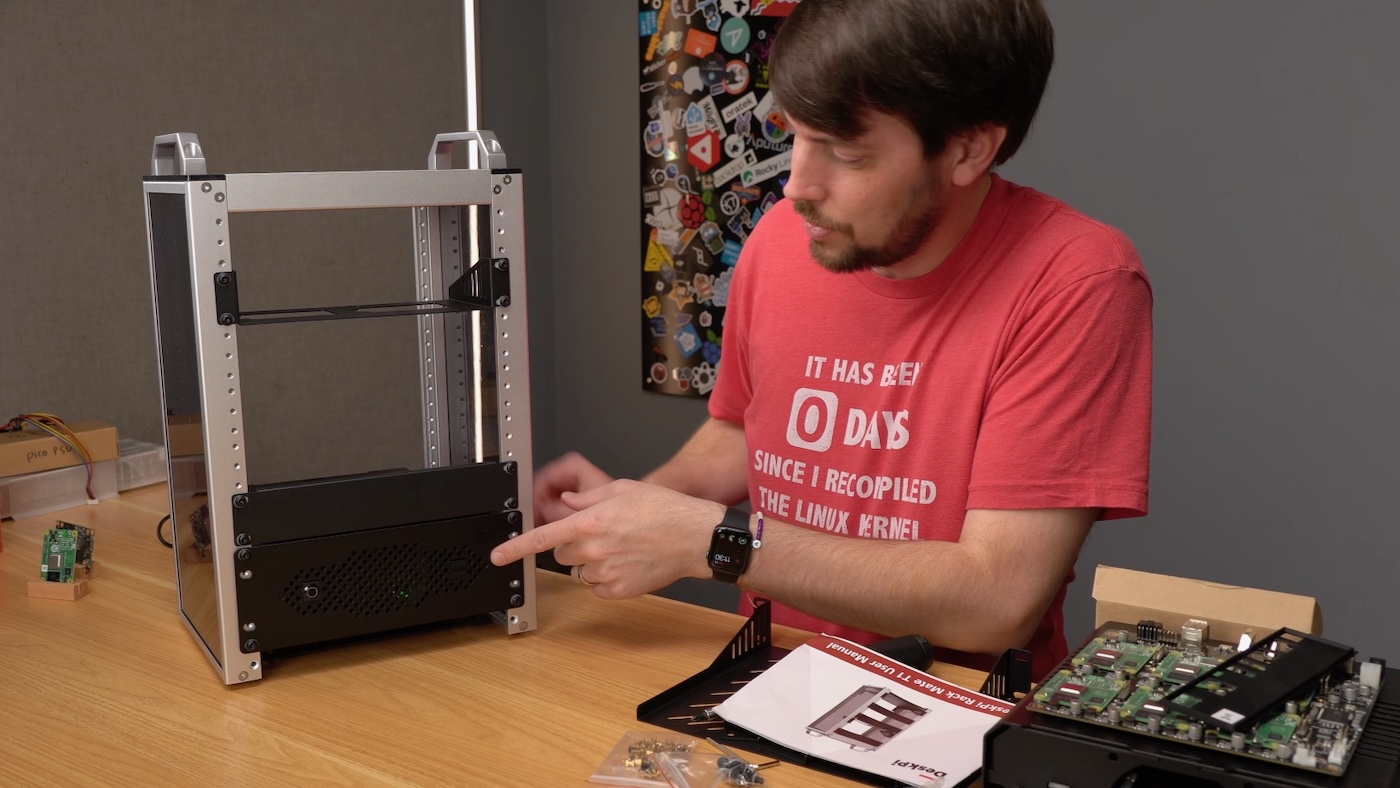
These products are all expensive, and for my own needs (remember, I'm a bit of a weirdo building all my SBC clusters), the cost is justified. But they are expensive, so if you want to build the highest value / lowest cost homelab setup, this probably isn't the build for you.
What I like most is the compactness of this build. Assuming I can pick a good half-width switch, and ideally some sort of PDU that can mount in the 10" rack, I would have my ultimate portable lab rack! 10" is the perfect width for mini PCs, SBCs, even Mac minis.
Maybe someone could even make a cute travel case for it like we used to have for old Macintoshes!
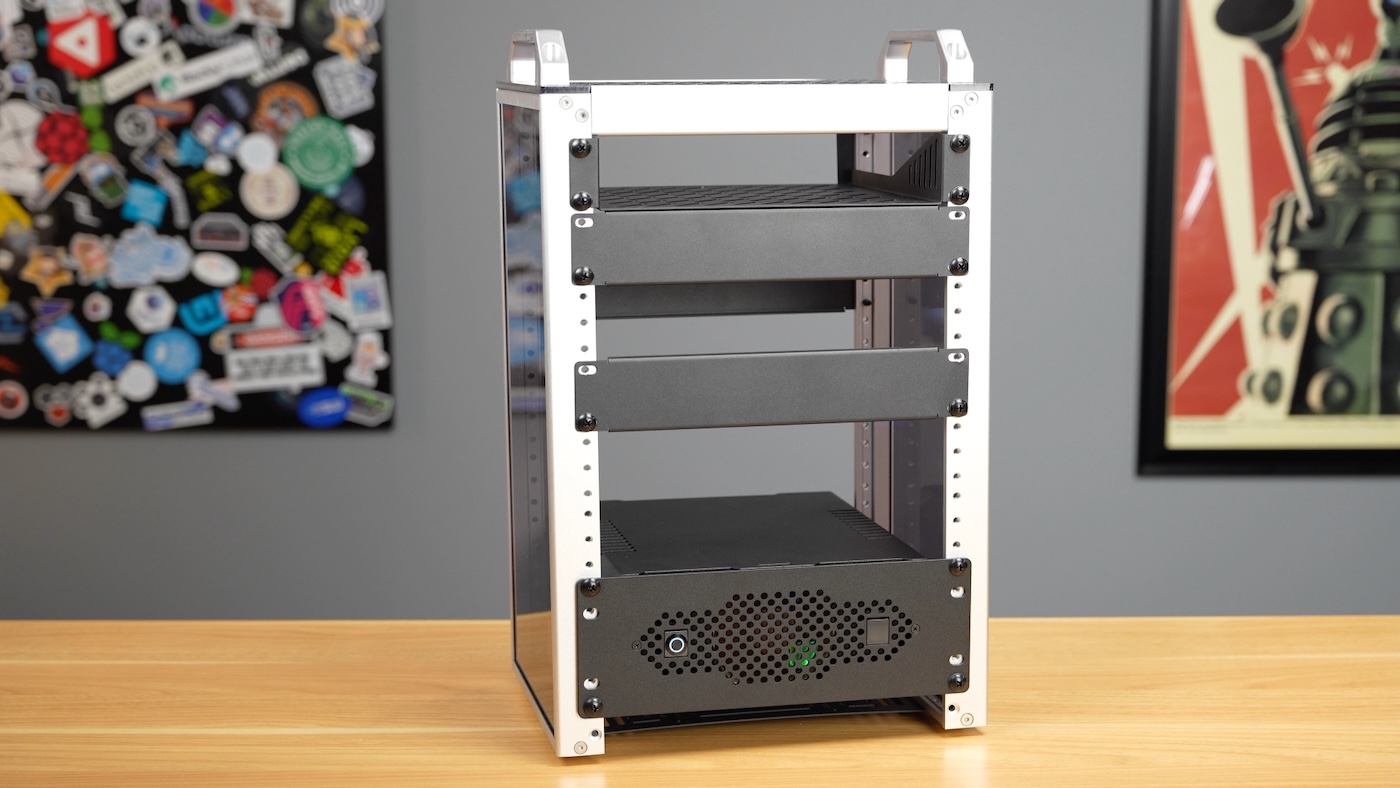
I've asked DeskPi about future 10" rackmount accessories, and it sounds like they're working on a few, so hopefully as I get more time to build out my mini rack, I can share some of those with you. One I'm excited about is a 1U Mini ITX 'tray' that would allow me to mount up to 8 of their DeskPi Super6C boards—that'd be 48 Raspberry Pi CM4s, totaling 192 CPU cores and 384 GB of RAM... for a whopping $5,000 or so, lol. I can dream, can't I?
Watch the video for all the details on this build:
You can find all my test data for the RK1 in this GitHub issue.
Comments