Building an efficient server-grade Arm NAS

It's not cheap, but it's efficient. At least, that's my hope.
Over the past few months, I worked with a number of vendors to assemble what I hope will make an efficient but high-performance arm64 NAS. In the video embedded below, I've put together the following (some of these links are affiliate links):
- Motherboard: ASRock Rack ALTRAD8UD-1L2T (specs)
- Case: 45Homelab HL15 (backplane + PSU)
- PSU: Corsair RM750e (included with HL15)
- RAM: 4x Samsung 16GB 1Rx4 ECC RDIMM M393A2K40DB3-CWE PC25600
- NVMe: Kioxia XG8 2TB NVMe SSD
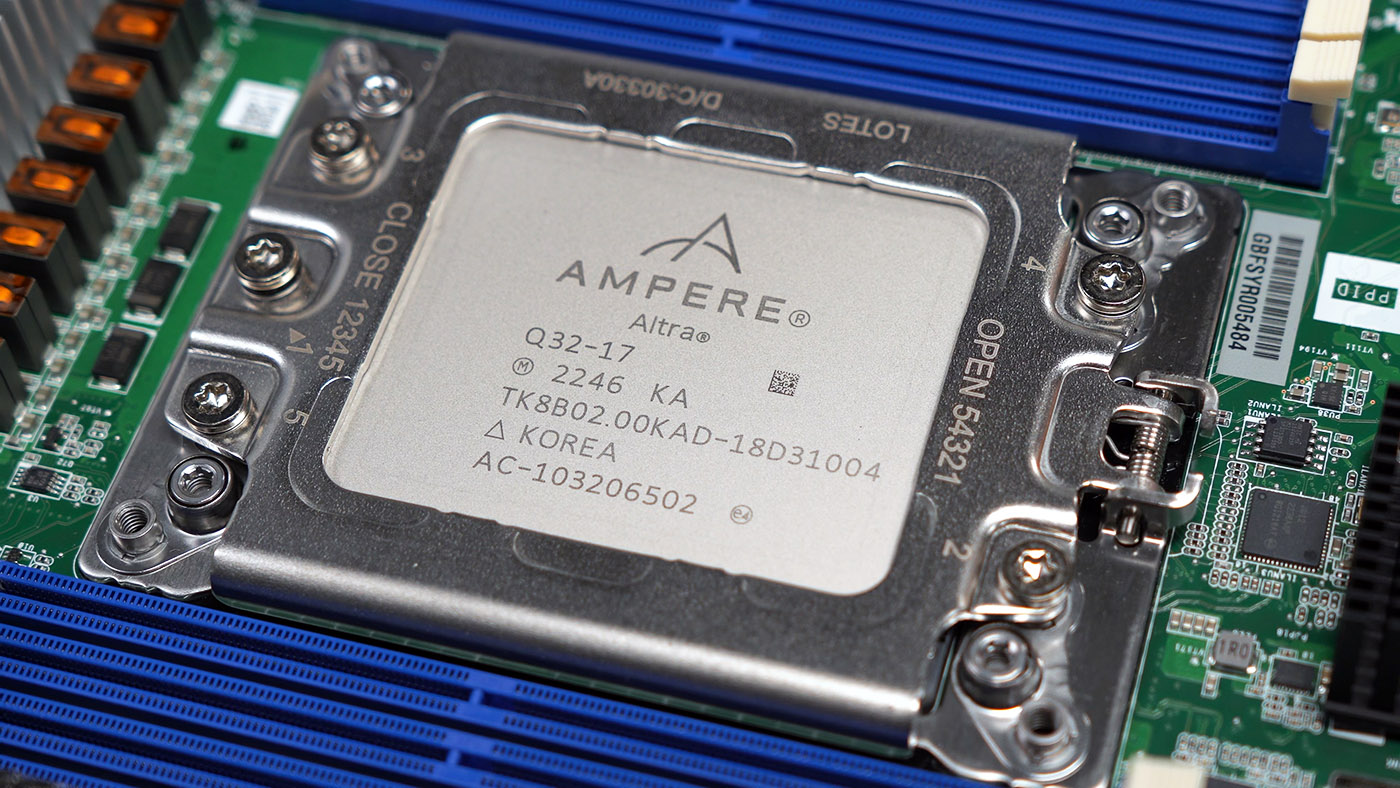
- CPU: Ampere Altra Q32-17
- SSDs: 4x Samsung 8TB 870 QVO 2.5" SATA
- HDDs: 6x Seagate EXOS 20TB SATA HDD
- HBA: Broadcom MegaRAID 9405W-16i
- Power: Comeap PCIe to 8-pin CPU adapter (to supplement the two CPU power plugs that came with the RM750e)
- Cooler: Noctua NH-D9 AMP-4926 4U
- Case Fans: 6x Coolerguys CG12025M12B2-3Y 120mmx25mm (included with HL15)
ServeTheHome covered the ASRock Rack ALTRAD8UD-1L2T motherboard, as well as the prototype Ampere Altra / Altra Max Noctua CPU coolers, but if you want some raw footage of the assembly process and some of my unfiltered thoughts, check out my video putting together this machine:
I won't be posting a full review of the system yet, because hardware is only half the equation—and even that isn't set in stone.
Note: I was provided hardware for this build by 45Drives, ASRock Rack, Noctua, and Ampere. So take my opinions with all that in mind. Besides the equipment, no other money exchanged hands and none of these organizations had any say in the contents of this blog post or my YouTube video.
My power budget for this machine is around 100W idle, and right now it sits just over 150W. I think I can get it down below 100W, and some of that will be achieved with hardware tweaks (and a few possible substitutions), and maybe some in software.

Regarding the hardware itself, here are some of my initial thoughts after completing this build:
- The 45Homelab HL15 case seems ideal for ATX and EATX motherboards. This 'deep micro ATX' motherboard is a bit cramped towards the plug-side... it works, but I think another cm or two of clearance would be better for it.
- I had an early unit off 45Drive's production run of the HL15, and my unit had a mis-wired power button; it seems like this problem was noted and fixed.
- The ASRock Rack motherboard came with OpenBMC, and it mostly worked great out of the box. I did experience a few bugs with the popout KVM window, but closing it and re-opening it always fixed the problems.
- The HL15 includes six CoolerGuys fans running at full speed (no PWM control). It would be nice if their fan power hub allowed PWM passthrough so the fans wouldn't run full blast if not needed... but that's not how it comes from the factory. It is billed as a 'quiet' system—and it is, compared to enterprise gear. But I may modify the cooling to make it half as quiet still, even though it'll go in a server closet.
- For RAM, make sure you buy RDIMM memory sticks, not UDIMM.
- If you're building your own system, and want to throw in any other parts than what I've listed, please take a look at Ampere's compatibility lists, as they have gone through the hassle of validating many different types of hardware on their platform already. If it hasn't been tested, that doesn't mean it won't work, but there's a better chance of success if you use things that are validated.
If you would like to replicate my build, at this point everything besides the Noctua fans is available at retail—see the links earlier in this post. The ASRock Rack motherboard keeps going in and out of stock at NewEgg, but I'm assured if you place a backorder, new batches are shipping regularly now.
An Ampere Altra-based system like the one I built isn't a performance champ, but for certain use cases where efficiency and tons of PCIe lanes are requirements, Ampere's existing platform may still pack a punch against AMD and Intel's similarly-priced CPUs.
Comments