Mac Studio is 4x more efficient than my new AMD PC
Last month, I built an all-AMD PC to try out Linux Gaming with Steam and Proton, and so I'd have a faster native Linux build machine for my various compilation tasks.
This month, Apple introduced the Mac Studio, and as a now full-time video producer, it was a no-brainer for me to upgrade from an M1 Mac mini.

My Mac Studio arrived Friday, and over the weekend, I spent some time benchmarking it against not only my M1 mini, but also my new AMD Ryzen 5 5600x PC build.
My Mac Studio's specs:
- M1 Max 10-core CPU / 24-core GPU / 16-core Neural Engine
- 64GB unified memory
- 4TB SSD (potentially user-upgradeable)
I wanted to see how the Mac Studio fared against the Ryzen 5600x when compiling Linux for the Raspberry Pi (a task I do often, to test various PCI Express devices on the Pi).
Video: I also posted a video version of this blog post on my YouTube channel.
Linux Cross-Compilation Benchmarks
The first benchmark I ran was a simple cross-compilation of the Linux kernel, using my Docker-based environment.
The AMD PC had two advantages here: all 6 cores of the 5600x were used in the test, and it was running Docker natively on Fedora 35.
On my Mac Studio, I ran Docker using Docker for Mac (which is a lightly virtualized environment), and because of this bug, only the 8 performance cores can be used (there is a little more performance that could be unlocked if it could also utilize the 2 efficiency cores).

Because of that, the Ryzen 5 5600x ekes out a small win (about 3% faster) over the M1 Max Mac Studio.
Granted, the M1 Ultra would soundly beat the 5600x with it's 20 cores, but I don't know if Docker for Mac is even updated to allow that many cores to be utilized yet.
Both machines trounce my M1 Mac mini—which, if you're an avid reader of my blog, you may remember beat my Intel i9 MacBook Pro by 30% last year.
But in applications where all the cores are unleashed, the M1 Max model I bought does turn in a solid victory over the 5600x. For example, here are my results running Cinebench R23:

Just for fun, I also ran Geekbench 5:

I think Geekbench 5 tends to favor the M1 architecture a bit more, in its balance of shorter, lighter benchmarks.
Noise and efficiency
None of the synthetic benchmarks really do justice to how the overall system feels, though. The M1 Mac mini was already a revelation for me—plenty of speed responsiveness with absolute silence.

But the M1 Max Mac Studio I bought takes that speed and responsiveness further. And the thing is nearly-silent—but not quite as quiet as my M1 Mac mini was.
In my office, the noise floor is around 30 dB, and I can just barely make out the fans on the Mac Studio after a long benchmarking run.
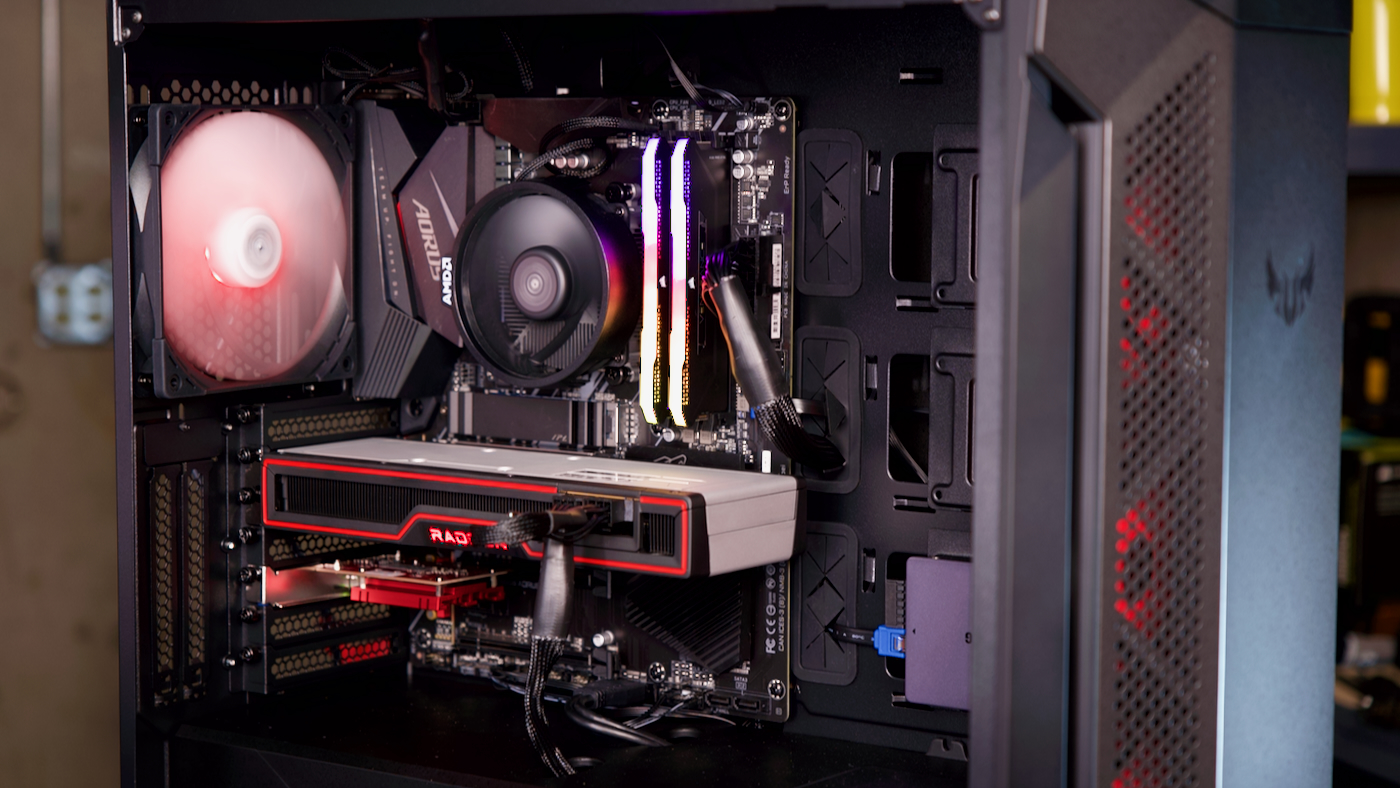
Contrast that to the AMD PC I built, which is using AMD's relatively noisy stock CPU cooler, four case fans, and two fans that sometimes kick in on the graphics card! That setup is very noticeable, even at idle. At full-bore, it's loud enough you can hear it over the noise gate on my microphone.
But power efficiency—how much performance you get per watt of power consumed—is where the Mac Studio seems to shine, especially compared to mid-range Ryzen CPUs like my 5600x:

At full-blast, the Ryzen consumes 4x more power (and produces about the same result, if not a little slower). At idle, though, the Mac Studio sips barely 6W, while the Ryzen pulls down 39W—that's 6x more!
Conclusion
None of this is to say everyone should go and buy a Mac Studio.
This computer is built with a specific target audience: content producers like me. I love how the built-in ProRes encode/decode engines speed up my video editing workflow. Some users will use the fast-and-almost-silent GPU cores on the M1 Max or M1 Ultra to build complex simulations or process data efficiently.
The Mac Studio is more of a mid-range workstation, and less a general or enthusiast computer.
Alternately, if I want to play a game like Halo Infinite on a PC... I can't really do that on a Mac. And if I want to experiment with high speed networking, build a great NAS, or test out various hardware—a Mac isn't the right machine for that.
At least, not until the Mac Pro's successor comes out. Hopefully 🤞.
Comments