Getting an RX 6700 XT to work for Gaming on Linux
Last year, due to some extreme luck and help from a viewer, I picked up an AMD RX 6700 XT for MSRP (around $500).

My initial goal was to see if I could get the card working on a Raspberry Pi. Though my initial effort was fruitless, I've since hacked the driver to work through at least a few 'rings' of AMD's doorbell init process.
Anyways, because I had that graphics card laying around, I decided to put it to use while it's not being tested on the Pi. It will be part a massive upgrade from my current HP desktop PC with integrated graphics.
Since I also wanted a faster Linux kernel build platform than my M1 Mac mini, I stretched my budget a little and bought an AMD Ryzen 5 5600x. To round out the build, I bought a B550 motherboard so I could use PCIe Gen 4.0, some Corsair RAM (RGB since my kids would enjoy seeing it), and I used a case and 144 Hz gaming monitor repurposed from my Raspberry Pi Gaming PC build.

The assembly went pretty well (and took a bit more than an hour—not bad for the first time building a PC from scratch in 23 years, while live streaming it!)... but watch for yourself the difficulty I had getting the AMD driver working on a fresh Ubuntu 20.04 install (starts at 02:21:13):
Towards the end of the stream, I even tried as commenters were suggesting, and ran a do-release-upgrade to install Ubuntu 21.05 (the non-LTS release), but that resulted in the display reverting to a blurry 1024x768 resolution (it was 1080p prior to the upgrade). After getting all the other benchmark results that weren't GPU-dependent, I decided to end the live stream so I could spend more time figuring out where I went wrong.
Aside: As an introvert, I have a hard time thinking as straight and/or doing any retrospective debugging on a live stream, when I know people are 'watching over my shoulder', so to speak. It brings up repressed memories of the horror of pair programming at an XP shop I worked in.
What I found out—a few people even mentioned it in live chat, but I didn't see it mid-stream—is that Google had betrayed me. The AMDGPU driver version I was downloading and trying to install was too old for my card. Instead of installing 20.50, I should've downloaded 21.50.
That doesn't explain why the mid-stream upgrade to 21.10 didn't work, but I'll chalk that up to the fact that I've never had a Linux full-version upgrade work without a hitch. (I always erase-then-reinstall on my Linux servers. Easy to do if everything's configured via Ansible and I have tested backups...).
Video
I also posted a video version of this blog post, with a few more illustrations of the points I'm making, on YouTube:
Trying the right way on Ubuntu 20.04 LTS
So I re-installed Ubuntu 20.04, since the driver documentation and release notes on AMD's driver site indicate support only for LTS releases (18.04 and 20.04), not for the latest rolling release.
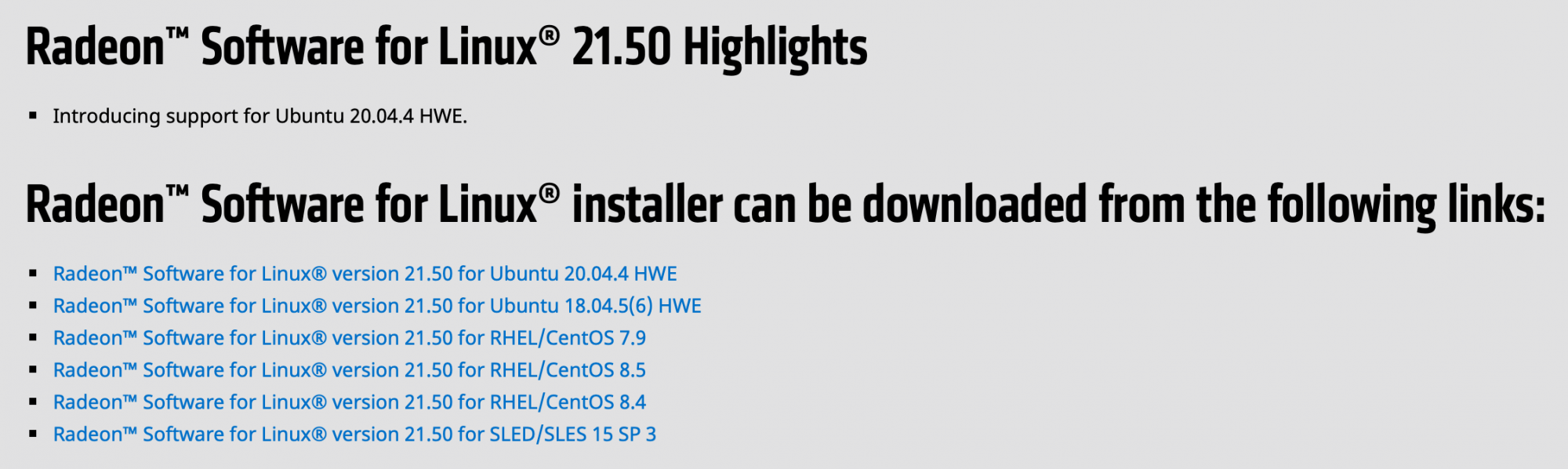
The release notes page and amdgpu installation guide both linked to the latest version of the driver, a .deb file download for version 21.50, so I tried it.
I installed the .deb file as directed, but when I ran amdgpu install, I got:
Some packages could not be installed. This may mean that you have
requested an impossible situation or if you are using the unstable
distribution that some required packages have not yet been created
or been moved out of Incoming.
The following information may help to resolve the situation:

The following packages have unmet dependencies:
 amdgpu-lib : Depends: libwayland-amdgpu-client0 but it is not going to be installed
              Depends: libwayland-amdgpu-server0 but it is not going to be installed
              Depends: libgbm1-amdgpu but it is not going to be installed
              Depends: libegl1-amdgpu-mesa but it is not going to be installed
              Depends: libegl1-amdgpu-mesa-drivers but it is not going to be installed
              Depends: xserver-xorg-amdgpu-video-amdgpu but it is not going to be installed
 amdgpu-lib32 : Depends: libwayland-amdgpu-client0:i386
                Depends: libwayland-amdgpu-server0:i386
                Depends: libgbm1-amdgpu:i386
                Depends: libegl1-amdgpu-mesa:i386
                Depends: libegl1-amdgpu-mesa-drivers:i386
E: Unable to correct problems, you have held broken packages.
Further Googling found related issues when installing the drivers on older Ubuntu releases, but I figured at this point, maybe I should just install Ubuntu 21.10 instead.
Some people mentioned switching to or from Wayland or installing Mesa, but as someone new-ish to the graphics stack in Linux (I normally run headless servers: give me a console and I'm happy), I didn't want to mess with things I might have to unravel later. If it's not mentioned in the happy-path docs, I don't want to try it out until exhausting all options on the happy path :)
So I grabbed the 21.10 ISO, flashed it to a USB drive via Etcher, and installed Ubuntu the third time.
Ubuntu 21.10 Experience

Upon rebooting, I noticed I could set a 144 Hz refresh rate on the monitor, and the resolution was 1920x1080, so I downloaded Phoronix Test Suite while I was running system updates. It's system-info command was much more encouraging:
  GRAPHICS:               AMD Radeon RX 6700/6700 XT / 6800M
    Frequency:            2855/1000MHz
    Monitor:              MSI G241
    Screen:               1920x1080
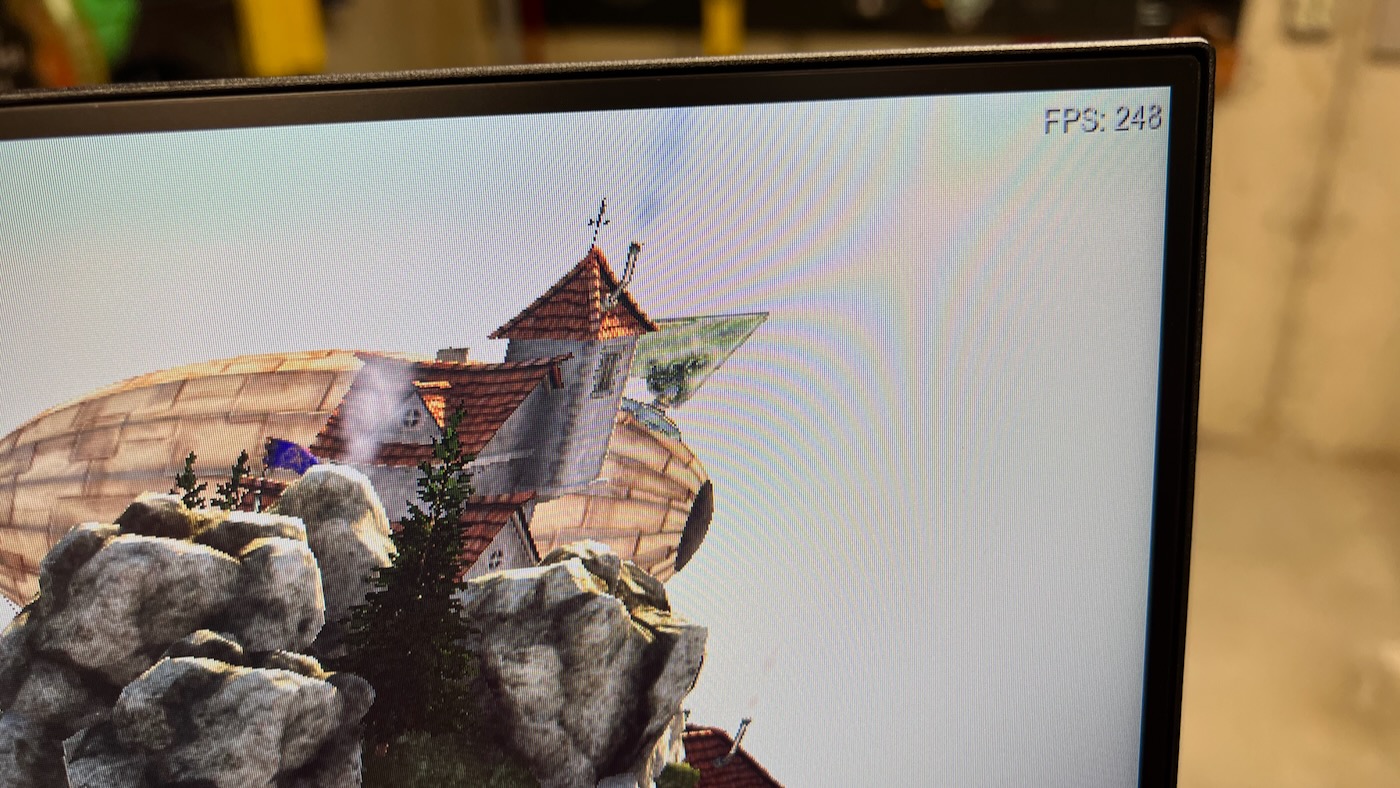
I re-ran the Heaven benchmark, and this time it was running at a blissful 242 fps average. Earlier, when I ran it without a graphics card driver, the benchmark was going about 1 fps. Much improved.
Steam and Proton
I wanted to see if playing Halo 3 from the Halo MCC was any better than the last time I'd tried it on Linux (on a Kubuntu Focus) almost two years ago, so I installed Steam, then installed MangoHUD and added the launch option mangohud %command% in Halo's settings inside Steam, and launched it.
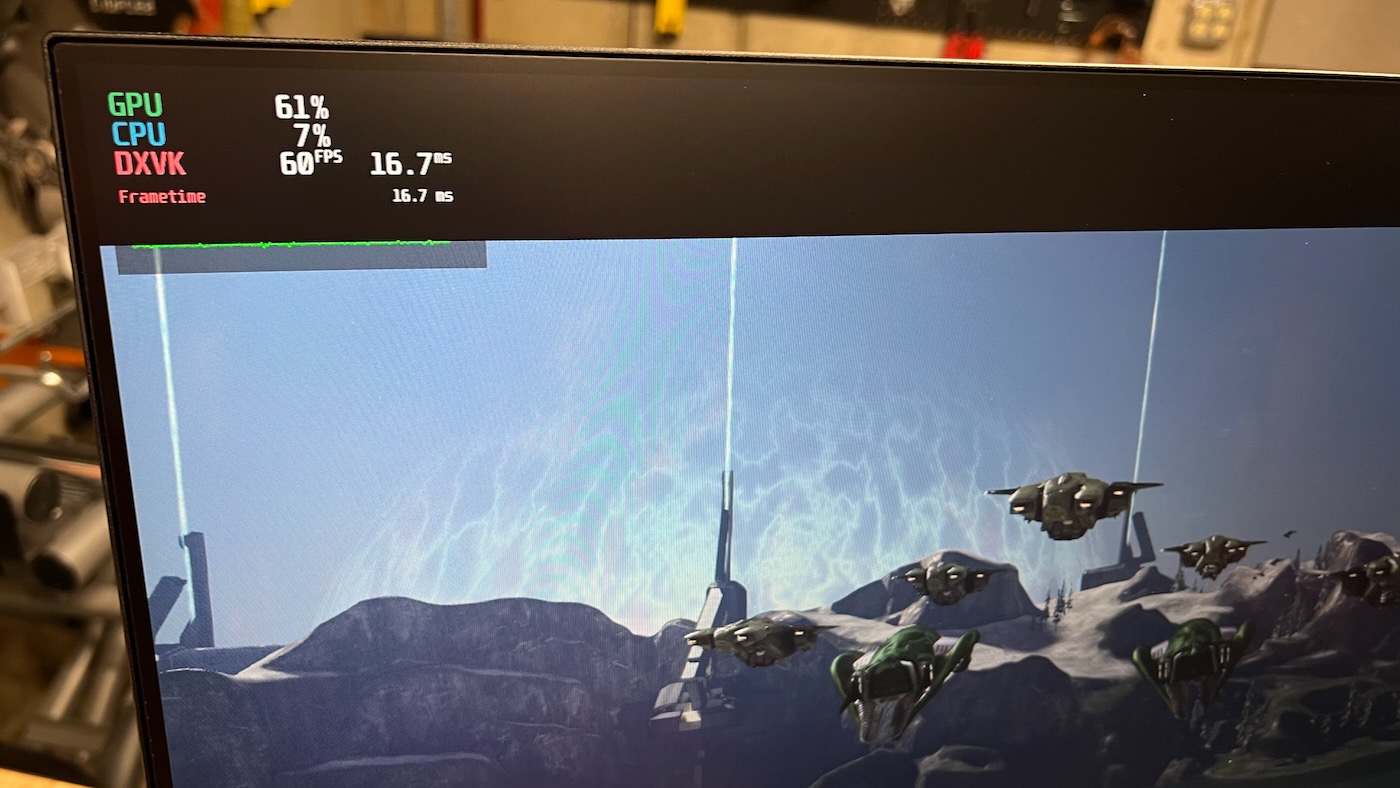
The entire time playing the game, I was locked in at 60 fps. I haven't tried any more modern games yet, but being able to play Halo 3's good enough for me to chalk this experience up in the 'win' column.
Lessons Learned
First of all, if you ever mention anything about any Linux distro, expect to receive a number of comments about why that distro is [bad|great|evil] from all the wonderful distro nuts. In the live chat, there was a constant barrage of comments mentioning why [Fedora|PopOS|Mint|Arch|Debian|Manjaro|etc.] was a better option than Ubuntu.
One of the hardest problems the Linux community would have to overcome to usher in an era of 'Linux for the desktop' is not bombarding new users with decision paralysis. Every corner of the Internet is covered in "which Linux OS you should use for gaming", and every corner has a different answer.
Judging not only by my experience, but also Linus' experience, there is no way every Linux distro will work out of the box with the myriad gaming rigs (much less software like Steam), and when someone realizes their favorite blogger/site/YouTuber is 'wrong' about the best Linux distro, that drives a wedge of doubt into every other decision they follow on their Linux journey.
On the server side, it's easy—we all know Debian is the way.
🙃
Anyways, I think I came away from this experience learning three main things:
- Building a computer on a livestream, trying to do it so people watching the stream can remain engaged (especially solo) is quite difficult. Kudos to the production crews who do this kind of thing frequently.
- The Year of the Linux Desktop may never arrive, but Linux has become easy enough that anyone willing to spend time fooling with it and Googling for answers to small problems that arise will probably have a good experience. Gaming on Linux has certainly come a long way, though I have my concerns over emulating Windows being the main strategy for success.
- If you have newer hardware (the RX 6700 XT was released in March 2021), don't install LTS Linux releases. That's what ultimately burned me on the live stream—it's a server admin mentality, and even though I knew the kernel was older, I had assumed that because all Ubuntu and AMD's docs pointed me towards the LTS release, I should do that. Nope.
Other things I learned building a 'for-real' Linux Desktop
Here are a few other notes off the top of my head:
- OpenRGB was easy to get going, and worked with my Aurus Elite B550 Motherboard out of the box. I'm still not able to control the Corsair Vengeance Pro SL RAM sticks, though; they seem to be perpetually stuck in rainbow mode.
- The AMD stock CPU cooler fan is the loudest part of the entire system. Just because it's audible at idle (and ramps up more than any other fan in loudness), I might see about swapping out the cooler for a Noctua vesion. We'll see how annoying it is in my office.
- I'm (pleasantly) surprised how everything else—including PWM fan speed control, the Aquantia 10 GbE NIC, and all other system drivers—worked out of the box in a fresh Ubuntu install. For everything besides the graphics card, this system was dead simple to get going.
Comments