Raspberry Pi holds its own against low-cost ARM NAS
Earlier this year, I pitted the $549 ASUSTOR Lockerstor 4 NAS against a homebrew $350 Raspberry Pi CM4 NAS, and came to the (rather obvious) conclusion that the Lockerstor was better in almost every regard.

Well, ASUSTOR introduced a new lower-cost NAS, the $329 Drivestor 4 Pro (model AS3304T—pictured above), and sent me one to review against the Raspberry Pi, since it make for a better matchup—both have 4-core ARM CPUs and a more limited PCI Express Gen 2 bus at their heart.
Around the same time, Radxa also sent me their new Taco—a less-than-$100 Raspberry Pi Compute Module 4 carrier board with 5x SATA ports, 1 Gbps and 2.5 Gbps Ethernet, an M.2 NVMe slot, and an M.2 A+E key slot. (The Taco will soon be available as part of a kit with a CM4 and case for around $200.)
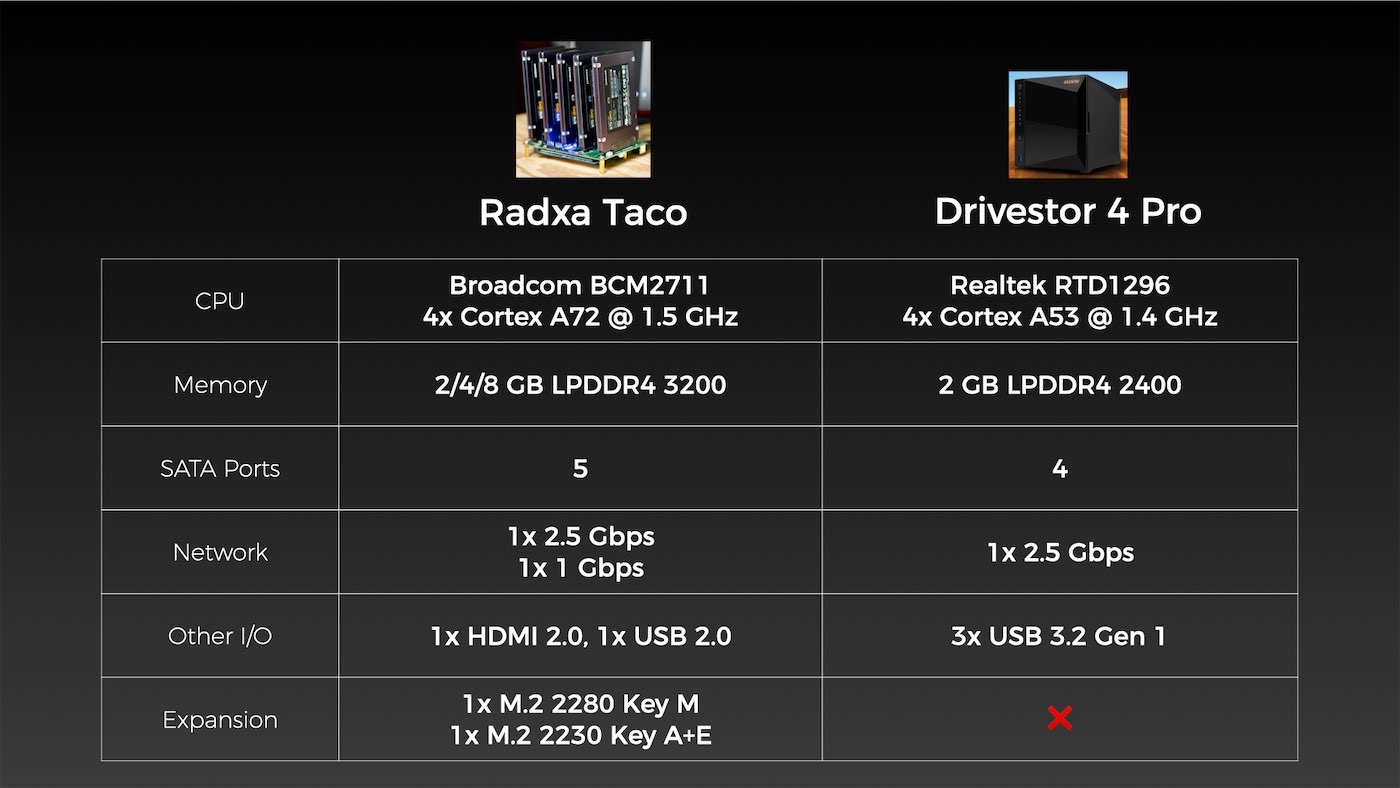
The specs evenly matched, at least on paper:
But specs are one thing, measurable performance is another.
Disk performance
I benchmarked the raw disk access performance with fio and iozone to get a general idea of how fast the SATA drives would perform in RAID 5.
I chose RAID 5 because it taxes all the subsystems that are traditionally weak points on lower-powered ARM boards: the SoC's CPU for parity calculations when writing, the PCIe bus for throughput, and the SATA controller.
Note: All the details of my test methodology and benchmarks I ran are documented in this GitHub issue.
Here's how raw disk performance looks:
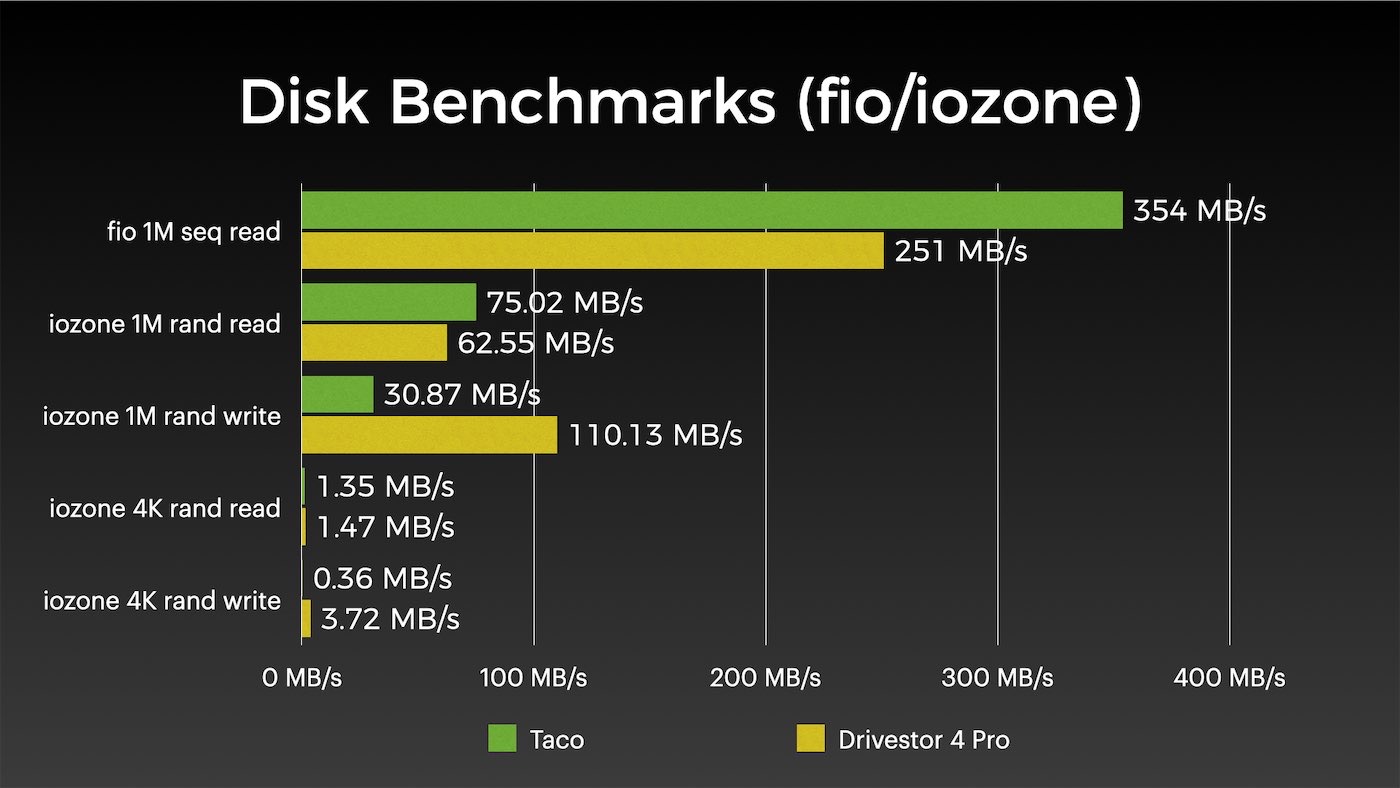
The Pi is faster for reads, but the ASUSTOR somehow wipes the floor on writes. Seeing that the Pi board also had space for an NVMe drive, I also set up bcache in Pi OS in writeback mode to give the Pi a boost. And that definitely helped:
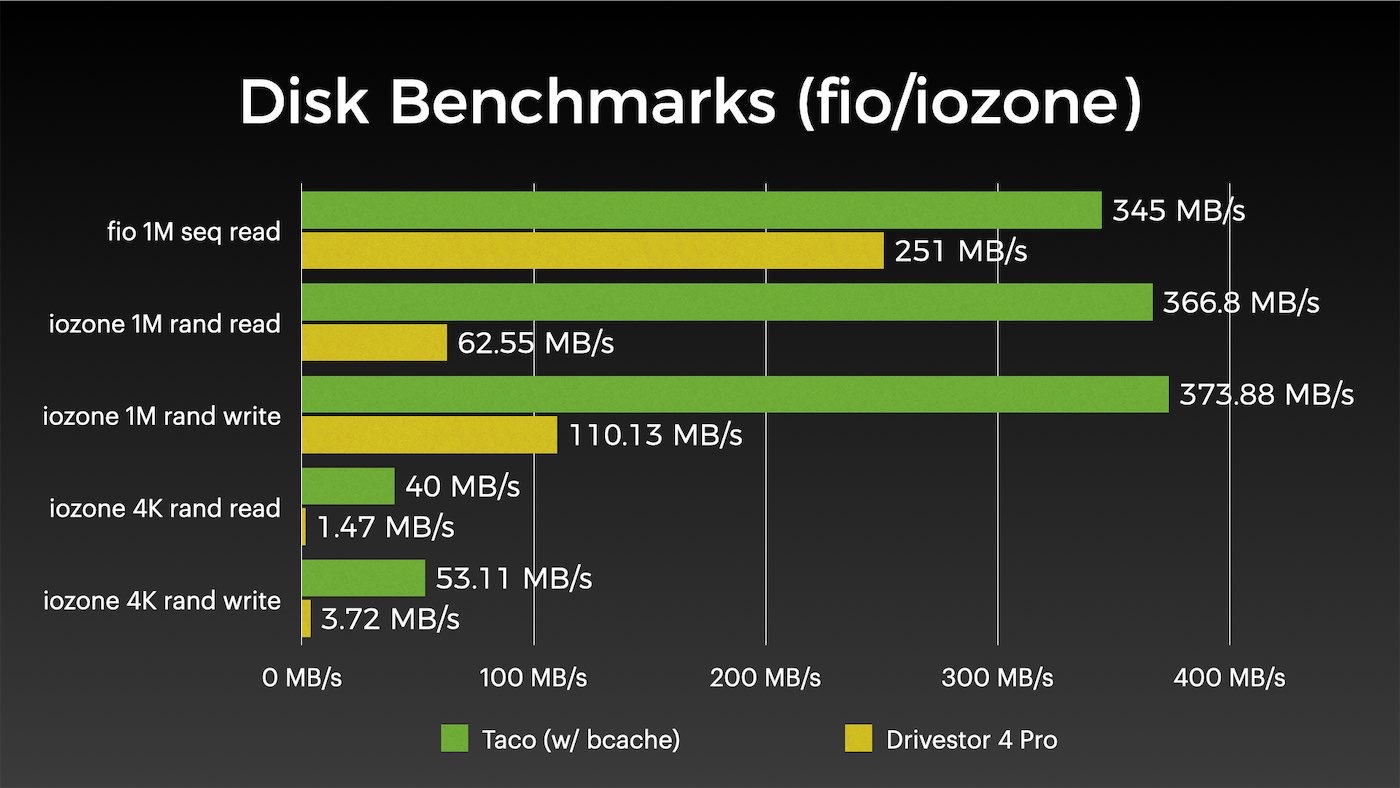
But NASes have to expose raw storage to a network—and that's an area lower-end NASes often fall short, especially when they try saturating more than a 1 Gbps network connection!
Network and Samba performance
Indeed, both the Taco and the Drivestor seemed to struggle to saturate a 2.5 Gbps network connection in their default configuration—both using the Realtek driver built into the Linux kernel:
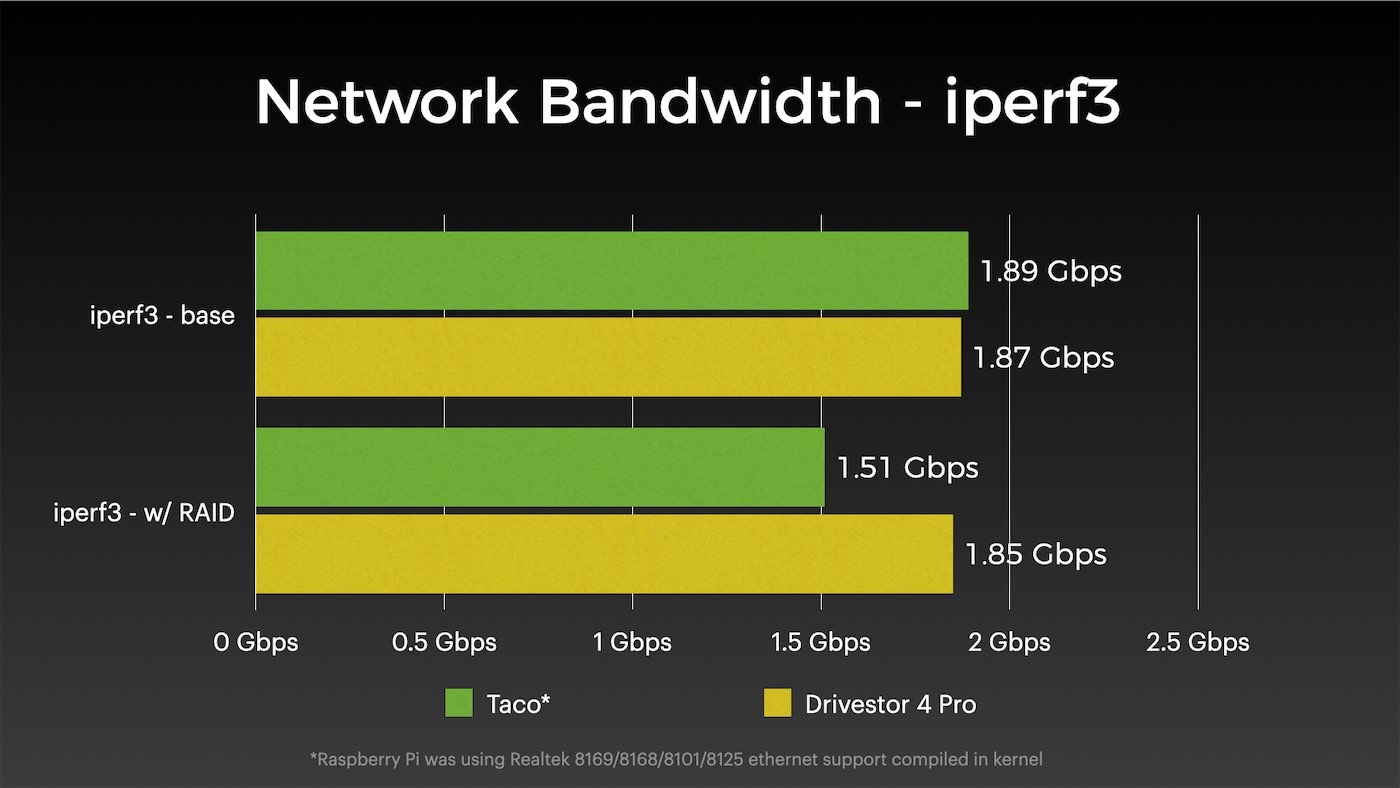
But I noticed if I switched the Pi over to Realtek's own driver, I could fully saturate the connection:
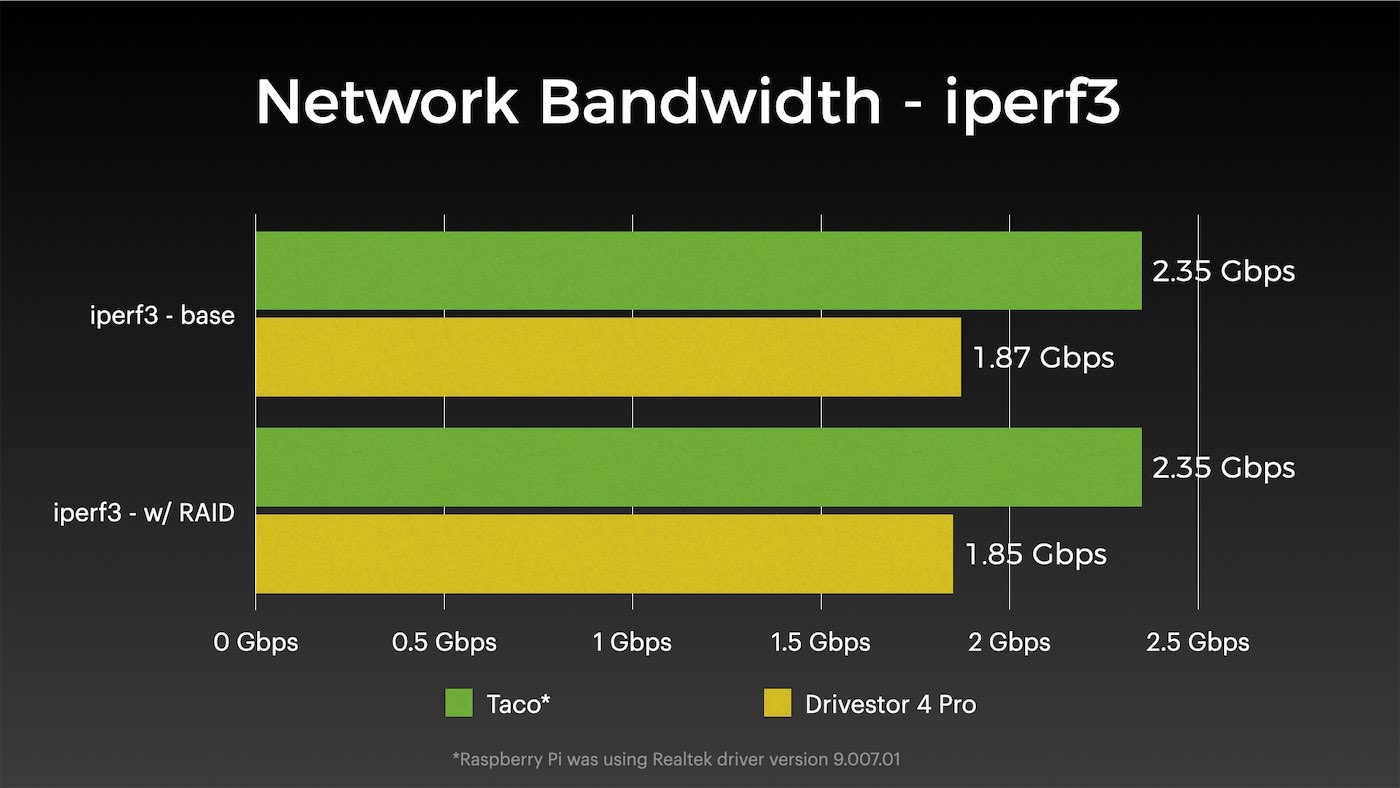
I wrote up a blog post about the driver issue, but it seems like Realtek's driver has some optimizations that offload a lot of the network packet processing from the CPU, or somehow saves on interrupts by a very significant amount.
But that network throughput doesn't automatically translate to network file copy performance, as demonstrated in my next benchmark:
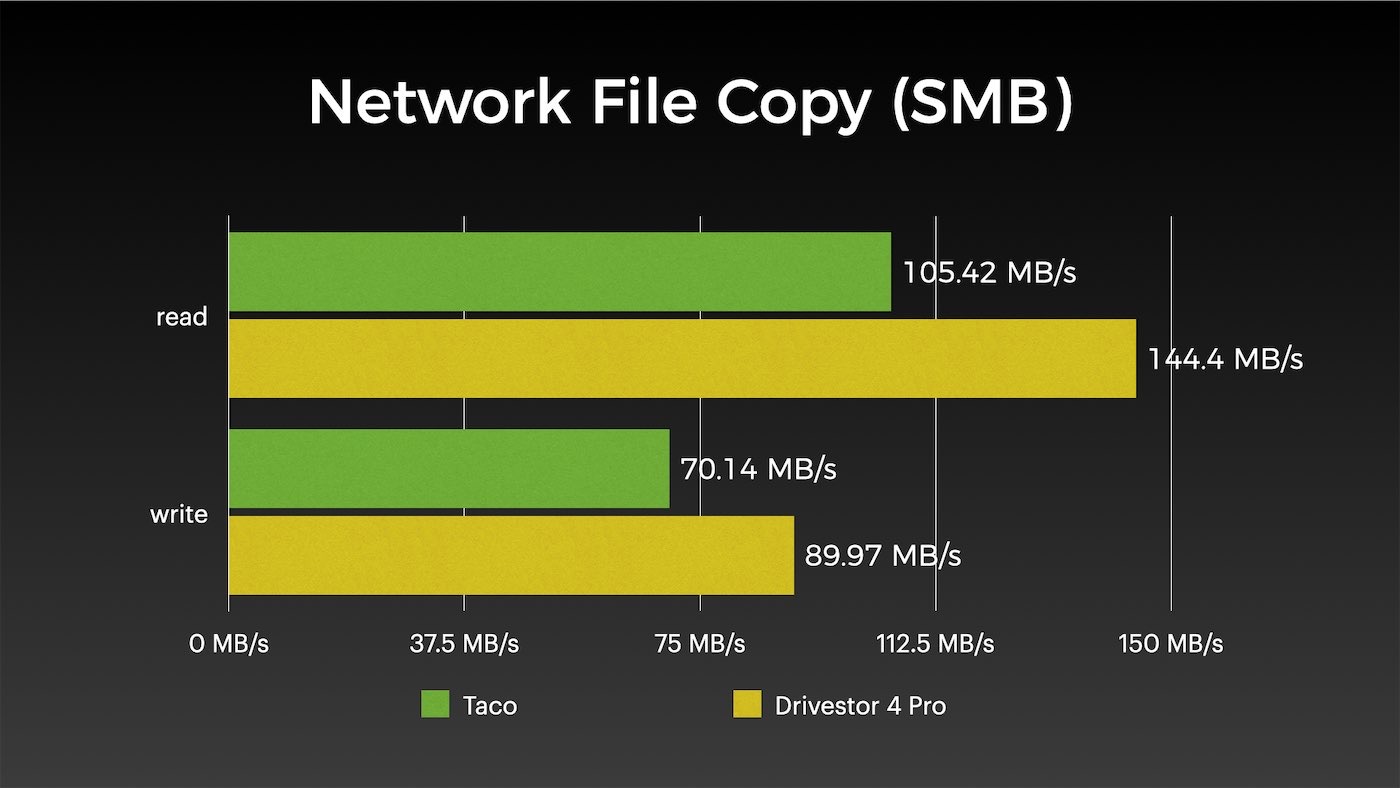
The benchmark above was a large file copy—the best case scenario. And both the Pi and the Drivestor were very consistent across multiple tests. When you tax a low power SoC with RAID 5 and set it up as the traffic cop between SATA and a 2.5G Ethernet port, it's obvious the performance is more limited than more expensive Intel/AMD options.
Overclocking could help, but honestly, if you want to see supercharged network file copy performance, opt for a more expensive and better endowed NAS.
I know you might be curious how bcache (SSD caching) speeds things up on the Pi—and the answer is not much:
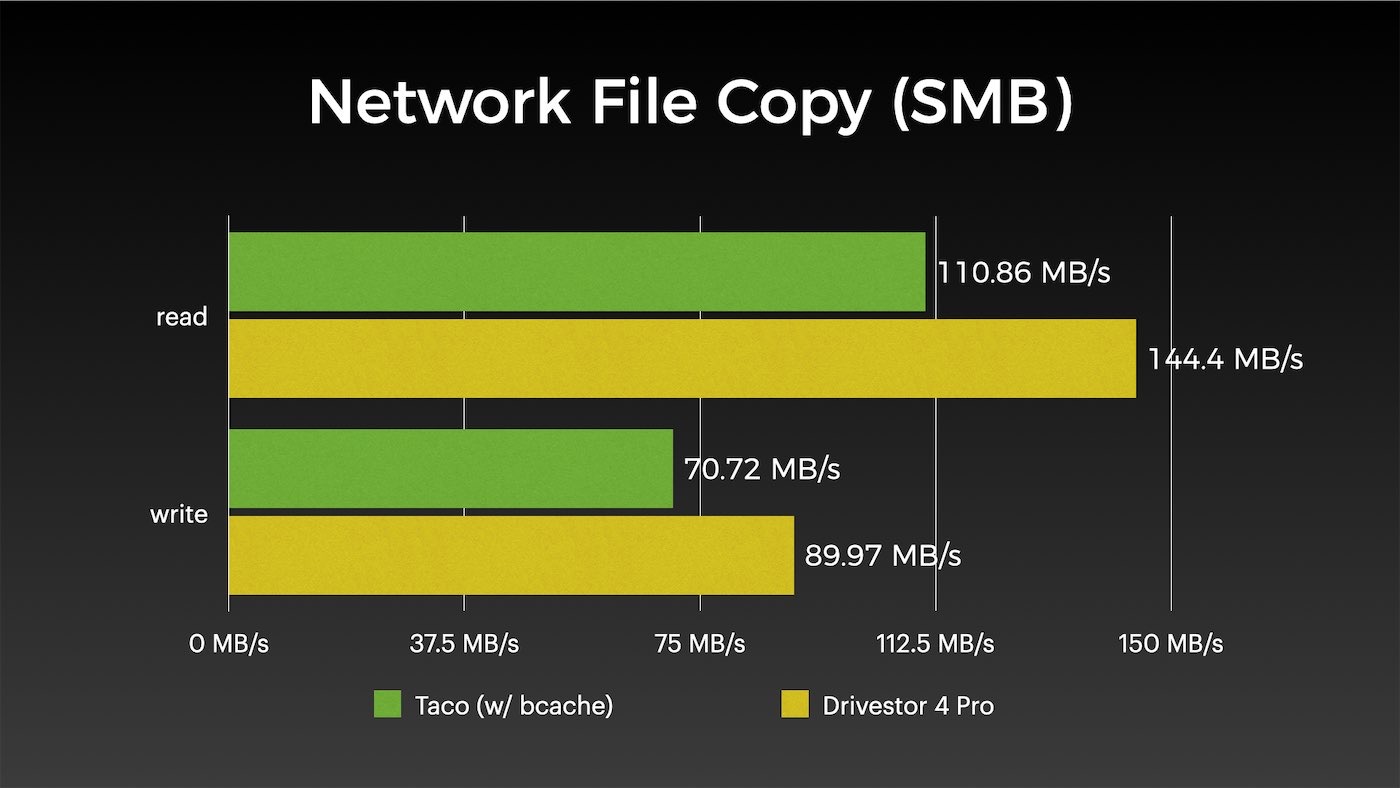
I was surprised, but I think the reason the numbers are low is because the Pi's BCM2711 chip is hitting some sort of queuing and internal limits with the amount of traffic being routed through it. This chip is just not meant for heavy IO, and tests like this really show it.
It's still fast and reliable, though—and in many cases (especially for smaller copies that fit in RAM), the speeds are much better. Using RAID 1 or RAID 10 would also help greatly with write performance.
Conclusions
I go into more depth and explanation in my latest video comparing the ASUSTOR and the Taco, but I'll share the conclusion here that I had in that video:
Based on performance alone, the Raspberry Pi is a worthy alternative to a traditional low-end NAS, like the Drivestor 4 Pro—provided you're okay with getting your hands a little dirty.
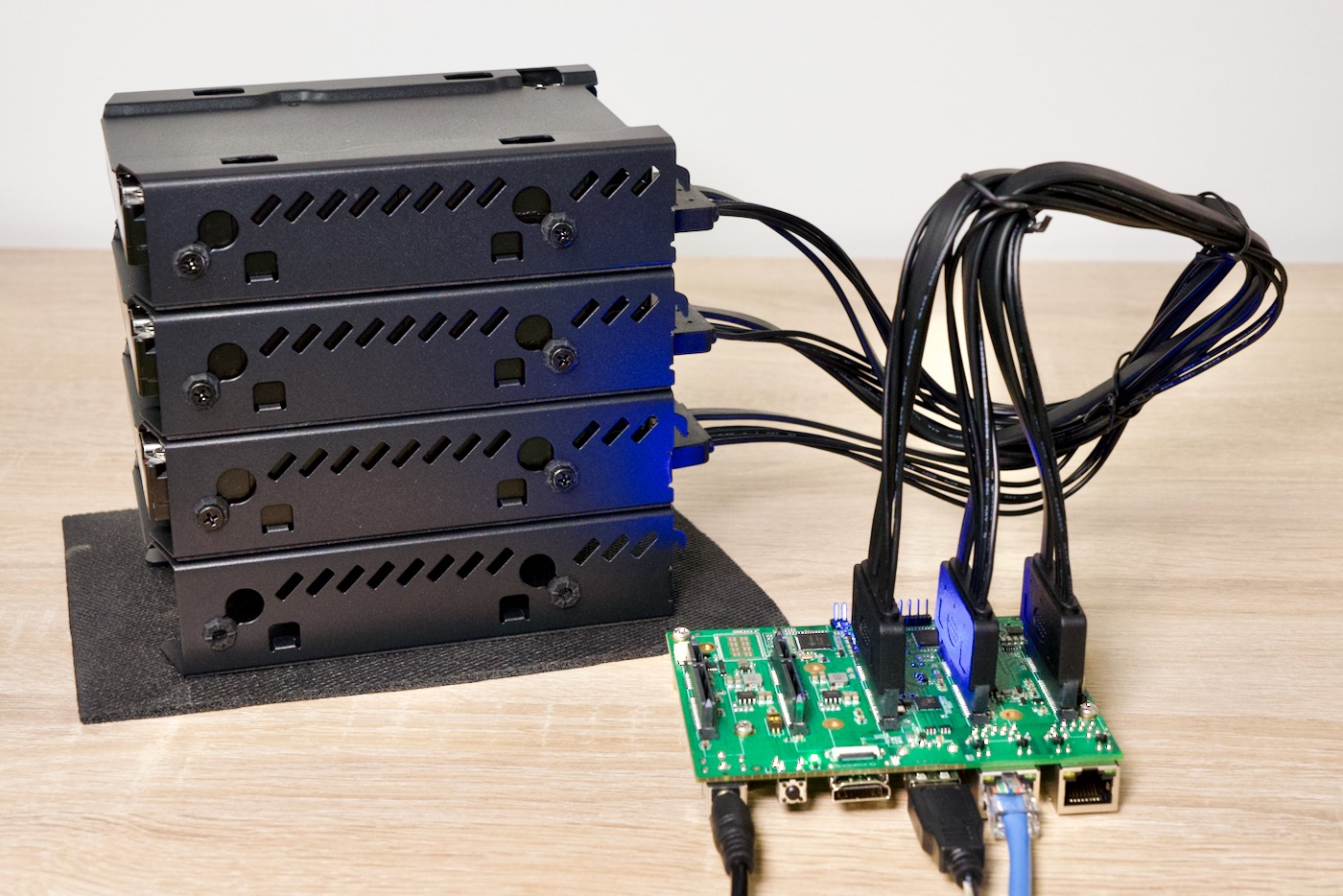
You can either go fully custom and configure RAID and Samba or NFS by hand, or rely on a tool like openmediavault to get the job done. But in either case, expect to spend more time doing anything more advanced like SSD caching or using ZFS or btrfs.
One of the main reasons people opt for pre-built NASes like those from ASUSTOR is the turnkey NAS software that comes with them—operating systems like ADM (ASUSTOR Data Master) are optimized for end users and don't assume you have deeper knowledge of Linux's storage configuration.
But I do love seeing the Taco and the Drivestor 4 Pro both building around Realtek and Broadcom ARM SoCs (and the Taco could be used with CM4-compatible Rockchip boards, too). Seeing multiple solid ARM NAS products come to market this year shows how mature the ARM ecosystem has come for low to mid-range general computing!
You can buy the Drivestor 4 Pro from Amazon, and Radxa's Taco will be available at some point in early 2022.
Check out my video on these two NAS builds for a deeper dive.
Comments