Testing how long it takes Chromium to open, load a web page, and quit on Debian
Something I've long been meaning to benchmark, but never really got around to, is benchmarking the amount of time it takes on a Raspberry Pi to open a browser, load a page, and quit.
This is a relatively decent thing to benchmark, compared to other raw performance metrics, because it's something that probably 99% of Raspberry Pi users who use it with a GUI will do, with some frequency (well, probably loading more than one page before quitting, but still...).
So I asked on Twitter:
So... if I want to measure how long it takes to:
— Jeff Geerling (@geerlingguy) September 9, 2020
1 Open Chrome/Chromium
2 Load a web page
And I want to do this in Linux (Debian), and have an objective measure of that time (until the page finishes loading)... is there any way to do that?
CLI opens then sits until you quit.
And quickly, I received a number of responses about headless chromium or selenium, which I have used before and are great—but doesn't measure the full cycle of opening a browser in the GUI, loading a page, and quitting it.
I was trying to script it with some bash, but trying to get chromium-browser to open, load a page, and exit in a way that I could time it was futile. And unlike the open command on my Mac (paired with some other tools), I couldn't figure out a way to launch Chromium, have it load a page, then drop to something else to quit it and measure the time automatically.
And there's no way I was going to go to the old school stopwatch method—too inaccurate!
Using puppeteer
One of the responses in my Twitter thread, from @ericjduran, mentioned puppeteer, a 'headless Chrome Node.js API'. I thought it might be hard to get it to work with a fully-loaded, non-headless instance, but it wasn't.
And it was a heck of a lot simpler (and faster) to configure than Selenium, which is kind of a pain to get started with (IMO).
On Raspberry Pi OS, Node.js (10.x) is preinstalled, so I didn't have to install it manually—but if you're on stock Debian, you can get it with sudo apt-get install -y nodejs npm.
To get puppeteer, or more specifically, puppeteer-core, since I didn't need the training-wheels version that downloads another copy of Chromium too, I installed it with npm:
npm install puppeteer-core
Once it was installed, I created a benchmark.js script with the following contents:
const puppeteer = require('puppeteer-core');

(async () => {
  const browser = await puppeteer.launch({
    headless: false,
    executablePath: '/usr/bin/chromium'
  });
  const page = await browser.newPage();
  await page.goto('https://www.jeffgeerling.com/');
  await page.screenshot({path: 'example.png'});

  await browser.close();
})();
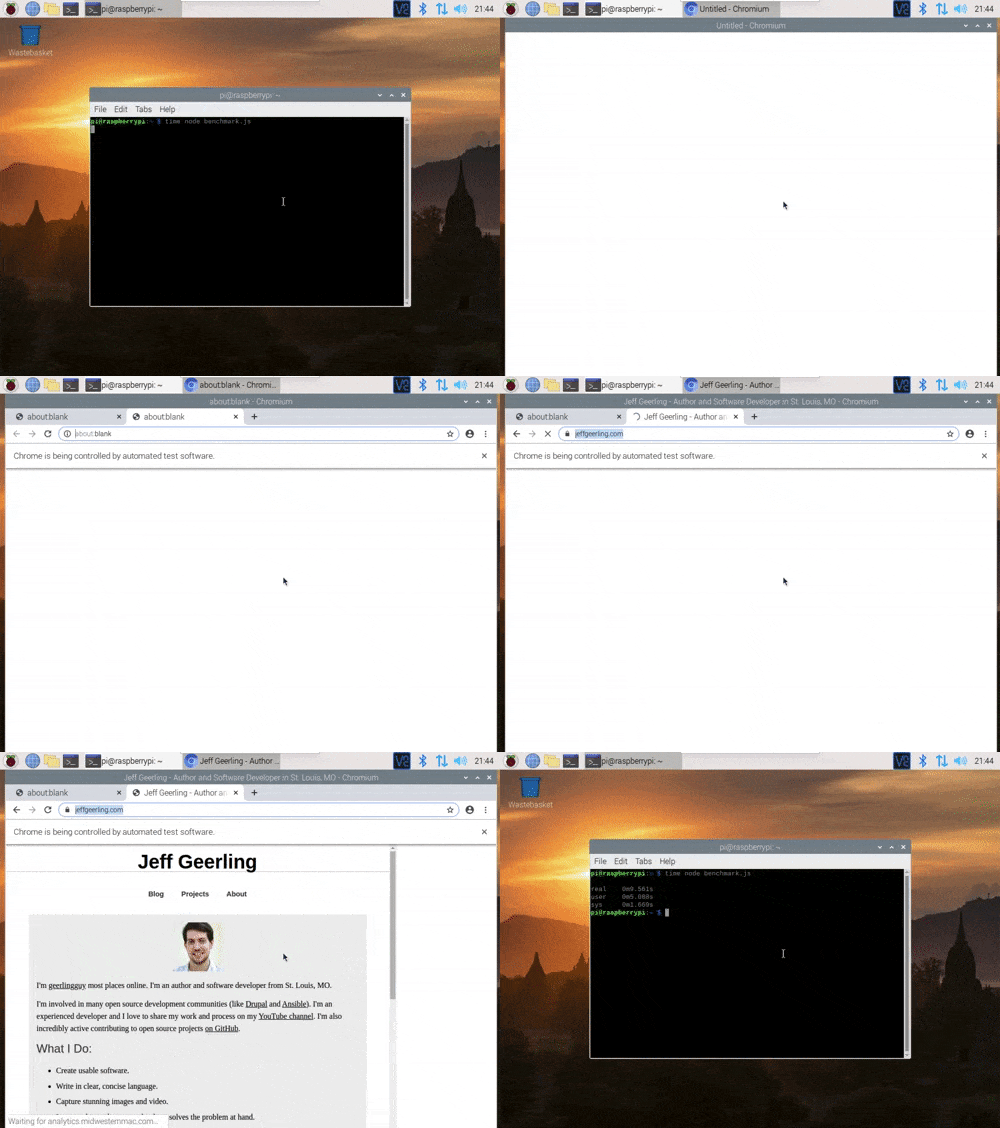
This should work on a Raspberry Pi, and it will launch a visible Chromium browser, load the page https://www.jeffgeerling.com/ (I picked my site since it loads very fast and doesn't rely on a ton of external resources), saves a screenshot, and then closes the browser.
To run it, with timing results:
time node benchmark.js
And in action:
I'll be compiling some benchmarks pitting different USB drives against each other on a Raspberry Pi 4, and I'll be posting a video on the topic to my YouTube channel soon, so subscribe there if you want to see my results!
(Edit: I benchmarked some drives on the Raspberry Pi and here's the part that discusses browser benchmarks.)
Comments