The Raspberry Pi 400 can be overclocked to 2.2 GHz
After the Raspberry Pi 400 was launched earlier this morning, there was a lot of discussion over the thermals and performance of the upgraded 1.8 GHz System on a Chip inside:

I wanted to spend a little time in this post testing overclocking, performance, power consumption, and thermals in depth.
Video version
There is also a video that goes along with this post, if you're more visually-inclined:
Thermal Performance at 1.8 GHz
A few other reviewers did some tests (like Explaining Computers) and found the Pi 400 was able to stay cooler than a Pi 4 inside a Flirc passive heat sink case, but was not quite as cool as a Pi 4 running with an ICE cooling tower.
I wanted to see if there's any level at which the CPU gets near throttling, so I set up a test scenario and started measuring temperatures, both internally and with my Seek IR camera.
I took a thermal image of the board before running any tests:

At idle, the exterior of the keyboard is indistinguishable from the environment around it. Plastic isn't the best thermal conductor, and later I found that most of the heat output goes through the ports in the back and the vent on the bottom.
And then I started dumping temperature data into a CSV file with the command:
while :; do echo `date +"%Y-%m-%d %T"`','`vcgencmd measure_temp | tail -c +6 | sed "s/'C//g"` >> temperatures.csv; sleep 1; done
I kicked off stress-ng to load up all the four CPU cores on the Pi, and let it run for 30 minutes at the default 1.8 GHz clock on the Pi 400:
sudo apt install -y stress-ng  # if it's not already installed
stress-ng -c 4
And here's a graph of the temperature over 30 minutes:
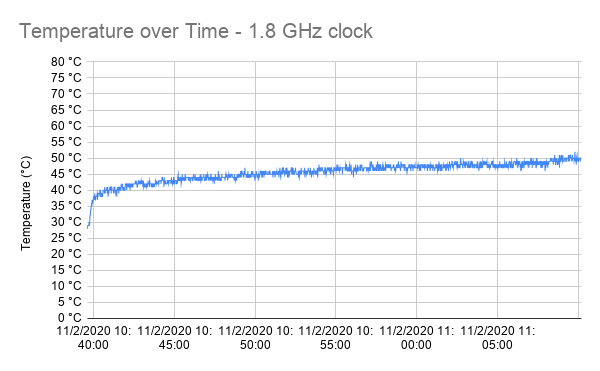
The maximum temperature it reached was 52°C, though the surface of the keyboard never went above 31°C:

The bottom was very slightly warm, and the ports on the back were warm to the touch, but not even close to the painful 'ouch' I would get touching some parts on the Pi 4 under load!
Overclocking to 2.2 GHz
So... the Pi 400 is the first Pi I'm able to reliably run at more than 2.147 GHz. After reading this Tom's Hardware review of the Pi 400, I noted that Les Pounder was able to get the chip to run at 2.2 GHz.
My first attempt to overclock to 2.147 GHz, by setting the following in /boot/config.txt, resulted in a Pi that would only boot halfway then get locked up:
over_voltage=6
arm_freq=2147
If could set arm_freq=2000 successfully, but I figured I should go big or go home. I figured it was a power issue, and to set over_voltage higher than 6, I had to set force_turbo=1.
force_turbo=1
over_voltage=8
arm_freq=2200
And now it booted up and ran at 2.2 GHz, just like in the Tom's Hardware review!
NOTE: Setting
force_turbomay void your warranty—do this at your own risk!
I ran the same stress-ng test for a full 30 minutes, and here's the temperature graph:
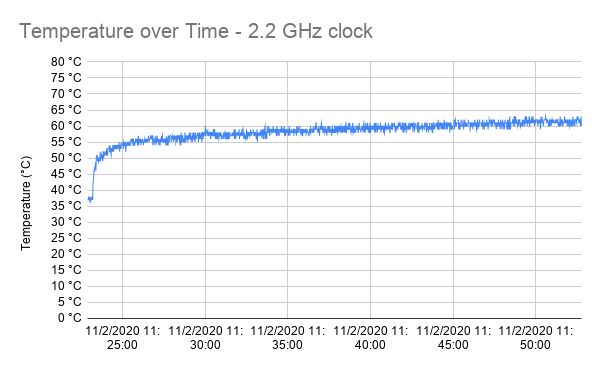
It reached a peak of 63°C, which is still well under the throttling temperature. For comparison, check out the same graph from my overclocked benchmarks on the Compute Module 4, with a massive fan (but no heat sink):
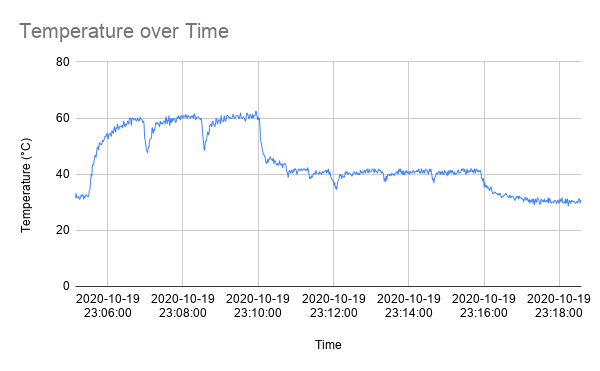
And without a fan, the CM4 behaves like a Pi 4 model B, and reaches 75°C and beyond, throttling the CPU after a while. It's great to see the passively-cooled Pi 400 can keep from throttling, even overclocked to 2.2 GHz!
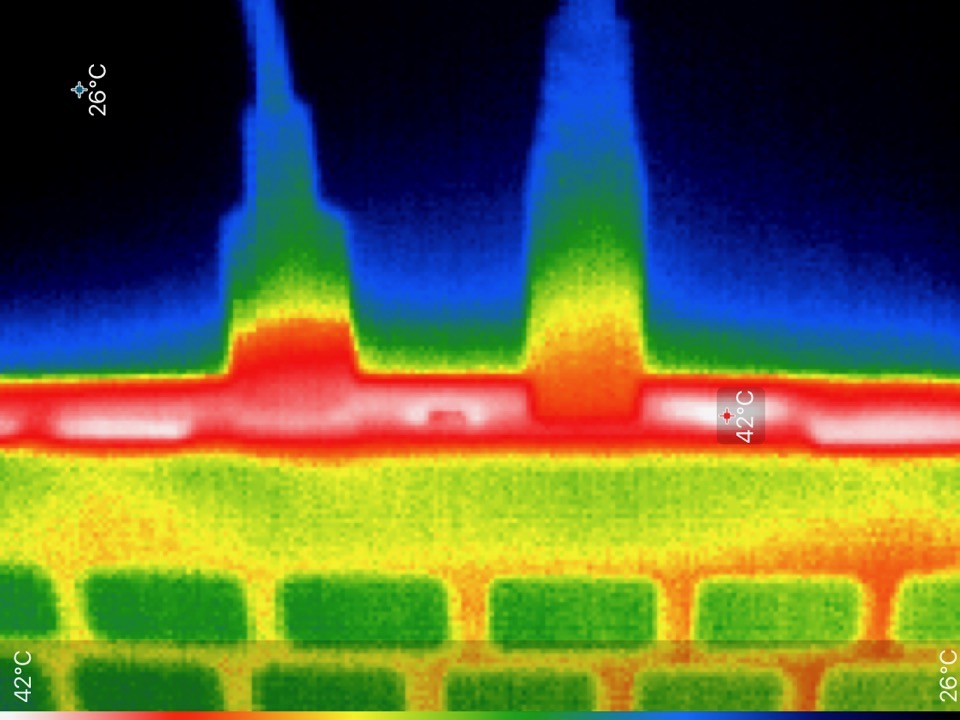
Here's a thermal image after 30 minutes of stress-ng at 2.2 GHz:

The top was very slightly warm, though still not an issue at all. The bottom was noticeably warm now, like the back of my phone when I use it to watch some streaming videos for a while, but not uncomfortably so. The ports on the back still showed the highest external temps overall, at 42°C:
Another important difference from the Pi 4 model B: it seems like the microSD card itself doesn't get quite as hot either (though I only measured by touch), maybe due to the fact that the SoC's heat is transferred out more through the heat sink than the Pi's board itself.
Performance (Phoronix Benchmarks)
I also ran a set of Phoronix CPU benchmarks—specifically, this benchmark that I have been running on all the Pi 4 series computers—and here are the results at 2.2 GHz, compared to an actively-cooled Pi Compute Module 4 running at 1.5 and 2.0 GHz:

Performance scales pretty much linearly with respect to the clock speed, which is to be expected with the exact same CPU architecture.
I did some testing with YouTube, and found that playing back videos at 1080p was much more enjoyable at the 2.2 GHz clock, though doing things like switching between fullscreen playback and windowed playback was still a bit slow.
Power Consumption
I also measured the average power consumption while the CPU was at 1.8 and 2.2 GHz, and it looks like it's close, though the 2.2 GHz clock with force_turbo uses about 0.01A more power at idle, and 0.10A more power at full tilt.
All measurements were taken with my Satechi USB-C Power Meter.
Here's idle power consumption, first for the 1.8 GHz clock, and then for the 2.2 GHz clock:
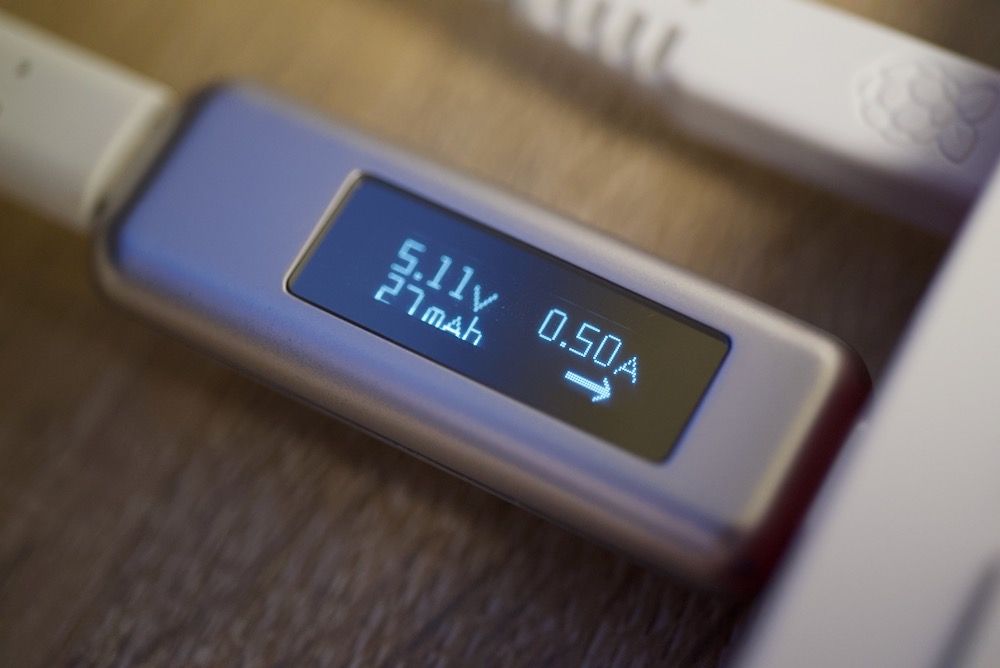
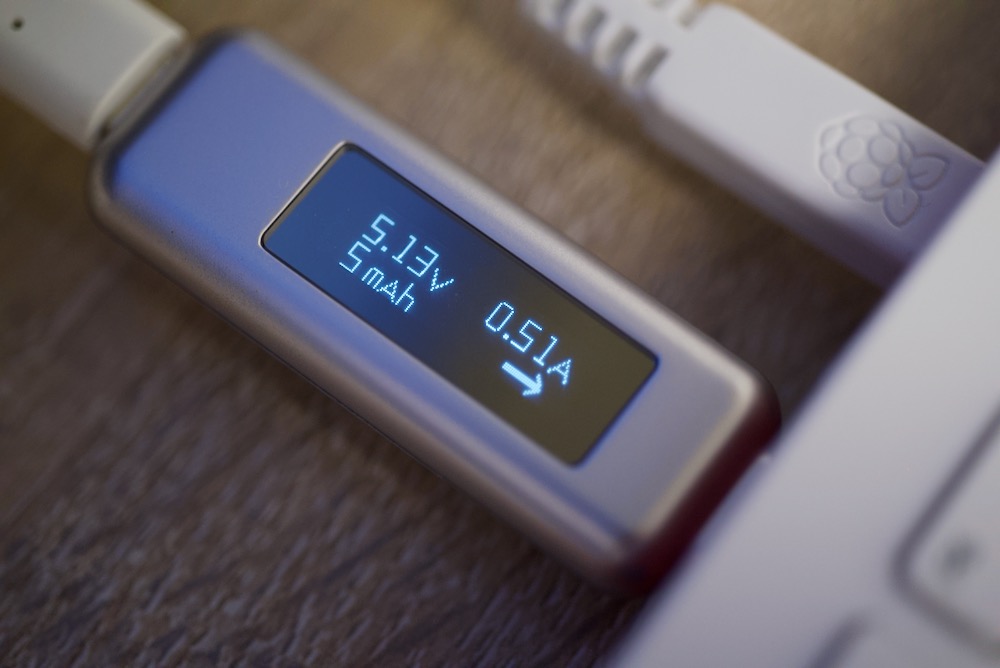
And here's power consumption at both speeds when running stress-ng:
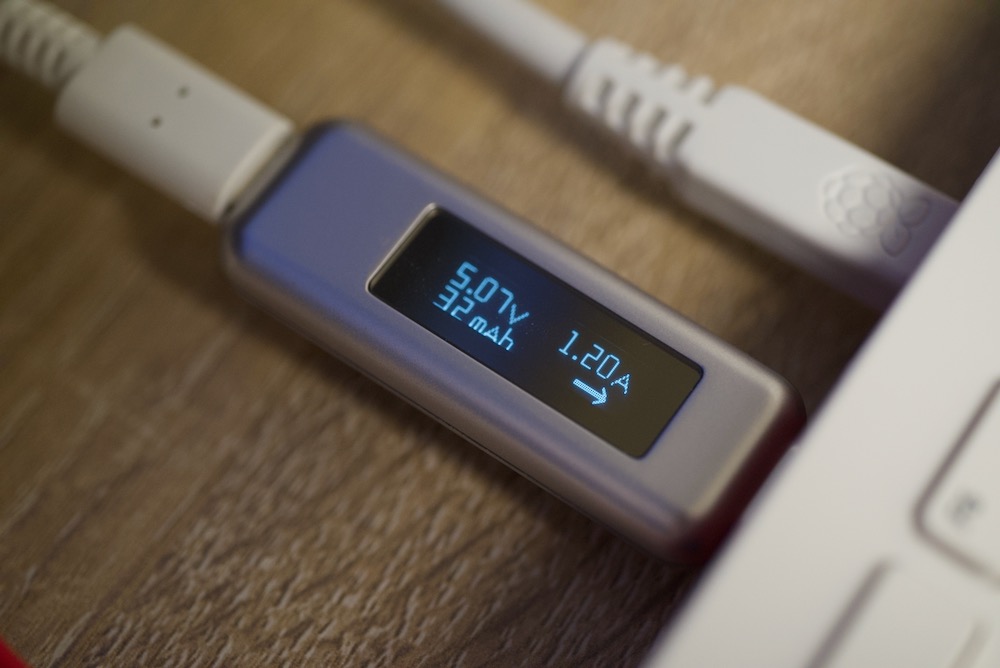
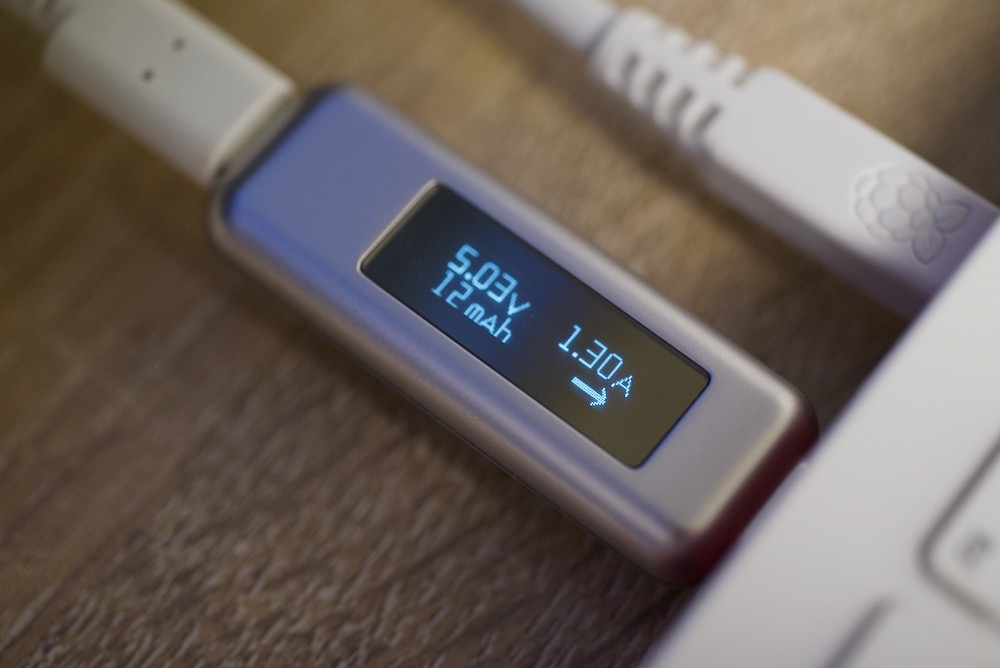
Overclocking beyond 2.2 GHz
I don't think you can go beyond 2.2 GHz, at least not for now. I tried 2.4, 2.3, and 2.21 and none of those resulted in a full boot. I went back to 2.2 GHz and the Pi 400 seems to be running stable, at least after a few hours of use.
The design of the Pi 400's giant heat sink lets you run the Pi 400 with any workload and not really run into the danger of overheating. It looks like the thermal design of this Pi is the best yet—with the caveat that the other Pis to this point have had no real heat sink or fan included!
Comments