The Pi 4 Compute Module might support NVMe storage
There is a companion video to this post: Is fast NVMe storage coming to the Raspberry Pi?.
A couple days ago, Tom's Hardware posted an article stating NVMe support might be coming to the Raspberry Pi Compute Module 4.
On the first episode of The Pi Cast, Eben Upton, the CEO of Raspberry Pi, said "microSD will always be the baseline for storage", but "it's fairly likely we'll support NVMe soon on the Compute Module 4, to some degree, using single-lane PCI Express." (Skip to about 11 minutes into the video for the NVMe discussion).
He also said NVMe support is not without cost, since there's an extra connector silicon required. And with the System on a Chip used in the Pi 4, there's also a tradeoff involved: There's only one PCIe 1x lane, and it's currently used for the Pi 4's USB 3.0. If you want to add NVMe support, you'd have to drop the USB 3.0 ports.
For some people, the tradeoff might be worth it, though—but why?
NVMe vs SATA SSDs
What benefit does NVMe storage offer over other options like using a USB 3.0 SSD with UASP?
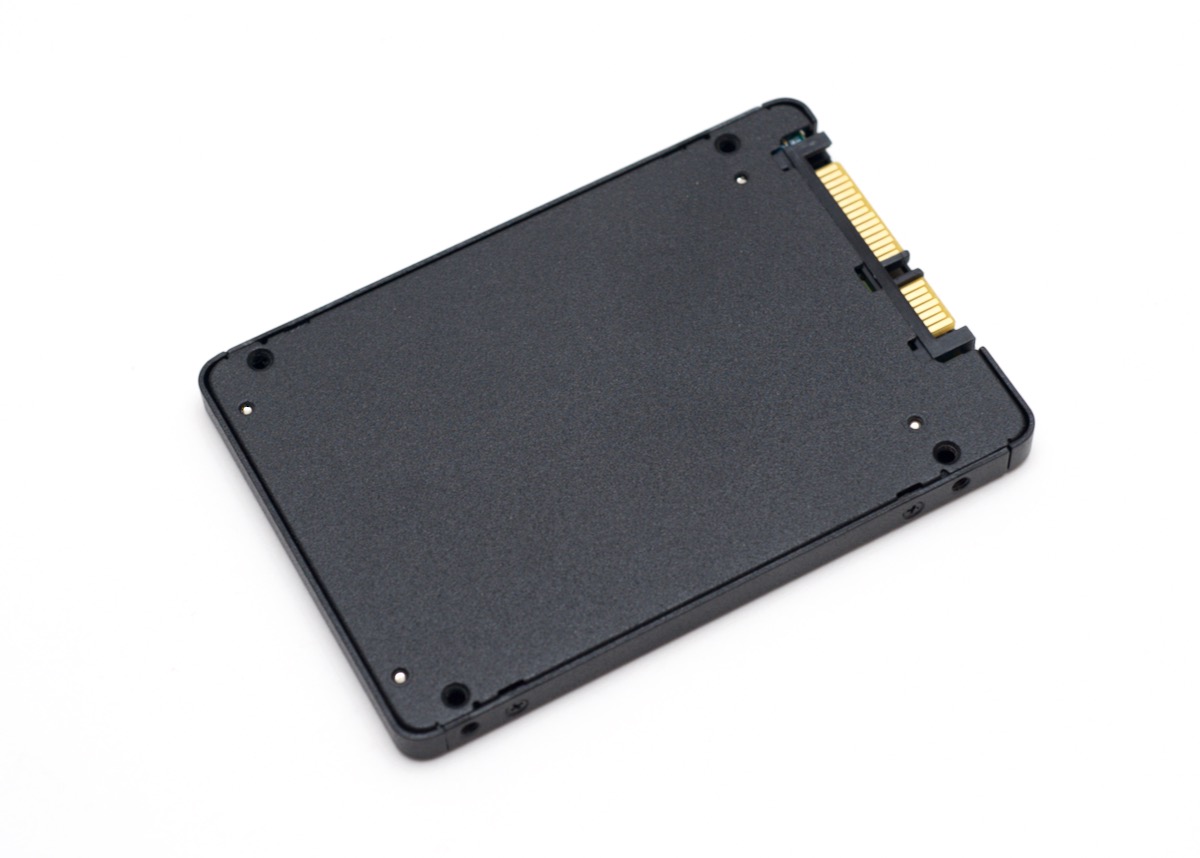
Well, this is an SATA (Serial ATA) SSD drive:
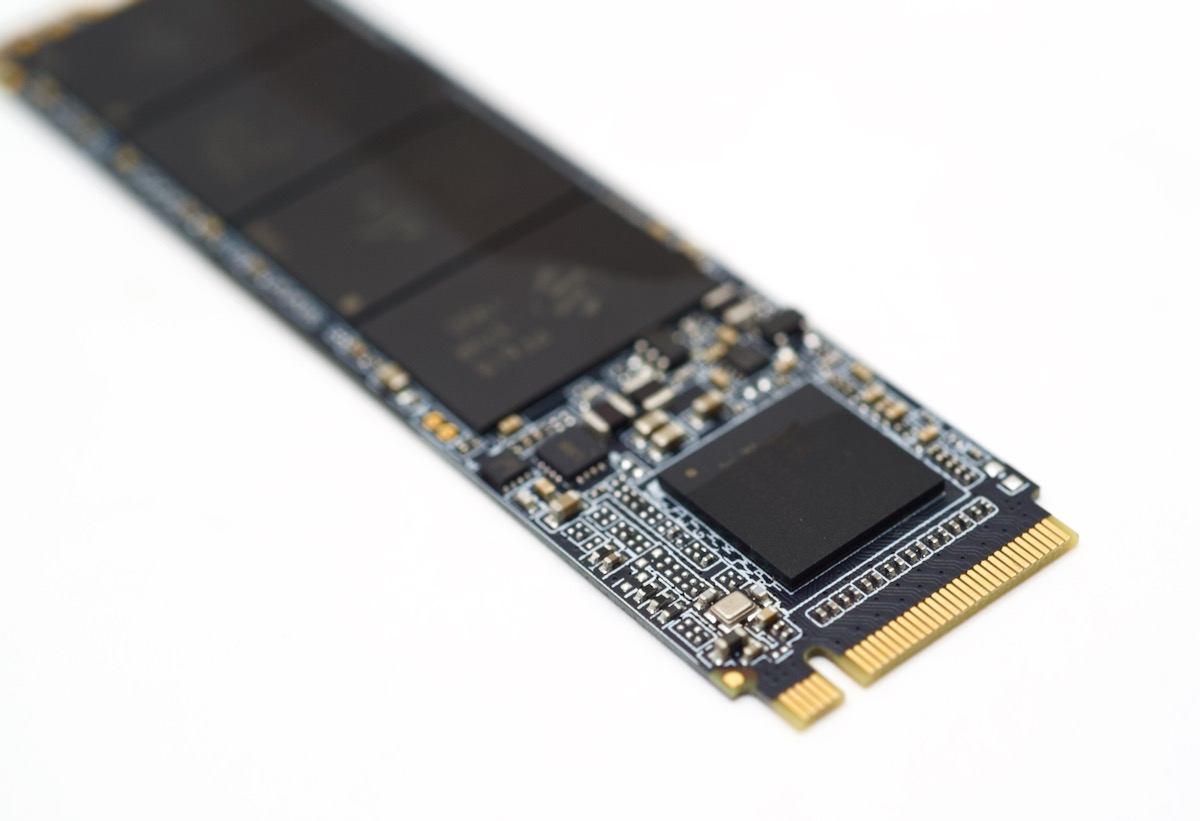
And this is an NVMe (Non-Volatile Memory express) drive that uses the M.2 connector:
The main difference is the Serial ATA interface was originally designed in the year 2000 for hard drives that used slow spinning platters (and before that, many HDDs used IDE/Parallel ATA, which was slower still).
NVMe drives have similar guts to an SATA drive, but they directly attach to your computer's PCI express bus and bypass the overhead of the older SATA protocol.
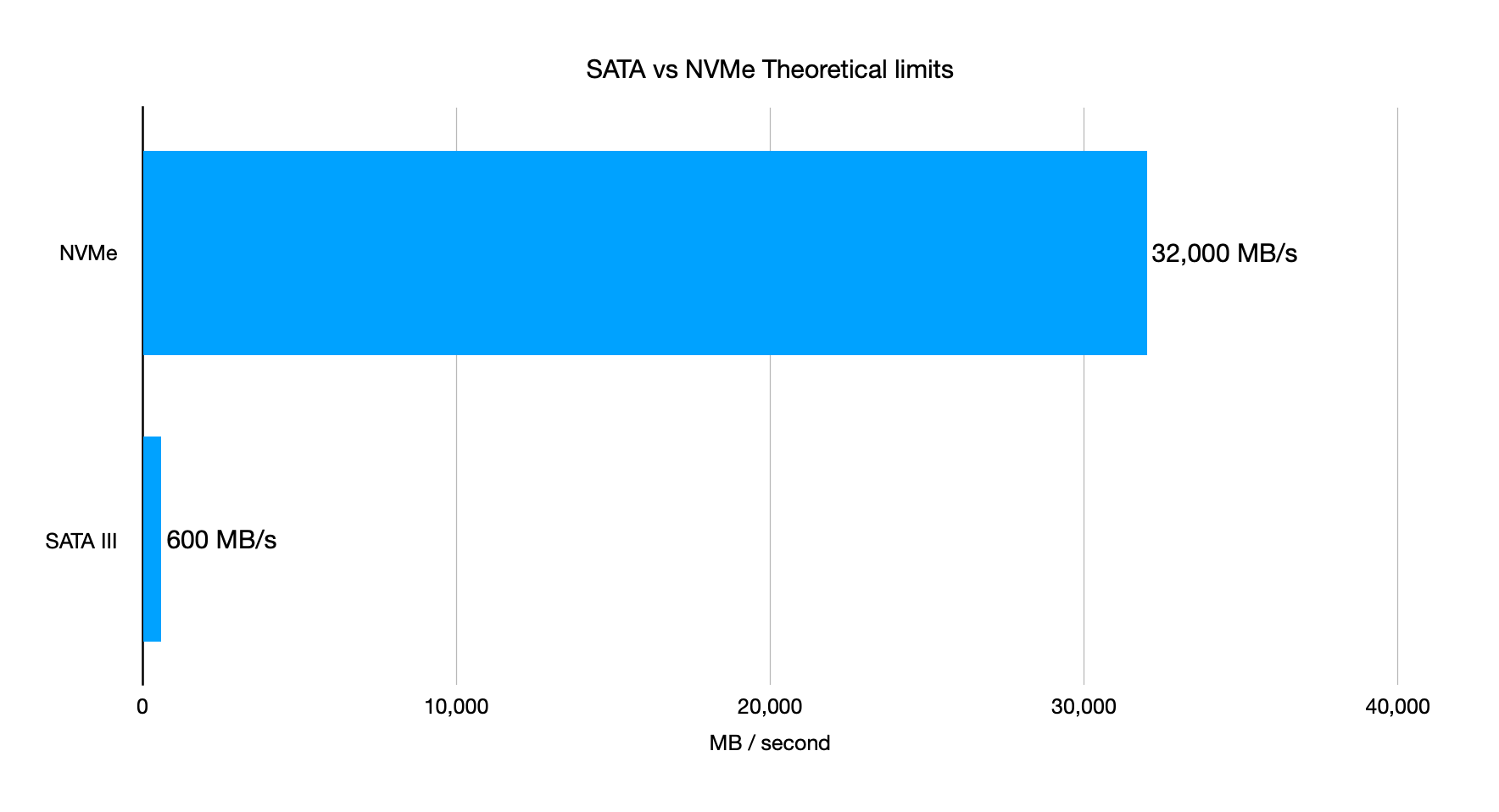
An NVMe drive in the same price range generally performs better than an SATA SSD, and the difference will only get better over time, because the theoretical limit of NVMe storage is 32 GB/sec—most SATA drives are limited to 600 MB/sec:
You can use either type of drive with a Raspberry Pi 4 via USB 3.0 if you have the right adapter, like this one for SATA drives, or this one for NVMe drives.
NVMe on the Compute Module 4?
With a new Compute Module 4, though, you might be able to plug an NVMe directly into the PCIe bus on the Raspberry Pi, instead of having to desolder the USB controller chip like you'd have to do on the Pi 4.
And as I mentioned earlier, that could have tradeoffs, because it sounds like Eben said it would incur more cost and would probably require more connectors. But people who use the Compute Module often have the resources to build custom PCBs and enclosures that pack the functionality they need into a tight space.
As an example, the Turing Pi board I've been using for my Raspberry Pi Cluster series packs a lot functionality into a Mini-ITX form factor, and can run seven Pi Compute Modules at the same time. It'd be cool if you could attach an NVMe drive to each one—it would make a much better-performing NAS or give me really fast storage for Kubernetes or other apps.
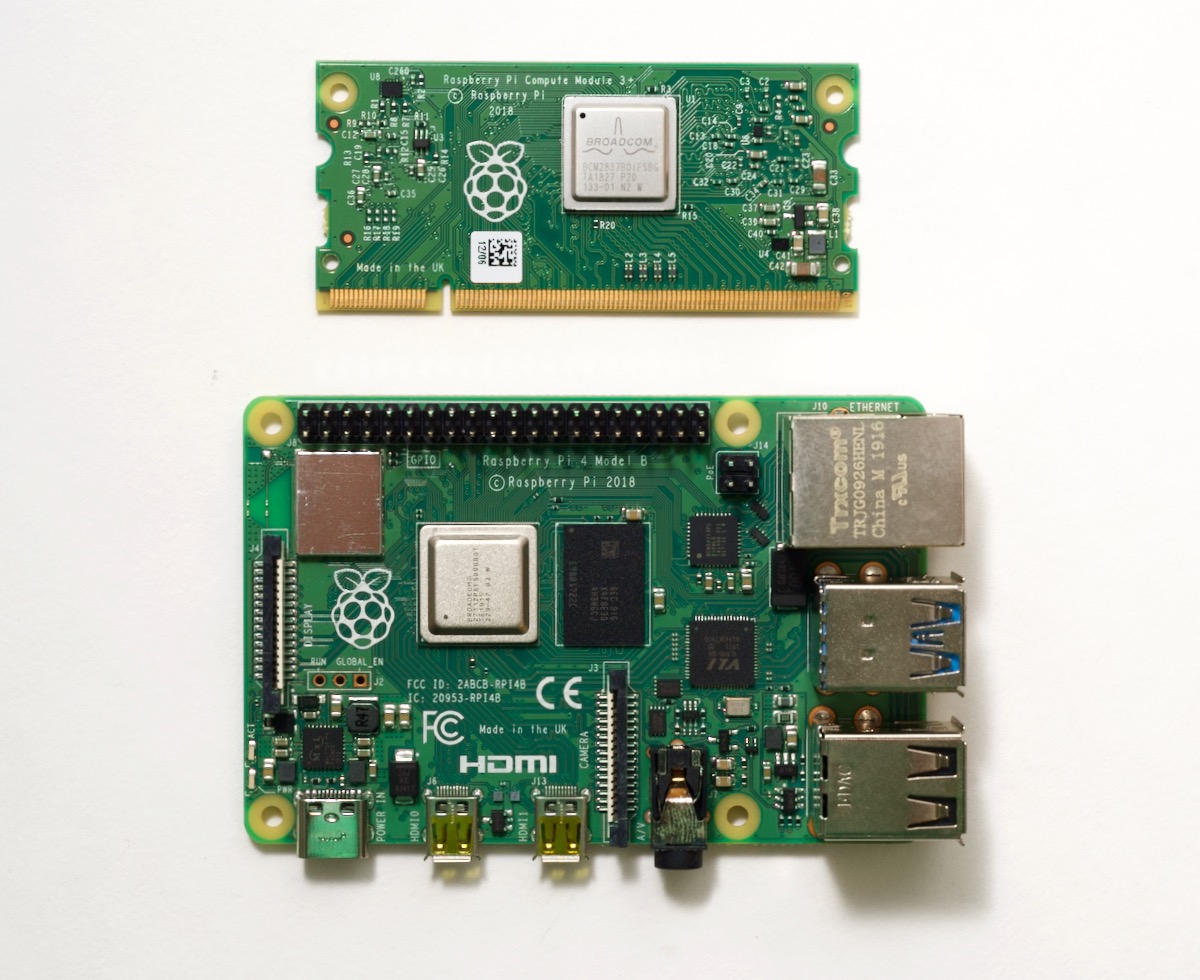
One thing to keep in mind, though: we're talking about the Compute Module (current CM3+ pictured at top), not the regular Raspberry Pi 4 model B (pictured at bottom), which is the Pi 95% of people are familiar with. If there were a version of the Pi 4 available with a PCI express connection or an NVMe connection, it wouldn't fit into the same form factor and cases Raspberry Pi users are familiar with for all the model B computers since the original Pi.
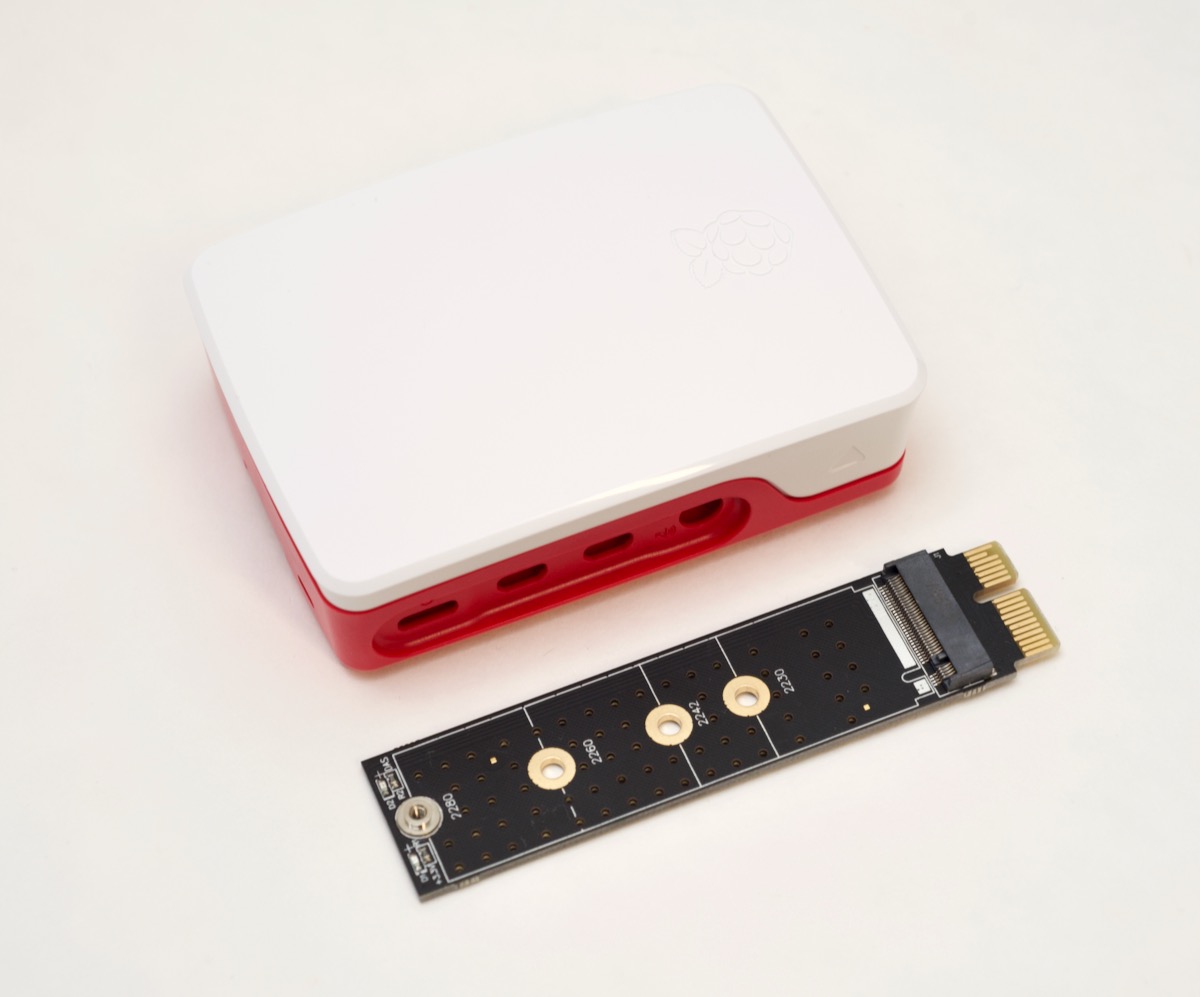
And to illustrate that example, the adapter pictured above would allow you to plug in standard M.2 NVMe drives into a 1x PCI Express slot that could work with the Pi 4, but it wouldn't fit into any standard Raspberry Pi 4 model B case. If a Pi had a built-in M.2 slot (versus PCIe), there are shorter NVMe drives which could fit, but not without increasing the clearance on the bottom of most Pi cases.
So I think, long-term, for most projects, it'll still be easiest to use a microSD card, and to pick a really good one, like the one I use and recommend, the Samsung Evo Plus. (See my 2019 microSD card review post for benchmarks and recommendations.)
Even if we might not be seeing an M.2 connector on the Raspberry Pi 4 model B anytime soon, it's still exciting to see the Raspberry Pi platform will be offering new possibilities with new hardware... hopefully within the next year or so!
Comments