Review: Arc Hub USB-C Adapter
August 2017 update: I just noticed the tech specs on the Arc Hub product page have changed to read: "Arc Hub comes with 1 x Mini Display Port 1.2. Capable resolutions are all HiDPI resolutions, 1080p@60hz, 2560 x 1440 @ 60hz, 3840×2160@30hz." The tech specs used to mention 4K at 60Hz ?.
I've since switched to a CalDigit TS3 Plus and couldn't be happier!
original tl;dr: A capable hub, with some slight design flaws. However, not yet recommended if you want to use it with a 4K monitor, due to compatibility issues with higher refresh rates.
When I bought my 2016 MacBook Pro, I expected a lot of changes. Since I picked the function key model over the more port-laden, but much worse-for-me Touch Bar model, I knew that there would be some growing shrinking pains, going from a generous assortment of five ports on my MacBook Air to two (!) USB-C ports on the MacBook Pro.
But ah, doesn't USB-C offer so much bandwidth and power that you could drive your entire digital life at 4K and beyond through one little USB-C plug?
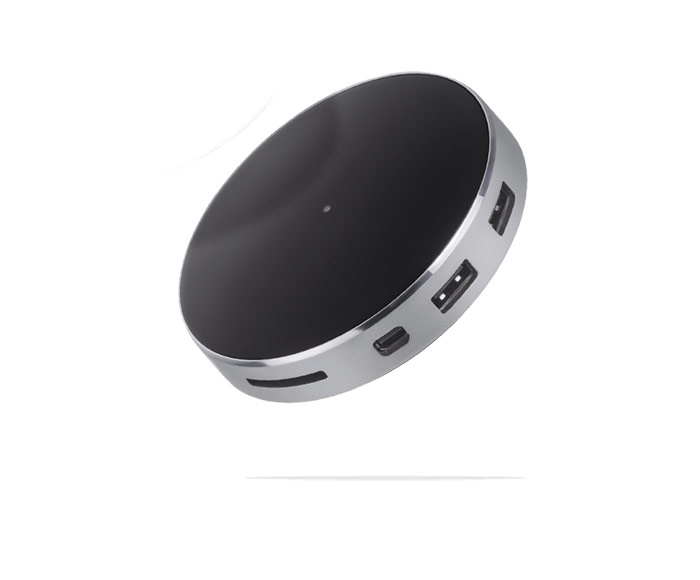
That was the premise of Bourge Design's Arc Hub. Note that I am not being paid for this review, and I purchased for the Arc Hub months ago, before it was an actual shipping product. So much did I believe that it was the one hub to rule my digital life.
I had been getting along okay with an Aukey USB-C hub with power delivery (see my review of that hub), but the most annoying aspect of that hub was it's lack of support for any display connector that could power 4K at 60 Hz.
So when I saw the Arc Hub's specs, I thought it was finally the hub to end all hubs—4K at 60 Hz over Mini DisplayPort, plus a UHS-I-ish SD card reader, and HDMI port, two USB 3.0 type A ports, and a USB-C plug for up to 85W power delivery? I'm in!
The physical hardware
The Arc Hub is a pretty device. It looks great in pictures, the rounded top feels good in your hand. It comes with a carrying case, even. Not that I'll ever use that—I bought this hub so I could have it as my one-plug one-stop-shop for Mac connectivity!
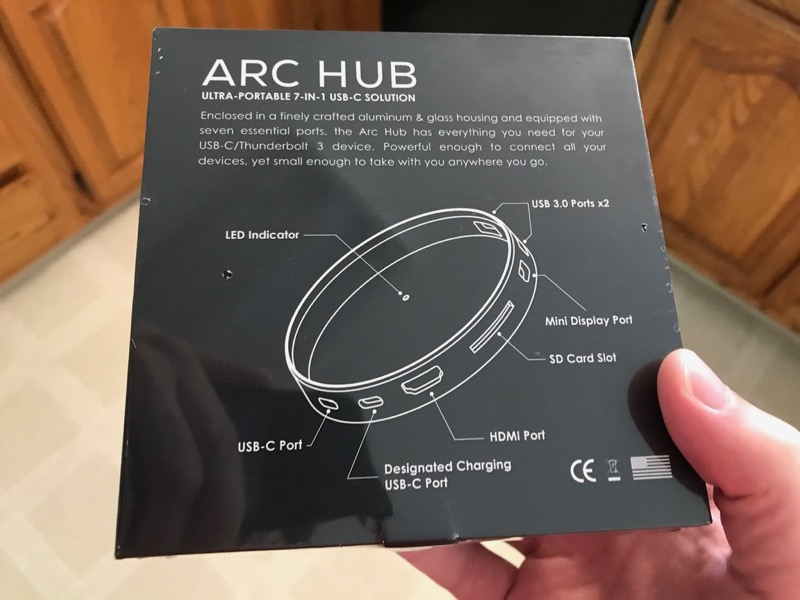
Even the product packaging is finished off nicely; though I didn't care for the marbled interior of the box!
The body is made of what seems to be machined aluminum (ahem, aluminium), and is quite thick and strong. The ports all feel like they're machined well and hold plugs well, but there's one problem with such a durable and precision-cut body—sometimes it's difficult to feel your way around and figure out where a plug goes. And the device being round, with no markings on the top as to which port is which, doesn't help.
But for me, the hub is sitting inside an enclosed part of my desk, so it's not a huge deal. And if you have the hub sitting somewhere on top of your desk, facing you, it's probably not a problem either—though you'll have a spaghetti mess of cables pointing in all directions if you use it that way. There's a reason most hubs and docking stations attempt to face all ports in one direction, because you don't end up with a plug pointing here, there, and everywhere.
But on its own, it's a well-built, sturdy piece of good-looking hardware.
4K woes with 2016 Function Key MacBook Pro 13"
The main reason I bought the Arc Hub was it's promise of 4K at 60 Hz. You see, I have a 24" LG 4K monitor (the LG 24UD58-B to be exact). It's a really nice monitor, and I got it on sale last year, and have used it both with my 2015 Retina 13" MacBook Pro (using this Mini DisplayPort to DisplayPort cable), and my 2016 13" 'Function Keys' MacBook Pro (using this USB-C to DisplayPort cable).
Anyone who's experienced the choppiness of any resolution at 30 Hz knows that it can be an eye-strain-inducing experience. I'm quite used to getting 60 Hz when plugged directly into either my 2015 or 2016 MacBook Pro, and I was excited to be able to get 60 Hz, since all the other USB-C hubs I've used offered only a paltry HDMI 1.2 port that could only deliver 4K @ 30 Hz.
I was excited the day the Hub arrived, because it would be the first day in my life I could plug but one cable into my Mac and have full charging and connectivity. It's the dream we've all had since the first time we saw a PowerBook Duo Dock! No more dealing with a tangle of cables any time you wanted to grab your laptop and go, or when you set it back on/in your desk!
Well, the excitement kind of died down once I tested both of my two Mini DisplayPort cables, as well as two HDMI 2.0-rated cables. None of them offered me a full 60 Hz refresh rate!
Thinking this could be a bug in the device or firmware or something, I tried submitting the Bourge Design contact form to ask about the problem... but the form seemed broken and wouldn't submit. So then I took to the Twitters and noticed a number of other early purchasers were also questioning the ability of the device to output at 60 Hz.
Specs from the site (see pic); I tried both of these cables: https://t.co/GfoA8oeMJL and https://t.co/c8kIQN87CK (2016 13" MacBook Pro) pic.twitter.com/W0CZjqpF9j
— Jeff Geerling (@geerlingguy) July 13, 2017
A week later, I got a DM from the @bourgedesign Twitter account pointing me to their Arc Hub Support page. I read through the notes there, and even disabled my Mac's System Integrity Protection (SIP) and tested the linked patches. I have used SwitchResX for years (great for making sure you can interface with practically any display device ever made!), and tried custom resolutions through the Arc Hub, but could only bump the refresh rate up to 40 Hz before SwitchResX started saying 'not supported?' for anything greater:
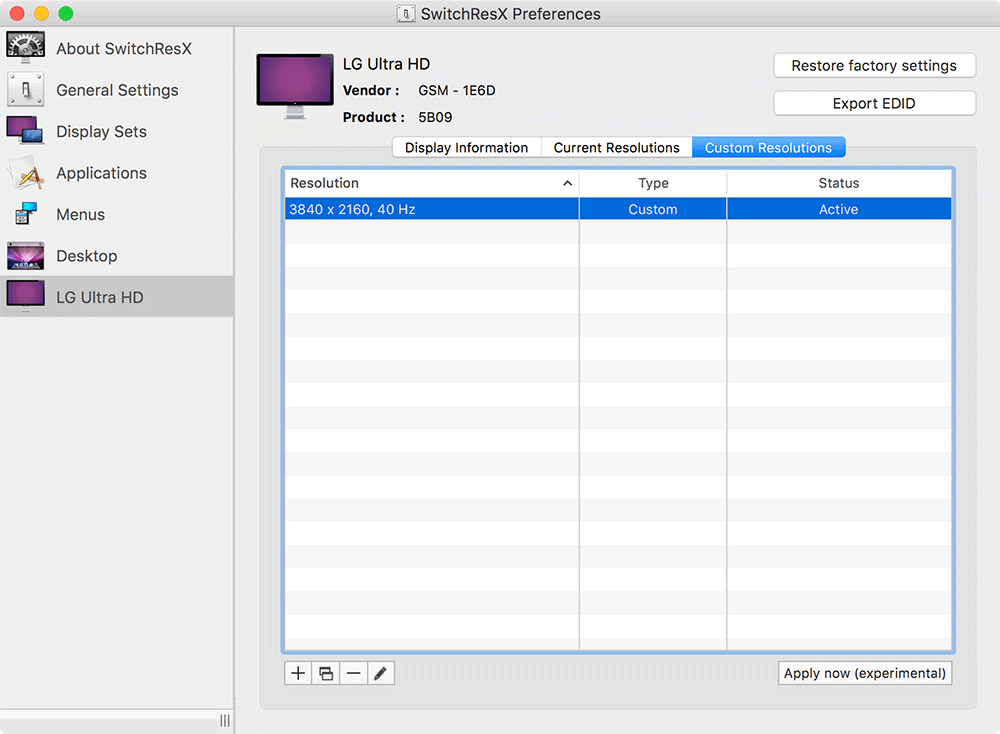
I tried this process using both the HDMI and Mini DisplayPort plugs, with known-working 4K/60 Hz-capable cables, and had no luck getting it working at 60 Hz (or even ~50 Hz, which is borderline acceptable). I can only get 60 Hz on my 2016 MacBook Pro if connected directly using the USB-C to DisplayPort cable ?
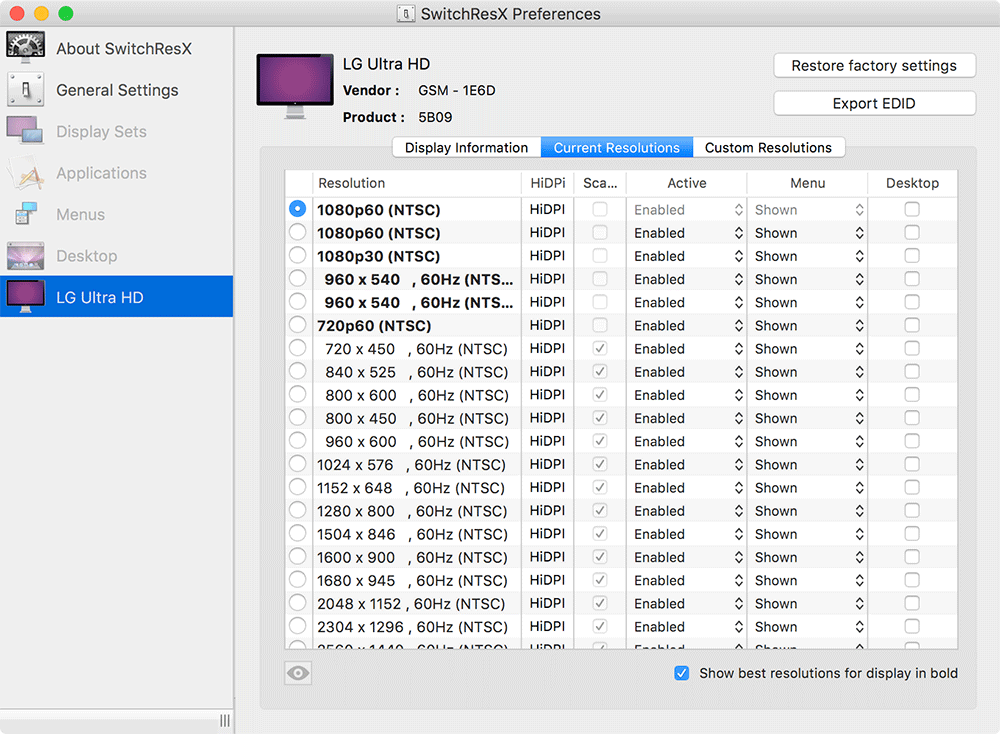
So the display capabilities are a little underwhelming at the moment, and I'm holding out hope that maybe I have a defective unit. I'm trying to get back in touch with Bourge Design (they're understandably busy, this being their first product, and many people having questions about it!), and I'll update this post with any further developments.
But for now: I can't recommend the Arc Hub to anyone hoping to get 4K resolution through the Hub. It seems like it should work, but currently it does not—and there are a number of other tweets indicating I'm not the only one with this issue.
Other ports on the Hub
Everything else seems to work great, as I'd expect. The USB 3.0 Type A ports work fine for my 7-port hub, which is then connected to a few USB devices. The SD card reader nicely retains the card using a click-in-to-secure, then click-in-and-pop-out-to-remove mechanism (a little fancier than friction-based card reader slots!)—though it's not UHC-II rated (meaning for the fastest pro SD cards, you won't get the absolute fastest file copies). The USB-C ports both retain USB-C cables well, and the Power Delivery feature does, indeed, charge my MacBook Pro at the full charging rate, unlike most USB-C PD devices I've used (which often limit the power output to ~30W).
Summary
So... I'm not quite sure what to do next. I might see if I can get a replacement, and see if it works any better. Or I might just consider waiting longer to find that true, magical hub, which will finally allow me to plug just one cable into my Mac. But for now, I'll stick with plugging the Arc Hub into one USB-C port, and my 4K monitor into the other.
Ah, #firstworldproblems.
Comments