Apple's Photos for macOS taking forever to scan photos for People?
I recently migrated around ~50,000 photos and videos from Aperture to Photos (see my blog post on the process), and have also in a short amount of time upgraded my personal and work Mac laptops (both from older MacBook Airs to newer MacBook Pros).
On both of my new laptops—which were at least 3x faster than my older Airs—I noticed that Photos started completely fresh in its photo analysis for the 'People' album that shows everyone's faces. And after three weeks of seeing one of my CPUs stick around 100% all day every day (while plugged in), I started getting sick of this.
I would leave the Mac on all night, and check in the morning, and only 20-30 new faces would be recognized.
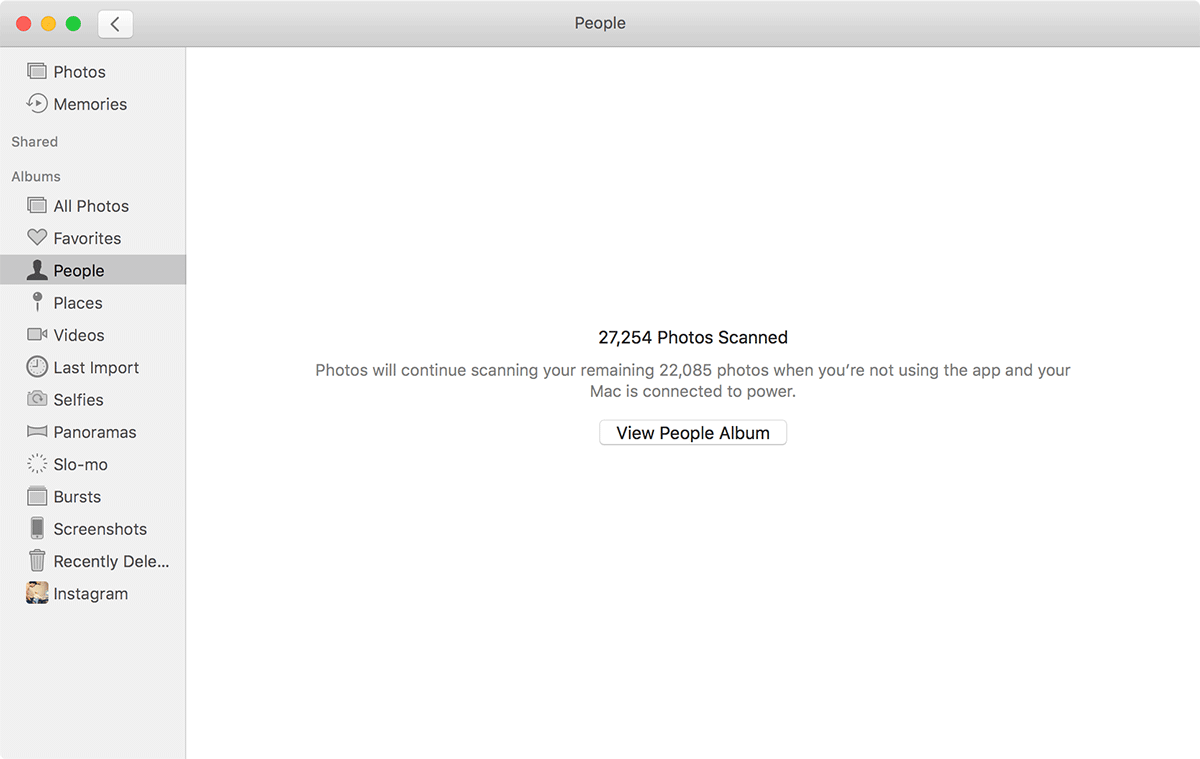
Some days it seemed it would take forever...
There are all kinds forum posts and support requests in Apple's community forums asking "Anyone else finding Photos 'People' scanning really slow?" and "Why is people scanning in MacOS Photos so slow?".
On my iPhone and iPad, even though I have Photos set to 'optimize iOS storage' (meaning only a subset of photos and videos are stored on the phone), the people scanning only took a few days, and then it's kept up since.
But on the Mac, after a few weeks, the pace is still glacial. I'm fairly certain the macOS version of Photos and iCloud Photo Library have some bugs causing this problem. But how do you work around it?
The Fix
The workaround is fairly simple:
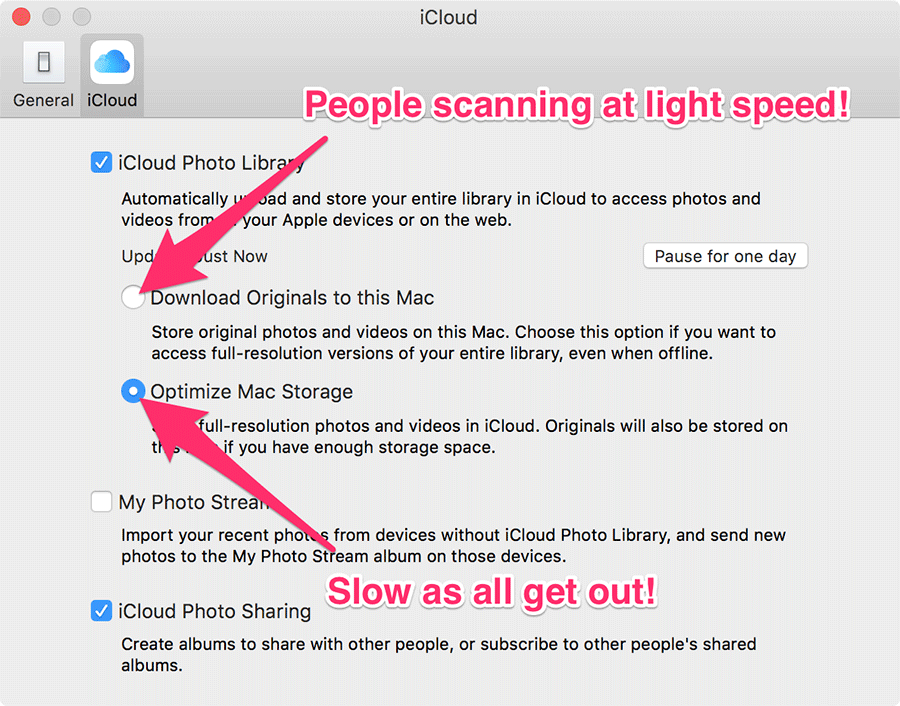
- Open Photos' Preferences.
- Click on 'iCloud'.
- Choose 'Download Originals to this Mac'.
- Wait a really long time for all Originals to be downloaded.
Now, this presupposes you have enough disk space on the drive where you're Photos library is located to store all the photos and videos from your library. And many people probably don't. So you might need to use an external drive, and move your library there for a few days.
The benefit is that instead of 20-40 photos and videos scanned per day, I'm now getting 15-20,000 scanned per day! So it should be finished in a couple days, just like on my iPhone and iPad.
Speculation
Some people speculate it could be the videos taking so long—and videos may take a little longer than photos for scanning, depending on how Photos is scanning through them (whether it just scans a keyframe, or all frames of the video)—but I think there's some sort of major bug with the way the macOS Sierra version of Photos handles the optimized library for scanning faces.
So far there are three major annoyances with People in Photos, that I hope will be solved with future updates:
- People are not synchronized in any helpful way between all my computers (I have three Macs, an iPhone and an iPad... and if I want People associated with my photos, I have to do it all manually... on every single device).
- People have to be re-scanned if you migrate a Time Machine backup to a new (or existing) Mac. This was a really annoyance as I moved the existing library to my new Mac, and it started re-scanning everything. What a waste of CPU/power!
- People scanning takes absolutely forever on macOS Sierra if you have 'Optimize Mac Storage' enabled.
Comments