A Tale of Two Apples: AirPods and the Touch Bar
Yesterday UPS delivered a BTO 2016 MacBook Pro 13" with Touch Bar (to replace my 2013 11" MacBook Air), and a set of AirPods (to replace three different headsets I use daily in my work as a remote employee).
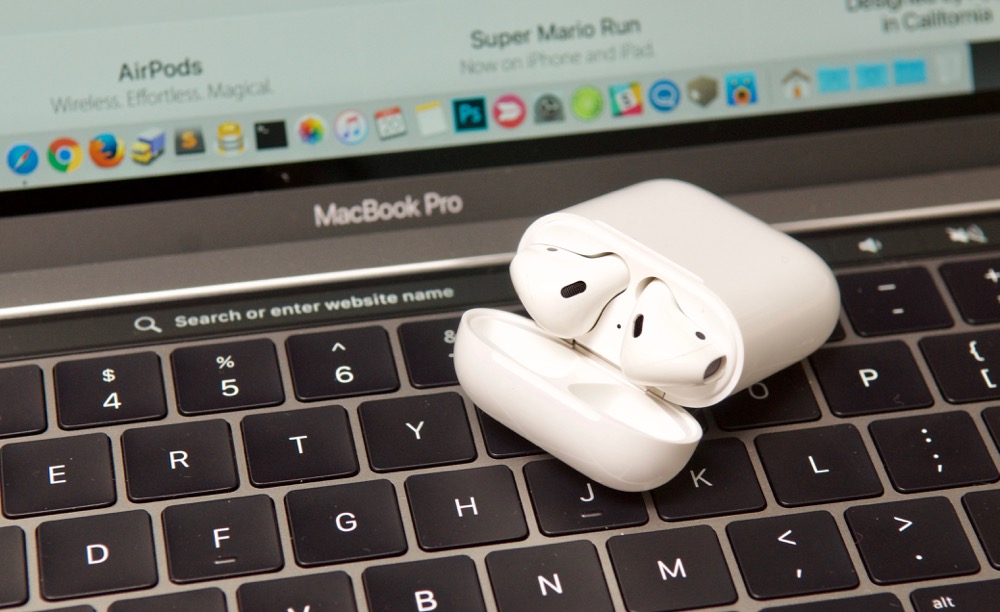
The two products tell a different story about the company that makes them:
MacBook Pro with Touch Bar
The MacBook Pro fails to 'thrill' in a way that no other Apple device I've made the conscious decision to purchase has.
Upgrading from a 2013 MacBook Air 11" (portability is king to me, but I needed more performance), the only major external difference is the retina display—something most other 'pro' Mac users have been enjoying since 2012. The Touch Bar itself is mostly useless to me for two reasons:
- I use my Mac in clamshell (closed) mode connected to an external 4K display for more than half the time I'm using it.
- I'm a touch typist, and I know that one key combo used a thousand times a day will save me hours of time through my life. I never look down at the keyboard, and try to avoid even using the Trackpad when possible.
I'll take a look at one example use case—which can be extrapolated to almost all the other Touch Bar functionality I've seen per-app: using it in Safari.
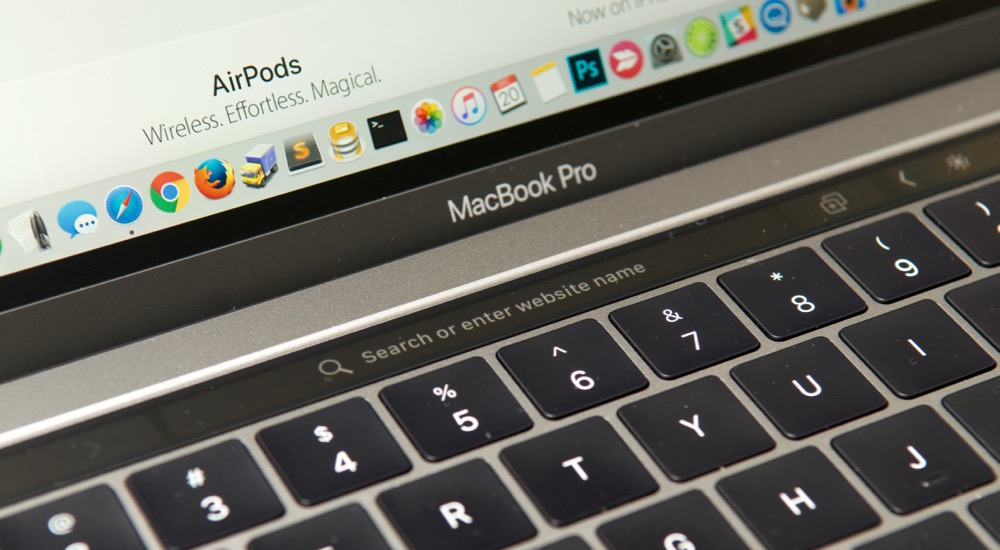
I can imagine the Apple engineer working on this, thinking "how can I populate the Touch Bar in this use case?", coming up blank, then sticking the address bar inside.
When you open Safari and have one window open, the Touch Bar displays the location (address) bar, and let's you tap on it and enter a URL or search keywords.
Or, if you're a touch typist, you can hit ⌘-L (to place the cursor in the link bar), and start typing.
And switching tabs is as easy as ⌘-1, ⌘-2, ⌘-3, etc. (or Shift-⌘-] to go to the next tab, or Shift-⌘-[ for the previous in Safari).
Almost all the apps that have Touch Bar integration are like this—it just shows some options that are much more quickly accessed via keyboard shortcuts that most Mac users have committed to muscle memory long ago.
Pro users are justified in questioning for whom the Touch Bar was designed. It's not designed for touch typists. It's of marginal value for fast hunt-and-peck typists. Even the emoji browser isn't as efficient as pressing Ctrl-⌘-Space and searching for the emoji you want (for Pro-level emoji users ?), so it's not better for those who love Emoji...
The only use case I've found that improved with the Touch Bar is the ease of adjusting volume and screen brightness. It's nice to slide a slider instead of mashing down a function key. But that's it. And it's still not as good as the tactile feedback of the original PowerBook 1xx line's analog sliders:
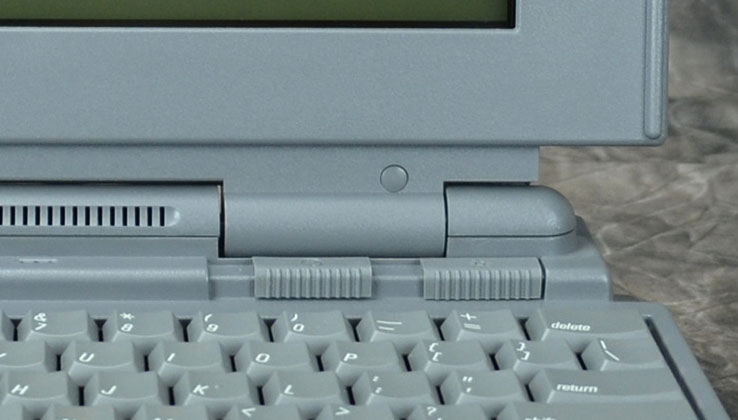
Early PowerBooks (180c above) included analog sliders for brightness and contrast. From Vectronic's Collections
It seems the team that designed the 2016 MacBook Pro was told: "Make something new and interesting." And they did. The Touch Bar is neat. But nobody told them to make something that would actually improve the product. The Touch Bar is a dud.
Some things that are great about this MacBook Pro include:
- USB-C/ThunderBolt 3: Dongles are slightly annoying, but this is the future. Hopefully Apple standardizes everything on USB-C soon.
- The screen: It's gorgeous, as is standard with Apple's high end products.
- The trackpad: Still a class-leading trackpad, just bigger. Palm rejection works fine, and required no adjustment.
- The size: For me, thinness and lightness matter greatly. The 2015 13" MBP is a brick compared to my 11" MacBook Air. The 2016 is slightly lighter and more trim, and I like it. If you care about performance over portability, there are plenty of PC manufacturers who will cater to you—Apple is not one of them.
- Build quality: Excellent, as always. A solid slab of aluminum. I just wish it came in black.
- Touch ID: A nice addition to the Mac, and when using the laptop as a laptop, it's highly convenient.
But the fact that Apple extracts an extra $300+ to get faster 802.11ac WiFi, memory bus, CPU upgrade options, and Touch ID is highly annoying to me. I almost sacrificed these traits and went with the function-row keyboard instead, but decided to give the Touch Bar the benefit of the doubt.
Fool me once, Apple...
AirPods
I remember a year or so after Apple introduced the iPhone, when I was still using my 'candy bar' Nokia phone, and I purchased a used iPhone. I thought it would be nice to have my phone double as my iPod, but wasn't expecting something entirely different. Looking back on that time period though—before apps, before retina displays—I now realize the iPhone was truly a new category of device and changed the way I thought about mobile phones.
I think I'll look back on the AirPods as being the same thing, but for wireless audio.
It's as if the designer(s) were actually using them, iterating on them, whittling them down to their core functionality, and honing them until they were the epitome of wireless earphones. These headphones are truly great for a version 1.0 Apple product. They are light, the battery is astounding, signal and sound quality are better than any of my other bluetooth devices, pairing and switching devices is dead simple (with Apple devices at least), and the only real complaint I have is that there's no way to use them as in-ear headphones for noisy environments (e.g. airplanes).
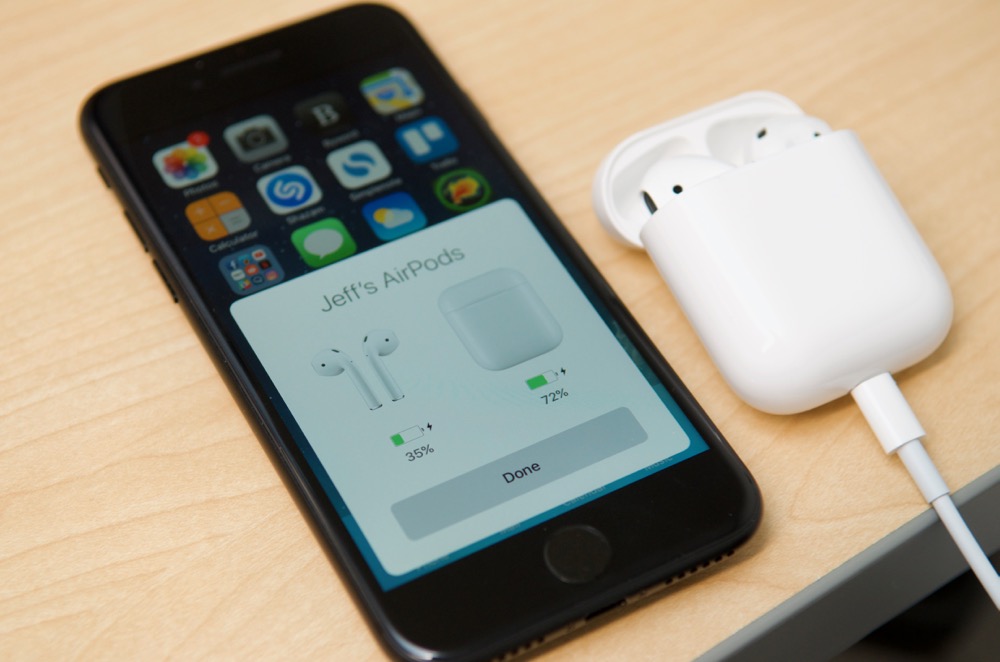
The pairing process is pleasant; a huge improvement over any other Bluetooth device on the market.
It's a stark contrast to the MacBook Pro with Touch Bar. The AirPods are a delight to use. Every interaction—from opening them up, to charging them, using Siri, and even configuring them on iOS—is a delight. They're expensive (though not in comparison to similarly-specced wireless headsets), but delight is the reason people pay the 'Apple premium tax' and don't feel terrible about it.
For the Touch Bar, it's as if a manager told a cash-and-time-strapped team: "People are nervous about the Mac. We have to design something new, for the sake of being new, and make it pretty." And they did just that. Made a pretty hardware device that offers little benefit over the boring old function keys it replaced, and jacks up the per-device cost. And reduces battery life.
For the AirPods, you can tell an engineer spent a lot of time working on the charging connector, the little magnets that clasp the lid of the charging case shut, and countless hours on the sensors and 3D layout of electronics inside the AirPods. And every little feature in this messy snot-glued device has a strong purpose and reason for being there. Every circuit is optimized for space, performance, cost, and power efficiency. Not so on the MacBook Pro.
Conclusion
Apple: I implore you, as a long-time Mac user who also invests in the rest of your ecosystem, but needs and uses a Mac daily—focus on delighting your customers, not on making new things for the sake of making new things. The Touch Bar is a faux pas on par with the G4 Cube and the All-in-one G3. Let's cut it off now and focus instead on features of the MacBook Pro that make it the best 'Pro' laptop you can buy.
Besides Adobe Creative Suite and Final Cut Pro, there's little holding me back from switching to running Linux as my daily driver, which would allow me to jump ship to a similarly-specced Dell, Lenovo, etc. laptop—but for a few hundred dollars less. I'd rather not have to make the jump, but I have a lot of developer friends who aren't married to these Mac/Windows-only apps who have, and it's getting easier every year for me to consider joining them.
Comments