Hide the page title depending on a checkbox field in a particular content type
In Drupal 8, many small things have changed, but my willingness to quickly hack something out in a few lines of code/config instead of installing a relatively large module to do the same thing hasn't :-)
I needed to add a checkbox to control whether the page title should be visible in the rendered page for a certain content type on a Drupal 8 site, and there are a few different ways you can do this (please suggest alternatives—especially if they're more elegant!), but I chose to do the following:
Add a 'Display Title' boolean field (checkbox, using the field label as the title, and setting off to
0and on to1in the field settings) to the content type (pagein this example).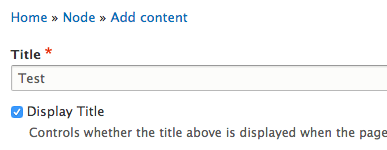
Make sure this field is not set to be displayed in the content type's display settings.
In my theme's
hook_preprocess_page(insidethemename.theme), add the following:
<?php
/**
 * Implements hook_preprocess_page().
 */
function themename_preprocess_page(&$variables) {
  // Hide title on basic page if configured.
  if ($node = \Drupal::routeMatch()->getParameter('node')) {
    if ($node->getType() == 'page') {
      if (!$node->field_display_title->value) {
        unset($variables['page']['content']['mysite_page_title']);
      }
    }
  }
}
?>
mysite_page_title is the machine name of the block that you have placed on the block layout page (/admin/structure/block) with the page title in it.
After doing this and clearing caches, the page title for Basic Page content was easy to show and hide based on that simple checkbox. Or you can use the Exclude Node Title module, if you don't want to get your hands dirty!
Comments