The Drupal Way™
This post is more than 10 years old. I do not delete posts, because even old information is still useful, but please know that some material on this page may be outdated or incorrect. Thanks!

I've worked with a wide variety of developers, designers, content managers, and the other Drupal users in the past few years, and I'm pretty sure I have a handle on most of the reasons people think Drupal is a horrible platform. But before I get to that, I have to set up the rest of this post with the following quote:
There are not a hundred people in America who hate the Catholic Church. There are millions of people who hate what they wrongly believe to be the Catholic Church — which is, of course, quite a different thing.
Forgive me for diverging slightly into my faith, but this quote is from the late Fulton J. Sheen, and is in reference to the fact that so many people pour hatred on the Catholic Church not because of what the Church actually teaches, but because of what they think the Catholic Church teaches. Once someone comes to understand the actual teaching, they are free to agree or disagree with it—but there are comparatively few people who disagree with teachings they actually understand.
Similarly, the problems most people have with Drupal—and with systems like it—are problems not with Drupal, but with their perception of Drupal.
Java Jane: One-off vs. Flexible Design
A Java developer (let's call her Jane) is used to creating a bunch of base object classes and a schema for a database by hand, then deploying an application and managing the database through her own wrapper code. Jane is assigned to a Drupal project, takes one look at the database, and decides that no sane person would ever design a schema with hundreds of tables named field_data_ and field_revision_ for every single data point in the application!
In reality, Drupal is doing this because The Drupal Way dictates that things like field data should be: flexible (able to be used by different kinds of entities (content)), able to be translated, able to be revised with a trackable history, and able to be stored in different storage backends (e.g. MySQL, MariaDB, MongoDB, SQLite, etc.). If the fields were all stored in a per-entity table as separate columns, these different traits would be much more difficult to implement.
Thus, The Drupal Way is actually quite beneficial—if you want a flexible content management system.
I think a lot of developers hate Drupal because they know they could build a more efficient web application that only has the minimal required features they need by simply writing everything from scratch (or using a barebones framework). But what about the next 72 times you have to build the exact same thing, except slightly different each time, with a feature that's different here, translation abilities there, integration with Active Directory for user login here, integration with a dozen APIs there, etc.?
There's a maxim that goes something like: Every seasoned web developer started with plain HTML and CSS, or some hosted platform, then discovered a dynamic scripting language and built his own CMS-like system. Then, after building the CMS into a small system like many others but hopelessly insecure and unmaintainable, the developer realized that thousands of other people went through the same progression and ultimately worked together on systems like Drupal. Then said developer starts using Drupal, and the rest is history.
I know you could build a small system that beats the pants off Drupal performance-wise, and handles the three features you need done now. But why spend hours on a login form (that probably has security holes), session handling (ditto), password storage (ditto) forms in general (ditto), content CRUD interfaces, a translation system, a theme layer, etc., when you can have that out of the box, and just spend a little time making it look and behave like you want it? The shoulders of giants and all that...
.Net Neil: Letting Contrib/Bespoke Code Let You Down
A .Net developer (lets call him Neil) joins a Drupal project team after having worked on a small custom .Net application for a few years. Not only does he not know PHP (so he's learning by seeing the code already in use), he is also used to a tightly-controlled application code structure, which he knows and owns end-to-end.
After taking a peek inside the custom theme, and a couple of the Drupal modules that the team has built in the past year, .Net Neil feels like he needs to take a shower! He sees raw SQL strings mixed in with user-provided data, he sees hundreds of lines of business logic in two dozen theme template files, and he can't find a line of documentation anywhere!
Who would blame Neil for washing his hands of Drupal entirely?
However, Neil shouldn't throw out the baby with the bathwater. Unfortunately, due to PHP's (and, by extension, Drupal's) popularity, many non-programmers or junior level programmers work on Drupal sites, and know just enough PHP to be incredibly dangerous.
Now, it doesn't help that Drupal allows PHP inside template files—something that will be corrected in Drupal 8—and it doesn't help that PHP is a quirky language full of inconsistencies and security holes—something that's vastly improved in PHP 5.3+ (especially 5.4+). But while some decide that PHP is a fractal of bad design, or that they simply hate PHP (mostly because of code they've seen that's from either designers or new programmers with a lot to learn... or they have a lot of baggage from pre-PHP 5 days), I think it's best to understand that bad code is bad code regardless of the language. Using Ruby, Django, Go, Node.js, etc. does not automatically make you a better programmer. Just like writing in French doesn't make you a great author. Its just a different language that's useful for different purposes.
One more note here: in all the Drupal code I've seen, there are three levels of quality:
- Code in Drupal Core: Drupal core is extremely well-documented, has low cyclomatic complexity, has almost full automated test coverage, and has a very high bar for code acceptance. Drupal core is not only a great example of good code in PHP-land, but across languages—especially the latest version (which is on the tail end of some pretty major refactoring).
- Code in Contrib Modules: Contributed modules can be pretty hit-or-miss. Even with a more rigorous review process in place, many contrib modules have hacked-together code that has some subtle and not-so-subtle security and performance flaws. However, the modules used by a vast array of Drupal installations, and included with popular Distributions (like Views, Panels, Colorbox, etc.) are usually very well constructed and adhere to the Drupal coding standards. (Another good way of knowing a module is good: if Drupal.org uses it).
- Custom code: Welcome to the wild west. I've seen some of the craziest code in custom templates, hacked installations of Drupal, hacked contrib modules, and strange custom modules that I'm amazed even compile.
When people say Drupal has a terrible security track record, they often point to lists of all Drupal-related security flaws (like this one). Unfortunately for this argument, it holds little water; a quick scan usually finds that well over half the affected modules are used by a very small share of Drupal sites, and a flaw that affects Drupal core is very rare indeed (see how rare on Drupal's security track record page).
The Drupal Way™
Jane and Neil would both come to appreciate Drupal much better if they understood why Drupal does certain things in certain ways. They would also likely appreciate the strictness and thoroughness of Drupal's Coding Standards and security guidelines, and the fact that patches for consideration in Drupal core undergo strict reviews and must pass a full suite of automated tests.
They'd probably also learn to accept some of Drupal's quirks once they realize that the people who built and are making Drupal better range from a mother-of-five-turned-hobbyist-programmer to the world's largest government organizations. Drupal can't be everything to everyone—but it's one of the most flexible web content management systems available.
I'm going to go through some of the main areas where I've seen people get derailed in their understanding of Drupal.
Extending Drupal with Contributed Modules
A lot of first-time Drupal users decide they need twenty or thirty modules to add things like share buttons, fancy blogging features, forum tweaks, etc. Eventually, many fresh Drupal sites end up with over 100 enabled modules (of varying quality), and the site takes seconds to load a single page.
This problem is the open buffet syndrome, outlined in detail here. In addition to adding way too much functionality to a site (usually making the site harder to use anyways), adding a ton of extraneous modules makes it harder to track down problems when they occur, and usually makes for slower performance and a very large memory footprint on a server.
How do you combat the open buffet? Be frugal with modules. Only enable modules you really need to help your site run. Instead of adding a module for something, create a new View for a blog page or for a special block that lists a certain type of content. For larger and more customized sites, having a custom module that performs one or two small hook_alters to change a couple things is better than enabling a beefy module that does what you need and a thousand more things besides.
Don't be a module glutton!
One more tip: Whenever you consider using a contributed module, check out its ranking on the Project usage overview page, and check how many sites are currently using the module (under the 'Project Information' heading on the project home page). If the module is only used by a few hundred sites, that could be a sign that it's not going to be updated in a timely fashion, or thoroughly vetted for performance and security issues. I'd always recommend stepping through a module's code yourself if it's not a very popular module—if it's a tangled mess of spaghetti, steer clear, or submit patches to clean it up!
Configuration and Code
Drupal's philosophy when it comes to configuration and settings is that everything, or nearly everything, should be manageable through a user interface. Many developers who work outside of web applications are used to storing a lot of configuration in code, and don't see much value to making sure everything can be configured by administrators on-the-fly. In fact, many developers scoff at such an idea, since they lose some control over the final application/site.
However, this is one of the traits of Drupal that makes it so powerful, and so beloved by site builders and people who actually use the sites developers build for them.
This presents a problem, though—if things are configurable by end-users, how do we version-control settings? How do we deal with different environments, like moving a feature from a development server to a test server, then to the live server? With Drupal <6, this was very challenging indeed, and usually required a lot of manual SQL work in update hooks. However, in Drupal 6 and 7, the situation has improved quite a bit, and in Drupal 8 and beyond, configuration management will likely be a standout feature (see: Configuration management architecture).
The Features module lets developers take things like content types, image styles, site settings, and even content itself (with the help of something like Universally Unique IDentifier), and export them to code. Then, that code can be version controlled and deployed to different environments with some simple drush commands or the click of a button in the UI. As long as the modules you're using use normal Drupal variables, or use CTools Exportables (most of the top modules do), you can use Features to keep things in sync.
Another thing that irks non-Drupal developers (especially those used to 'cowboy coding'—not using any kind of framework or system when they build sites) is the fact that the database is abstracted away. In Drupal, it should be fairly rare that a developer needs to write database queries. Almost everything within Drupal is wrapped in an API, allowing Drupal to work across a variety of platforms and backends. Instead of writing variables to the {variables} database table (and dealing with serialization and unserialization), you use variable_get() and variable_set()—these functions even take care of static caching for performance, and configuration included via settings.php. Instead of querying twenty different tables to find a list of entities that match your conditions, you use EntityFieldQuery. It may seem inefficient at first, but it's actually quite freeing—if you do things The Drupal Way, you'll spend less time worrying about databases and schemas, and more time solving interesting problems.
One more tip: If you ever see the PHP filter module enabled on a site, or something like Views PHP filter, that likely indicates someone getting lazy and not doing things The Drupal Way™. Putting PHP code into the database (as part of content, the body of a node, or as part of a view) is like pouring Mentos into Diet Coke—it's a recipe for disaster! There's always a way to do what you need to do via a .module file or your theme. Even if it's hacked together, that's a million times better than enabling the insecure, developer-brain-draining module that is the PHP filter.
Themes and the .tpl.phps of DOOM!
Drupal has had a long and rocky relationship with themers and designers—and at some times in Drupal's history, the very idea of the responsibility of a 'theme' has been unclear. One principle has always been clear, however: themes should deal with HTML markup, CSS styling, some JavaScript for the user interface, and maybe a tiny bit of PHP to help sort data into certain templates.
That last bit, however—the 'tiny bit of PHP'—has been abused very often due to the fact that Drupal has been using a custom theme engine called PHPTemplate, which allowed the use of any PHP code inside any template (.tpl.php or sometimes referred to as 'tipple fip') file.
Many themers, designers, and new Drupal developers have mangled templates and thrown all kinds of code into template files which simply doesn't belong. The idea that HTML markup and PHP code can be mixed and mashed together is something that comes out of a 'scripting' mentality that is predominant in very old versions of PHP, custom-coded PHP websites, and an old-school PHP <4 mentality. Nowadays, there should be a distinct separation between markup and styling (a theme's responsibility), and the business logic that generates data to be put into markup and styled (a module's responsibilty—or, rarely, inside a theme's template.php).
I've seen sites where there were 30+ copies of the theme's page.tpl.php file, all just to change one variable on different pages on a site. What the developer should've done is use one page.tpl.php, and implemented template_preprocess_page() (which can be invoked in either template.php, or in a module as hook_preprocess_page()). Inside that function, the developer can set the variable depending on which page is being viewed. If the developer were to continue to duplicate page templates, he'd be in a very sorry situation the first time he had to change the page markup sitewide—instead of changing it in one page template, he'd have to change it in 30+ copies, and make sure he didn't miss anything!
The DRY principle (Don't Repeat Yourself) applies very strongly to themes and templates—instead of making a bunch of duplicate templates and changing little things in each one, use hook_preprocess_hook() functions in either your theme or custom modules.
One other important note: If you're coming from Wordpress or another PHP-based CMS that often mixes together HTML markup and PHP files throughout modules, plugins, themes, etc., please try to get that concept out of your head; in Drupal, you should have one, and only one opening <?php tag inside any PHP code file, and templates (.tpl.php files) should only include the most basic PHP and Drupal theming constructs, like if, else, print(), hide() and render(). If you have any more than that in a template, that's a sign of code smell.
Thankfully, Drupal 8 will use Twig instead of PHPTemplate as the default template engine. Twig is a true templating language, and doesn't allow PHP. It's also more designer-friendly, and doesn't require a rudimentary knowledge of PHP to use—or an advanced knowledge of PHP to use well.
Code Quality
Spaces versus tabs. Putting curly braces on the same line as the if statement or the next. These are the things that will be argued ad infinitum, and these are the things that don't really matter to a compiler. But they matter greatly to a community of developers. The larger and more diverse the community, the more important they are!
Drupal developers come from around the world, from many different cultures. It's important that we have a common way of communicating, and it helps quite a bit if we all use certain standards when we share code.
Since the mid-2000s, the Drupal community has banded together to make and enforce some very thorough coding standards for PHP, JavaScript, CSS, and other code used in Drupal core and contributed projects. The community is in ongoing discussions about code quality and review processes, and continues to adapt to modern software development best practices, and does a great job of teaching these practices to thousands of new developers every release.
Since early in the Drupal 7 development cycle, the Drupal community has written automated tests to cover almost all of Drupal core and many large contributed projects, and has built testing infrastructure to ensure all patches and bugfixes are thoroughly tested before being accepted.
Since early in the Drupal 8 development cycle, the Drupal community has used the concept of core gates and issue count thresholds, as well as divided responsibilities in different core initiatives, to ensure that development didn't get too scattered or start making Drupal core unstable and incoherent. Drupal 8, though in alpha stages, is already very stable, and is looking to be the most bug-free and coherent release yet.
Drupal's strict coding standards already match up pretty well with the suggested PSR standards from the PHP Framework Interop Group, and Drupal 8 and beyond will be taking future PSRs into account as well. This will help the Drupal community integrate more easily into the larger PHP world. By following standards and best practices, less time is spent trying to get individual PHP classes, methods, and configurations to work together, and more time is spent creating amazing websites, applications, and other products.
One tip: The Coder module will help you to review how well your own code (PHP, JS and CSS) follows the Drupal Coding standards. It also helps you make sure you're using best practices when it comes to writing secure code (though automated tools are never a perfect substitute for knowing and writing secure code manually!).
Even further: Many developers who work with PHP-based systems seem to have followed the progression of designer -> themer -> site builder -> developer, and thus don't have a strong background in software architecture or actual 'hard' programming (thus many ridicule the PHP community as being a bunch of amateur programmers... and they're often right!). I'd suggest trying to work on some small apps in other languages as well (might I suggest Node.js, Go, Java, or Ruby), to get a feel for different architectures, and learn what is meant by terms like SOLID, DRY, TDD, BDD, Loose coupling, YAGNI, etc.
Hacking Core and Contrib modules
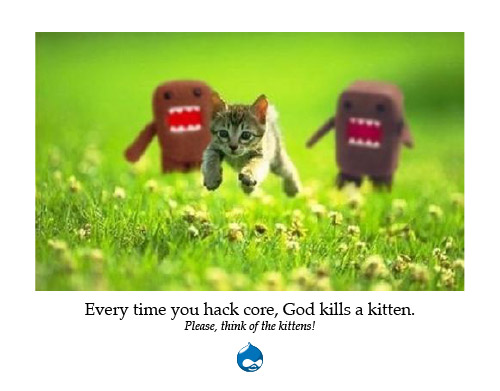
The above image comes from an idea originally presented at DrupalCon Szeged 2008 by Greg Dunlap. It goes like this: Every line of code you change in Drupal core or one of the contributed modules you're using will add many man-hours spent tracking the 'hack' over time, make upgrading your site more difficult, and introduce unforeseen security holes and performance regressions.
The times when actually modifying a line of code anywhere outside your custom module or theme's folder is a good idea are extremely rare.
If you find you are unable to do something with Drupal core or a contributed module to make it work the way you want, either you haven't yet learned how to do it the right way, or you found a bug. Drupal is extremely flexible with all it's core hooks, alter hooks, preprocess functions, overrides, etc., and chances are, there's a more Drupalish way of doing what you're trying to do.
On the rare occasion where you do have a problem that can only be fixed by patching core or a contrib module, you should do the following:
- Search the project's issue queues to see if someone else had the same problem (chances are you're not the first!).
- If you found an issue describing the same problem, see if the issue is resolved or still open:
- If the issue is resolved, you might need to download a later -dev release to fix the problem.
- If the issue is not resolved, see if there's a patch you can use to fix the problem, test the patch, and post back whether the patch resolves your problem, so the patch progresses towards being accepted.
- If the issue is not resolved and there is no patch to fix the problem, work on a patch and submit it to the issue queue.
The key takeaway here is the idea of investing in patches. If you find an actual bug or would like to see some improvement to either Drupal core or a contributed project, you should either test and push forward existing patches, or contribute a patch to get your problem resolved.
When you do things this way, you no longer operate on an island, and you'll benefit from community feedback and improvements to your patch. In addition, by only using patches that are tracked on a drupal.org issue, you can track your patches more easily. On the rare occasion when I need to use a patch, I put the patch file (named [issue_number]-[comment_number].patch) into 'sites/all/core-patches' directory, and then add an entry in a 'Patches' file along with a link to the issue, a description of the patch, and why it is necessary.
Participating in the Drupal Community
In the previous section, I mentioned the idea of not being an island when developing with Drupal. How true this is! You're using software that's built by thousands of developers, and used by millions. There are people working on Drupal from every continent, and this diverse community is one of the most positive aspects of Drupal.
On Drupal.org's front page, the first line of text reads:
Come for the software, stay for the community.
With so many people using and building Drupal, chances are you aren't the first person to encounter a particular problem, or build a certain piece of functionality. And if you can't find a module or a simple built-in way to do something you need to do, there are plenty of places to go for help:
- Drupal Answers
- Drupal.org forums
- IRC (#drupal)
- Twitter (#drupal)
- Local Drupal Groups
- DrupalCamps
- DrupalCons
And these are just a few of the places where you can discover community and get help!
As I said before: don't be an island. With proprietary, closed-source software, you don't have anywhere to go except official (and expensive) vendor support. With Drupal, you get the code, you get to talk to the people who wrote the code, and you can even help make the code better!
Global state / Assuming too much
Not every request for a Drupal resource (most often a path defined in hook_menu()) comes from a web browser, and many variables and things you assume are always available are not. A lot of developers forget this, and write code that assumes a lot of global state that will be missing at certain times—if drush (or the command line in general) is in use, if data is being retrieved via AJAX, or if a data is being retrieved by some other service.
Always use Drupal's API functionality instead of things like $_GLOBALS and $_GET. To get the current URL path of the page being viewed, use current_path(). To use dynamic URL paths, use paths and the arg() function or Drupal's built-in menu router instead of adding a bunch of query parameters.
Additionally, use Drupal's menu router system and Form API to the fullest extent. When you define a menu item in hook_menu(), you can pass an access callback which integrates with Drupal's menu access system and lets you determine whether a given user has access (return TRUE) or not (return FALSE). Drupal takes care of outputting the proper headers and access denied page for you. When building forms, use the built-in validation and submit callback functionality, along with helper functions like form_set_error(). Using APIs that are already built into Drupal saves you time and code, and usually ensures your forms, content, etc. is more secure and more performant.
Finally, always enable logging (typically via syslog on production servers, or logging errors to the screen in development environments) and check your logs over time to make sure you're not generating a bunch of errors in your custom code.
Drupal 8 will be dropping some bits of global state that are often abused in Drupal 7 and below—the use of the global $user object is discouraged, and $_GET['q'] won't be available at all! Use the API, Luke, and the force will be with you.
The Drop is Always Moving
Though this post is one of the longest I've written on this blog, it barely scratches the surface of a full understanding of The Drupal Way™. The only way to start wrapping your head around how to do things properly with Drupal is to build a site with Drupal. And another site, and another, etc. Then build some modules, and some themes. Build an installation profile or two. Learn drush. Contribute to Drupal core.
Every day, learn something new about Drupal. You'll find that Drupal is a constantly-evolving (and improving!) ecosystem. The best practice today may be slightly different tomorrow—and with Drupal 8 just around the corner, there are many exciting opportunities to learn!
Related Posts from Elsewhere
- The Drupal Way - Sharon Krossa
- Stop wasting my time! (or: a primer on using Drupal properly) - Renee Stephen
- The Drupal Way - Fredrik Jonsson
- Go modular. It's the Drupal way. - Shaun Sutherland
- From Developer To Drupal Developer Part 3: The Drupal Way - Tony Ogbonna
Discuss this post on Hacker News, Reddit, or below...
Comments