Mac OS X Mail App: Deleted Messages Showing in Inbox
This post is more than 10 years old. I do not delete posts, because even old information is still useful, but please know that some material on this page may be outdated or incorrect. Thanks!
Earlier today, when I was working on fixing a few little inconsistencies in my mail inboxes (I currently sync 5 different accounts (with a plethora of email addresses feeding into the various accounts)), deleted messages started showing in some of my inboxes in Mac OS X's built in Mail app. They were greyed out, but not enough so that I could easily distinguish non-deleted messages...
After looking around online for a while, and not finding any fixes for this problem (I get so many emails that showing deleted messages basically makes my inbox unusable), I thought to search the Mail help for an answer.
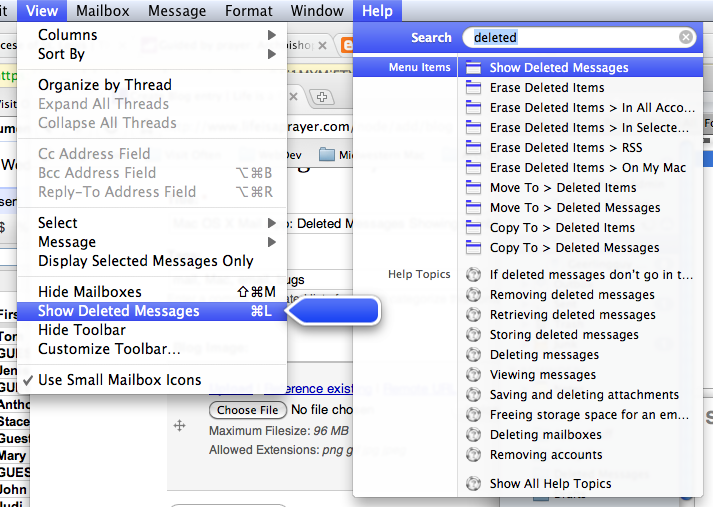
Pesky little menu options!
I found a little menu item labeled "Show Deleted Messages" (Command-L keyboard shortcut), which somehow had been selected at some point (I can't think of why I would hit command-l in Mail... but I guess I did). Unchecking that hid the messages. Problem solved!
Comments