"Licensing for this product has stopped working" - Adobe CS3/CS4 on a Mac
This post is more than 10 years old. I do not delete posts, because even old information is still useful, but please know that some material on this page may be outdated or incorrect. Thanks!
Recently, I had to recover my iMac from a Time Machine backup and a hard drive replacement (my old drive flaked out—see how I repaired my hard drive here (video included!)).
Upon trying to open any Adobe Creative Suite 3 app (I use Photoshop and Illustrator daily...), I got the following error window:
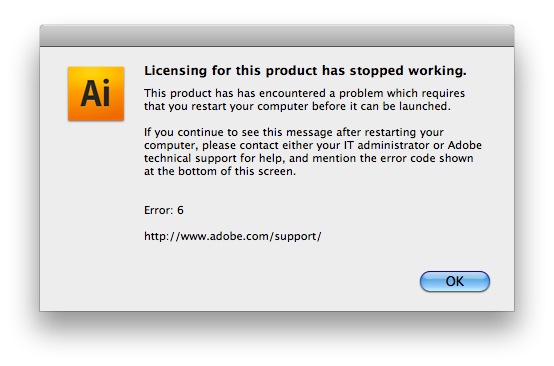
I was taken to this Adobe Support page, which suggests a variety of options for fixing the problem—all of which didn't work for me.
The solution, it turns out, was for me to simply delete the entire folder "FLEXNet Publisher" folder at the following location: /[startup disk]/Library/Preferences/FLEXnet Publisher.
After I deleted that folder, I opened Adobe Illustrator, and it took me through the activation process (it had save my license key, so all I had to do was click 'Next' until the app was working again).
Comments